If your WordPress website is getting impressions on Google but very few clicks — or if your blog posts are not ranking despite months of publishing — the problem might not be your content. It might be your SEO audit. A WordPress SEO audit using Claude AI can uncover issues that standard paid tools like Ahrefs and Semrush completely miss: things like inconsistent trust signals across pages, thin old content dragging down your entire domain, missing schema markup, and E-E-A-T gaps that Google’s quality raters actively flag.
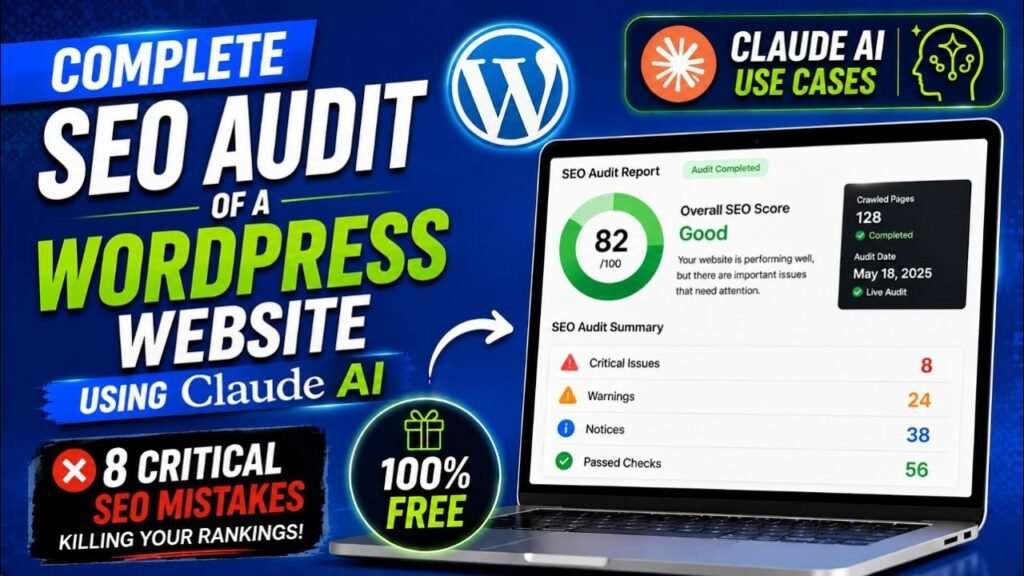
I recently did a complete SEO audit of my own WordPress website — paramfreelance.com — using Claude AI. I found eight critical issues that had been silently holding back my rankings for months. Some of them took less than an hour to fix. In this guide, I will walk you through the exact process I followed, step by step, so you can do the same for your site.
The best part? You do not need Ahrefs, Semrush, or any paid SEO tool. Claude AI is free to use at claude.ai, and it is surprisingly powerful for this kind of audit work.
What Is a WordPress SEO Audit and Why Does It Matter
An SEO audit is a structured review of every technical, on-page, and content-related factor that affects how Google finds, crawls, understands, and ranks your website. Think of it as a health check for your site — the kind of check that reveals problems you did not know existed.
For a WordPress website, a full SEO audit covers five main areas:
- Technical SEO: site speed, mobile-friendliness, SSL, sitemaps, crawl errors, and Core Web Vitals
- On-page SEO: title tags, meta descriptions, H1 headings, URL slugs, image alt text, and keyword placement
- Content quality: thin posts, video-only content, outdated information, and content gaps
- E-E-A-T signals: About page depth, author bio pages, schema markup, and consistency of factual claims
- Internal linking: pillar and cluster structure, related post links, and topic authority signals
Most WordPress site owners focus entirely on publishing new content and ignore the audit step. The result is a site full of thin old posts dragging down the overall quality score, missing structured data that could generate rich results in Google, and trust gaps that prevent Google from ranking even the good content.
A thorough audit typically reveals more ranking improvement opportunities than publishing ten new posts. That is why it should come before any content strategy.
Why I Used Claude AI Instead of Paid SEO Tools
When I decided to audit paramfreelance.com, I had access to Google Search Console for free and Claude AI at claude.ai. I deliberately chose not to use Ahrefs or Semrush for this particular audit, for one important reason.
Paid SEO tools are excellent at measuring quantifiable metrics — they will tell you your domain authority score, your backlink count, and which keywords you rank for. What they cannot do is read your About page and tell you it sounds too thin to satisfy a Google quality rater. They cannot compare your homepage, footer, and About page and notice that your years of experience is listed differently on each one. They cannot evaluate whether your blog content demonstrates genuine first-hand expertise or just repeats information found elsewhere online.
Claude AI can do all of those things. Its strength is qualitative analysis — the kind of judgment that paid tools cannot automate.
💡 Prashant’s Experience
When I pasted my About page into Claude and asked for an E-E-A-T review, it immediately spotted that I had listed ’14 years of experience’ there while my homepage said ’15+ years’ and my footer said ‘9 years’. I had never noticed this inconsistency. Google’s quality raters look for exactly this kind of mismatch as a trust signal failure. Claude caught it in under 30 seconds.
Benefits of Using Claude AI for a WordPress SEO Audit
1. It is completely free to start
The free plan at claude.ai is enough for a complete audit of most WordPress sites. You do not need a credit card or subscription. If you have a large site (100+ pages) or want to do multiple audits per day, Claude Pro at $20 per month adds higher limits and file upload capability.
2. It analyses what paid tools cannot measure
Claude evaluates content quality, E-E-A-T signals, logical consistency, and whether your site’s trust indicators hold up under scrutiny. These are the factors that determine whether a page ranks — and they are invisible to algorithmic SEO tools.
3. It reads your entire site in context
Claude’s large context window means you can paste your homepage, About page, several blog posts, and category pages all into one conversation. It analyses them together and notices patterns across pages — something no tool can do.
4. It generates a prioritized action plan
Instead of a list of issues with no guidance on where to start, Claude produces a structured action plan sorted by effort versus impact. You know exactly what to do this week, what to tackle next month, and what to plan for the long term.
5. It generates schema codes automatically
Claude can write complete HowTo, FAQ, and Video schema JSON-LD code ready to paste into WordPress. This used to require either a paid plugin or a developer. Claude does it in seconds, for free.
6. It rewrites old content in your voice
Once the audit identifies which posts need upgrading, Claude can rewrite each one — keeping the original YouTube video, adding full written content, and generating a downloadable Word document with all the SEO settings and schema codes included. This works through a Claude Artifact (explained later in this guide).
7. No data security concerns with external tools
You paste your own content into Claude and receive analysis back. There is no third-party tool scraping your site, no API keys to manage, and no data being stored by an external analytics platform.
What Claude AI Found on My Website — Real Results
Before I walked through the structured five-step audit below, here is a summary of the eight critical issues Claude identified on paramfreelance.com:
- Inconsistent experience claims — homepage said 15+ years, About page said 14 years, footer said 9 years
- Inconsistent website count — homepage said 1,800+ sites, About page said 1,500
- Wrong social media handle in meta tags — @ParamFreelance vs the actual account @FreeTrialPlans
- About page too thin — 3 short paragraphs with no E-E-A-T signals for a tutorial blog
- No author profile page — post bylines linked to Facebook instead of a dedicated author bio
- 46 thin old blog posts — mostly video embeds with fewer than 500 words of written content
- No Article or HowTo schema on any blog post — missing rich result opportunities
- GoHighLevel category had only 2 posts — a major content pillar completely underdeveloped
None of these issues showed up in Google Search Console. They required the kind of qualitative, cross-page analysis that only a language model can perform. Fixing the first three issues alone took under two hours and required no new content at all.
Step 1: Technical SEO Audit with Claude AI
Start by giving Claude the context it needs to evaluate your site’s technical health. You do not need to be a developer for this step.
How to run it
Open claude.ai and start a new conversation. Paste the following prompt, replacing the URL with your own:
I want you to help me do a technical SEO audit of my WordPress website: [YOUR WEBSITE URL]
Please analyse the following and give me specific findings and fixes:
- Site speed and Core Web Vitals (what to check and how)
- Mobile-friendliness
- SSL certificate
- XML sitemap — is it submitted to Google Search Console?
- Robots.txt file — is anything important being blocked?
- Crawl errors and 404 pages
- Duplicate title tags or meta descriptions
- Homepage title tag — is it keyword-optimized or generic?
Give me a priority order for fixing each issue.
What to look for
- Homepage title tag: A title like ‘Home – Site Name’ is wasted SEO real estate. It should target your main keyword.
- Core Web Vitals: Check your score at pagespeed.web.dev. Elementor sites often score low on mobile — this is worth fixing before anything else.
- Sitemap submission: In Google Search Console, go to Sitemaps and confirm your sitemap URL is submitted and showing 0 errors.
- txt: Visit yoursite.com/robots.txt. Make sure you are not accidentally blocking Google from crawling important pages.
Step 2: On-Page SEO Audit with Claude AI
Technical issues prevent Google from finding your pages. On-page issues prevent Google from understanding and ranking them. This step covers the content metadata on each page.
How to run it
Paste the following prompt into Claude, along with the actual text of your homepage and 2-3 key blog posts:
Here is the content from my WordPress homepage and two blog posts.
Please audit each page for the following on-page SEO factors:
- Title tag — is the primary keyword near the start? Is it under 60 characters?
- Meta description — under 155 characters? Does it include the keyword and a clear benefit?
- H1 heading — is there exactly one? Does it include the primary keyword?
- H2 and H3 headings — are there enough? Do they include secondary keywords?
- URL slug — is it short and keyword-rich?
- Internal links — does each post link to other relevant posts on the site?
- Image alt text — are all images described with keyword-rich alt text?
- First 100 words — does the primary keyword appear naturally?
[PASTE YOUR PAGE CONTENT HERE]
Common findings on WordPress sites
- Generic title tags: Category pages often inherit titles like ‘WordPress Tutorials – Site Name’ with no specific keyword targeting
- Missing meta descriptions: WordPress does not add these automatically — they must be set manually in Yoast or Rank Math for every page
- No internal links: Individual blog posts often exist as isolated islands with no links connecting them to related content
- Missing focus keywords: Posts published before the author started keyword research often have no clear target keyword at all
Step 3: Content Audit — Finding Thin and Outdated Posts
This is the step that produces the most dramatic ranking improvements — and the one that most site owners skip entirely. Google’s Helpful Content system evaluates your entire domain, not just individual pages. If a significant percentage of your blog posts are thin, video-only, or provide no real written value, it suppresses rankings across your whole site — including the good posts.
How to run it
Give Claude your full list of blog post URLs and titles, then ask:
Here is a list of all blog posts on my WordPress site.
Please analyse them and identify:
- Posts that are likely thin content (short, video-dependent, or low-value)
- Posts that are likely outdated or covering deprecated topics
- Content gaps — important topics in my niche that I have not covered yet
- Duplicate topics — posts covering the same thing from slightly different angles
- Priority order for upgrading each thin post
[PASTE YOUR POST LIST HERE]
What Claude found on my site
On paramfreelance.com, Claude identified 46 posts that needed urgent content upgrades. Most of them followed the same pattern: a YouTube video embed at the top, followed by 3-4 short bullet points. The video was good — but Google cannot watch videos. It reads text. A post with 300 words of written content around a video earns almost no ranking value.
The fix is straightforward: keep the video (it helps users), but add a full written step-by-step guide beneath it. A post that was a 3-minute read becomes a 15-minute comprehensive tutorial. That is the difference between ranking on page 3 and ranking on page 1 for the same keyword.
💡 Prashant’s Tip
When you upgrade an old post, do not delete it and republish — update the existing URL. Google has already indexed that page. Updating the content signals that the page is being actively maintained, which is a positive ranking factor. Change the publish date to today’s date after you update it.
Step 4: E-E-A-T Audit — Trust and Authority Signals
E-E-A-T stands for Experience, Expertise, Authoritativeness, and Trustworthiness. It is the framework Google’s quality raters use when manually evaluating websites — and it has a direct influence on how the algorithm scores your content.
For a WordPress tutorial blog, E-E-A-T is especially important because you are publishing advice that people act on. Google wants to verify that the person giving that advice is credible.
How to run it
Please review my About page and help me identify E-E-A-T gaps. Specifically check:
1. Is there a detailed author bio with real credentials and experience? 2. Are the factual claims (years of experience, client count, etc.) consistent across the About page, homepage, footer, and any other pages? 3. Is there a dedicated author profile page linked from every blog post? 4. Is there Person schema markup on the About or author page? 5. Does the About page mention teaching background (YouTube channel, tutorials)? 6. Are social media profiles linked and consistent with the meta tags?
[PASTE YOUR ABOUT PAGE AND HOMEPAGE CONTENT HERE] |
The four E-E-A-T fixes with the biggest impact
- Rewrite your About page: 3 short paragraphs is not enough. Google needs 600-800 words that establish who you are, what you have built, who you help, and why readers should trust your tutorials.
- Create an author profile page: Every post byline should link to a dedicated author page at /author/your-name/ that mirrors the About page in third person and has Person schema markup.
- Fix inconsistent claims: If your homepage says 15 years and your About page says 14 years, fix it everywhere. This takes 30 minutes and has an outsized impact on trust signals.
- Add Article schema: Every blog post should have Article or BlogPosting schema identifying the author with a link to their profile page. This connects your content to your identity in Google’s knowledge graph.
How to Build a Claude AI Artifact to Rewrite Old Blog Posts
Once the audit identifies which posts need upgrading, the next challenge is actually rewriting them. If you have 46 posts that need new content, doing them manually one by one would take months.
This is where Claude Artifacts become a game-changer. An Artifact is an interactive tool that Claude builds and displays inside the claude.ai interface. You do not need to install anything, write any code, or leave your browser. It runs right inside Claude.
What the Post Rewriter Artifact does
- Accepts a URL: You paste any old blog post URL into the tool
- Fetches and reads the post: Claude reads the existing content, finds any embedded YouTube videos, and analyses what is there
- Rewrites the content: Produces a full 1,500+ word SEO-optimized article in the author’s voice — conversational, practical, and based on real experience
- Generates all schema codes: HowTo schema, FAQ schema, and Video schema (if a YouTube embed is detected) — ready to paste into WordPress
- Creates a Word document: A downloadable .doc file containing the rewritten article, SEO settings table (for Rank Math or Yoast), all schema code blocks, internal linking suggestions, and an editor checklist
How to get Claude to build this Artifact
In a new Claude conversation, paste the following prompt:
Please build me an interactive Artifact that works as a blog post SEO rewriter. It should: 1. Accept a WordPress blog post URL as input 2. Use web search to fetch and read the full post content 3. Detect any embedded YouTube videos in the post 4. Rewrite the post as a 1,500+ word SEO-optimized article 5. Write in a conversational voice (like a colleague explaining something) 6. Generate HowTo schema, FAQ schema, and Video schema (if YouTube found) 7. Show results in tabs: Article preview, SEO Settings, Schema Codes, Checklist 8. Provide a Download Word Document button The article should include: SEO title, meta description, focus keyword, URL slug, full rewritten body with H2 and H3 headings, FAQ section, and a conclusion with CTA. No asterisks or markdown symbols in the output — clean plain text only. |
Claude will build the Artifact in a few seconds. Once it appears on the right side of your screen, paste an old post URL and click Rewrite Post. The full rewrite takes about 30 to 60 seconds per post. You can then download the Word document and manually update the post in WordPress.Building Your Complete SEO Action Plan with Claude AI
After completing all four audit steps, the final piece is turning the findings into a structured, prioritized action plan — so you know exactly what to do and in what order.
Phase 1 — Foundation Fixes (Week 1-2)
These are quick wins that improve your entire site before you publish a single new word of content:
- Fix all inconsistent claims across every page — years of experience, client count, social handles
- Rewrite the About page as a full 600-800 word E-E-A-T authority bio
- Create a dedicated author profile page linked from every post byline
- Fix the homepage title tag to target your main keyword
- Add Article and HowTo schema to all blog posts via Rank Math or Schema Pro
Phase 2 — Content Strategy (Weeks 3-12)
- Content upgrades: Rewrite all thin posts using the Claude Artifact — aim for 3 per week
- Internal linking: Build a pillar and cluster structure — one comprehensive guide per main topic with all related posts linking back to it
- Content gaps: Publish new posts on high-value topics your audit identified as missing
- Publishing cadence: Minimum 3 new posts per week, stagger publish times, mix tutorial posts with comparison and review posts
Phase 3 — Authority Building (Month 2 onward)
- YouTube cross-linking: Add your blog post URL to every YouTube video description. Add a verbal mention at the end of each video.
- Plugin developer outreach: If you write tutorials about specific plugins, email each developer and ask them to link to your tutorial from their documentation page
- Google Search Console monitoring: Check weekly for posts ranking positions 11-20 — a targeted content improvement often moves them to page 1
- Community participation: Answer questions on Reddit (r/wordpress, r/woocommerce) and link to relevant tutorials where helpful
Frequently Asked Questions
Can I use Claude AI for a WordPress SEO audit for free?
Yes. Claude AI’s free plan at claude.ai is enough to complete a full SEO audit covering technical SEO, on-page SEO, content quality, and E-E-A-T signals. The free plan has daily message limits, so you may need to spread the audit across a couple of sessions for larger sites. Claude Pro at $20 per month unlocks higher limits and file uploads if needed.
What SEO issues can Claude AI find on a WordPress website?
Claude can identify inconsistent claims across pages, thin content, missing schema markup, weak About and author pages, poorly optimized title tags, missing internal links, video-only posts with no written content, and E-E-A-T gaps. It can also flag content gaps in specific topic categories and suggest a prioritized action plan.
How is Claude AI different from Ahrefs or Semrush for SEO audits?
Paid SEO tools measure quantifiable metrics such as backlink counts, keyword rankings, and site speed scores. Claude AI evaluates qualitative factors that tools cannot score — including whether your content demonstrates genuine expertise, whether your E-E-A-T signals are credible to Google, and whether your About page would satisfy a quality rater. Claude is also free, while Ahrefs and Semrush start at over $99 per month.
What is a Claude Artifact and how does it help with SEO?
A Claude Artifact is an interactive mini-app built and displayed inside claude.ai. For SEO purposes, an Artifact can fetch an old blog post URL, rewrite the content as an SEO-optimized article, generate schema codes, and produce a downloadable Word document — all in one click. No coding is required.
How long does a Claude AI WordPress SEO audit take?
A basic audit of a small WordPress site takes approximately 60 to 90 minutes. A deeper audit covering all blog posts, content gaps, E-E-A-T signals, and a full action plan may take 2 to 3 hours. Larger sites may need multiple sessions.
What is E-E-A-T and why does it matter?
E-E-A-T stands for Experience, Expertise, Authoritativeness, and Trustworthiness. It is the framework Google uses to evaluate whether a website’s content is credible. For a WordPress blog, E-E-A-T signals include a detailed About page, dedicated author pages with real credentials, consistent factual claims, schema markup, and backlinks from authoritative sources.
Is AI-written content acceptable for WordPress blog posts?
Yes. Google’s official position is that AI-generated content is acceptable if it is helpful, accurate, and created for users rather than to manipulate rankings. The key is to add genuine first-hand experience to each post and avoid publishing at an unnaturally high velocity without engagement signals.
Final Thoughts
A complete SEO audit of your WordPress website does not require expensive tools or technical expertise. Claude AI gives you the analytical depth of a senior SEO consultant — for free — and it evaluates the qualitative factors that paid tools simply cannot measure.
The most important thing I learned from auditing my own site is this: you probably have more ranking potential in your existing content than you think. The thin old posts, the missing schema, the inconsistent trust signals — these are fixable problems. And once you fix them, the content you have already published starts performing the way it should have from the beginning.
Start with the four-step audit in this guide. Fix the foundation issues first. Then use the Claude Artifact to systematically upgrade your old content — one post at a time, every day. Within 90 days you will see a meaningful difference in your Google Search Console impressions and click-through rates.
If you have questions about any step in this process, drop a comment below — I read and reply to every one. And if you want to watch the full video walkthrough of how I audited paramfreelance.com live on screen, watch the tutorial on my YouTube channel. If you need help setting this up for your own site, get in touch through the contact page.