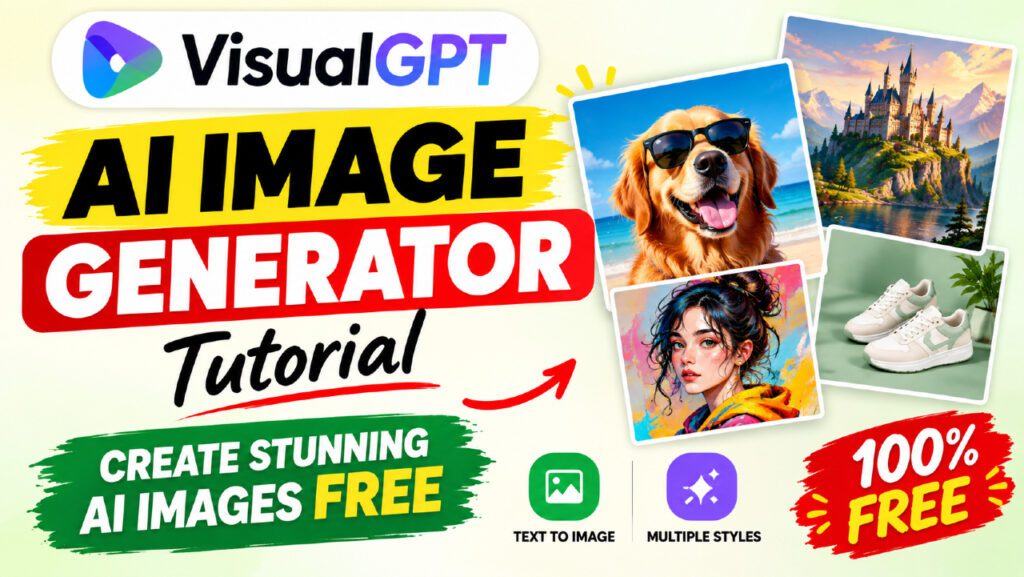
Looking for the best free AI image generator that actually delivers professional-quality results without hidden paywalls, watermarks, or design skills? VisualGPT is one of the most powerful AI creative tools available today — and you can start using it completely free. In this full tutorial and review, we cover everything: what VisualGPT is, how it works, all its tools and features, pricing, and exactly how to create stunning images from a simple text prompt in seconds.
Table of Contents
What Is VisualGPT?
VisualGPT is a free AI creative suite built for e-commerce sellers, content creators, marketers, and design teams. At its core is a powerful text-to-image generator, but VisualGPT goes far beyond simple image creation — it brings together over 20 AI models for image generation, video creation, product photography, AI portraits, virtual try-ons, room design, and much more, all from a single platform.
Developed by ZINGKODE LTD, VisualGPT has already generated over 50 million pictures and is trusted by more than 800 organizations worldwide. It carries a 4.9-star user rating — a testament to its quality and ease of use.
Who Is VisualGPT Built For?
- E-commerce sellers on Amazon, Shopify, Etsy, and TikTok Shop
- Social media content creators on Instagram, TikTok, and YouTube
- Digital marketers producing ads, banners, and campaign visuals
- Graphic designers exploring creative concepts
- Bloggers and journalists needing article visuals
- Real estate professionals using AI room design tools
- Small businesses replacing expensive photo studios
Is VisualGPT Free?
Yes. VisualGPT is free to start — no credit card required, no time limit, and no sign-up needed to use the AI Image Generator. Free users receive daily credits for image generation and access to core AI models. Paid plans unlock higher-resolution exports, batch processing, commercial-use rights, and access to premium models like GPT Image 2.5 Flare and Seedance 2.5.
Why VisualGPT Stands Out Among Free AI Image Generators
The free AI image generator market has become crowded in 2026. So what makes VisualGPT worth your attention?
20+ AI Models in One Platform
Most free tools are locked to a single AI model. VisualGPT gives you access to the world’s top image and video AI models — including GPT Image 2.5, Seedance 2.5, MiniMax H3, Seedream 5.0 Pro, Nano Banana Pro, Kling, Qwen Image Layered, and Flux — all from a single dashboard. You pick the right model for every job without switching apps or juggling multiple subscriptions.
Purpose-Built for Production
Unlike toy generators that are great for casual experimentation, VisualGPT is engineered for production workloads. It supports batch processing of entire product catalogs, high-resolution exports up to 4K, and a structured workflow that covers the full visual pipeline — from ideation to final export.
Commercial-Use Rights with Eligible Plans
Images generated with an eligible paid subscription or Lifetime Credits can be used commercially — in marketing, e-commerce listings, social media ads, client work, and print materials — with no extra licensing fees. This is a critical differentiator for businesses and freelancers.
No Studio. No Photographer. No Switching Tools.
VisualGPT eliminates the need for professional photography equipment, studio rental, and multiple subscriptions. One platform covers product photos, AI model try-ons, portraits, videos, ad creatives, and room design. Users have reported cutting photography costs by up to 80% after switching to VisualGPT.
VisualGPT AI Image Generator: Features Deep Dive
The AI Image Generator is the flagship tool on VisualGPT. Here is a complete breakdown of everything it can do:
Text to Image Generation
Type any description — a product scene, an artistic concept, a marketing visual, a portrait — and VisualGPT’s AI turns it into a high-quality image in seconds. The tool supports prompts up to 4,096 characters, giving you fine-grained control over every detail of the output.
Image to Image Generation
Upload a reference image and VisualGPT will generate a new image inspired by it. This is perfect for maintaining visual consistency across a brand, recreating a mood or composition, or transforming an existing photo into a new style.
Multiple Style Options
VisualGPT supports a wide range of visual styles that you can select before generating:
- General — all-purpose, versatile output
- Photo — photorealistic, studio-quality imagery
- Illustration — hand-drawn, artistic, and graphic styles
- 3D — three-dimensional rendered visuals
- Painting — fine-art and painted aesthetics
- C4D — Cinema 4D-inspired product renders
Niche Category Presets
Beyond style, VisualGPT lets you choose the content category of your image — Food, Hand Carved, Product, and more — ensuring the AI applies the right rendering logic for your specific use case.
Resolution and Quality Controls
Users can configure image resolution and quality settings before generating. Paid plans unlock high-resolution exports up to 4K, while the free plan provides standard-resolution outputs suitable for social media and web use.
Batch Generation
Paid subscribers can generate multiple images simultaneously in a single session, making it efficient to produce variations of a product, test different prompt angles, or batch-process an entire catalog.
All VisualGPT AI Tools at a Glance
VisualGPT is much more than an image generator. Here is a complete overview of every tool available on the platform:
AI Image Tools
- AI Image Generator — Turn text prompts into stunning images instantly
- AI Image Editor — Edit, enhance, and transform existing images
- AI Image Blender — Combine two images into a seamless new visual
- Photo to Sketch — Convert portraits into artistic pencil sketches
- Image Upscaler — Enhance resolution and image sharpness
- Object Remover — Remove unwanted objects from any photo
- AI Manga Translator — Translate manga panels with AI precision
AI Photo Studio Tools
- AI Hairstyle Changer — Visualize new hairstyles before committing to a cut
- AI Clothes Changer — Try any outfit on AI models instantly
- AI Pose Generator — Generate dynamic, professional poses for any model
- AI Headshot Generator — Professional headshots without a photographer or studio
- AI Portrait Generator — Create artistic and realistic AI portraits
- AI Age Filter — See how a person looks at different ages
- AI Hair Color Changer — Experiment with hair color changes instantly
- AI Wedding Photo Generator — Create stunning wedding-style portrait photos
AI Video Tools
- AI Video Generator — Turn ideas and static images into engaging AI videos
- AI Video Ad Generator — Generate high-converting video ads automatically
- AI Video Enhancer — Improve quality, sharpness, and clarity of existing videos
E-Commerce & Product Tools
- AI Product Photography — Create store-ready product visuals on any background
- AI Virtual Try-On — Show products on realistic AI models without a photoshoot
- Product Listings Generator — Create complete product visuals for online stores
- Ad Creatives Generator — Generate and clone winning ad creatives at scale
AI Room & Design Tools
- AI Room Designer — Redesign any room with different styles and furniture
- AI Landscape Design — Visualize outdoor landscaping ideas instantly
- AI Exterior Home Design — Preview home exterior upgrades before renovation
- AI Kitchen Planner — Plan kitchen layouts and finishes visually
- Living Room Design — Explore living room layout and decor options
- Paint Color Visualizer — See how paint colors look on real walls before buying
Utility Tools
- AI Photo Studio — All portrait and creative editing tools in one place
- AI Room Planner — Comprehensive room layout and design planning
- Image to Prompt — Reverse-engineer any image into a text prompt
- Seedance 2.5 Prompts — Ready-made prompt library for the Seedance 2.5 video model
How to Use VisualGPT AI Image Generator: Step-by-Step
Getting your first image from VisualGPT takes less than a minute. Here is the complete process:
Step 1: Go to the AI Image Generator
Visit visualgpt.io/ai-image-generator in any web browser. No account creation, no sign-up, and no app download is required to start generating images for free.
Step 2: Write Your Prompt
In the prompt field, describe the image you want to create. Be as specific as possible — include:
- The subject (e.g., “A professional woman in a business suit”)
- The setting or background (e.g., “modern office with floor-to-ceiling windows”)
- The mood or lighting (e.g., “soft natural daylight, warm tones”)
- Any style references (e.g., “photorealistic, studio quality”)
The prompt field supports up to 4,096 characters, so feel free to add as much detail as your concept requires.
Step 3: Select a Mode
Choose between Text to Image (generating from scratch) or Image to Image (transforming an existing photo). For Image to Image, upload your reference image before proceeding.
Step 4: Choose Your AI Model
Select an AI model from the dropdown. Each model has different strengths — Nano Banana is great for general use, while GPT Image 2.5 delivers photorealism, and Seedream 5.0 Pro excels at precise, detailed edits. Experiment with different models to find the best fit for your style.
Step 5: Pick a Style and Category
Select a visual style (Photo, Illustration, 3D, Painting, etc.) and optionally choose a content category like Product, Food, or General. These settings guide the AI toward the right visual direction for your prompt.
Step 6: Set Resolution and Quantity
Choose how many image variations you want generated (up to the limit of your plan) and your target resolution. For social media, standard resolution is usually sufficient. For print or product listings, select the highest available resolution.
Step 7: Generate and Download
Click the Generate button. VisualGPT produces your images within seconds. Preview the results, choose your favorite, and download the high-resolution file ready for immediate use in social media, marketing campaigns, or product listings.
AI Models Available on VisualGPT
One of VisualGPT’s biggest advantages is the breadth of AI models it gives you access to from a single platform. Here is a breakdown of the main models and what they are best at:
AI Model | Best For | Type |
GPT Image 2.5 Flare | Sharper, next-level resolution photorealism | Image |
GPT Image 2 | High-quality photorealistic images | Image |
Nano Banana Pro | Versatile everyday image generation | Image |
Nano Banana 2 | Fast, reliable general-purpose generation | Image |
Seedream 5.0 Pro | Precise, powerful professional editing | Image |
Seedream 5.0 | High-quality detailed images | Image |
Seedream 4.5 | Balanced quality and speed | Image |
Qwen Image Layered | Complex layered compositions | Image |
Flux | Artistic and stylized output | Image |
Seedance 2.5 | Up to 30-second AI videos, multi-reference | Video |
MiniMax H3 | Native 2K cinematic video with immersive audio | Video |
Kling 3.0 | High-quality video generation | Video |
VisualGPT for E-Commerce Sellers
For online sellers, VisualGPT is arguably the most powerful cost-saving tool available in 2026. Here is how it transforms the product photography and listing workflow:
Studio-Quality Product Photography Without a Studio
Upload a raw product photo and VisualGPT’s AI Product Photography tool generates studio-quality shots with clean white backgrounds, lifestyle scenes, and contextual environments — all without renting a studio or hiring a photographer. One Shopify fashion brand reported cutting photography costs by 80% and publishing new collections three times faster after adopting VisualGPT.
AI Virtual Try-On for Fashion and Apparel
The Virtual Try-On tool allows fashion sellers to show their products on realistic AI models without arranging physical photoshoots. Upload a product image and select from AI model types, poses, and backgrounds to generate complete model shots at scale.
Complete Product Listing Suites
VisualGPT’s Product Listings generator creates a full suite of listing visuals for Amazon, Shopify, Etsy, and TikTok Shop — including main product shots, detail images, lifestyle scenes, and infographic-style visuals — all in a single batch session.
Ad Creatives at Scale
The Ad Creatives tool generates and clones winning advertising visuals. Upload a reference ad creative and VisualGPT generates optimized variations for A/B testing across Facebook, Instagram, Google, and TikTok ad campaigns.
VisualGPT for Content Creators & Marketers
Content creators and marketers benefit from VisualGPT’s ability to produce a constant stream of fresh, high-quality visuals without relying on stock photography libraries or expensive design software.
Social Media Content Creation
Design posts, banners, stories, and thumbnails for Instagram, TikTok, YouTube, Facebook, Pinterest, and Twitter in seconds. Type a description, choose a style, and download a platform-ready visual with the correct aspect ratio and resolution.
AI Portraits and Headshots On Demand
The AI Headshot Generator produces professional-quality portrait photos without a photographer or studio. Content creators managing personal brands can generate consistent profile photos, thumbnail face shots, and promotional portraits at any time.
Hairstyle and Look Previewing
VisualGPT’s AI Hairstyle Changer lets creators preview new hair styles, cuts, and colors before committing — a popular tool for beauty content creators who regularly produce “what if” and transformation content.
Creative Art and Digital Illustrations
Artists and designers use VisualGPT to explore concept art, generate illustration series, create unique brand assets, and develop visual identities — all starting from a text prompt or reference image.
VisualGPT Pricing: Free vs Paid Plans
VisualGPT offers a generous free tier alongside several paid plans designed to scale with your usage needs. Here is a full breakdown:
Free Plan
- Daily credits for image generation (no credit card required)
- Access to core AI models
- Standard-resolution exports
- 15-day history storage
- Personal use only (no commercial use)
Paid Subscription Plans
Plan | Price (Annual) | Credits/Month |
Starter | $72/year ($6/mo) | 100 Credits (~100 images/mo) |
Basic | $180/year ($15/mo) | 500 Credits (~500 images/mo) |
Pro (Most Popular) | $240/year ($20/mo) | 2,000 Credits (~2,000 images/mo) |
Ultra | $720/year ($60/mo) | 6,000 Credits (~6,000 images/mo) |
Lifetime Credit Packs (One-Time Purchase)
For users who prefer not to subscribe, VisualGPT offers one-time Lifetime Credit purchases that never expire:
- 200 Credits — $20
- 1,000 Credits — $39 (60% off)
- 2,000 Credits — $59 (70% off)
- 3,000 Credits — $89 (70% off)
- 5,000 Credits — $149 (70% off)
- 10,000 Credits — $299 (70% off)
- 50,000 Credits — $999 (80% off)
What Paid Plans Unlock
- High-resolution downloads up to 4K
- Commercial use rights
- Watermark-free downloads
- Unlimited history storage
- Batch editing (up to 10 images per task)
- Access to premium AI models (GPT Image 2.5, Seedance 2.5, MiniMax H3)
- Processing priority and faster generation
- Early access to new models and features
- Priority customer support
VisualGPT vs Other Free AI Image Generators
How does VisualGPT compare to other popular free AI image generators in 2026?
Feature | VisualGPT | Midjourney | DALL-E 3 | Adobe Firefly |
Free Plan Available | ✅ Yes | ❌ No | ✅ Limited | ✅ Limited |
No Sign-Up Required | ✅ Yes | ❌ No | ❌ No | ❌ No |
Number of AI Models | 20+ models | 1 model | 1 model | 1 model |
AI Video Generation | ✅ Yes | ❌ No | ❌ No | ✅ Limited |
Product Photography | ✅ Yes | ❌ No | ❌ No | ❌ No |
Virtual Try-On | ✅ Yes | ❌ No | ❌ No | ❌ No |
Commercial Use (Free) | ❌ Paid only | ✅ Yes | ✅ Yes | ✅ Yes |
Batch Processing | ✅ Yes | ❌ No | ❌ No | ✅ Limited |
Room Design Tools | ✅ Yes | ❌ No | ❌ No | ❌ No |
Lifetime Credits | ✅ Yes | ❌ No | ❌ No | ❌ No |
VisualGPT’s key competitive edge is the breadth of tools, the number of AI models available, and the specialized features for e-commerce and content production workflows — all from a single platform with no need to juggle multiple subscriptions.
Tips for Writing Better Prompts on VisualGPT
The quality of your AI-generated images depends heavily on the quality of your prompts. Here are proven strategies for better results:
Be Specific About Subject and Context
Instead of “a woman”, write “a professional woman in her 30s wearing a navy blue blazer, standing in a bright modern coworking space, smiling confidently at the camera”. Specificity gives the AI clearer instructions and reduces guesswork.
Describe Lighting and Mood
Lighting dramatically affects how an image feels. Add descriptors like “soft natural daylight”, “golden hour sunset glow”, “dramatic studio lighting”, or “bright and airy”. This guides the AI toward the right emotional tone for your visual.
Include Style References
Add style descriptors like “photorealistic”, “8mm film grain”, “watercolor painting”, “minimalist flat design”, “cinematic movie still”, or “commercial product photography”. These anchor the AI to a clear aesthetic direction.
Use Negative Prompts
If there are specific elements you want to avoid — blurry backgrounds, extra limbs, unnatural colors — some models support negative prompts. Specify what you do NOT want to improve accuracy significantly.
Start Simple, Then Add Complexity
If your first result is not quite right, do not overhaul the entire prompt. Add one or two specific details at a time and regenerate. This iterative approach helps you isolate what is driving the output and refine toward your ideal result.
Use the Image to Image Mode for Consistency
When you need multiple images that share the same visual style — such as a product line or a branded content series — upload one approved image as your reference in Image to Image mode. The AI will maintain consistency across all variations.
Commercial Use & Image Ownership
Understanding the ownership and usage rights of AI-generated images is important for any professional or business use. Here is how VisualGPT handles this:
Do You Own the Images You Create?
Yes. Every image you create on VisualGPT belongs to you. VisualGPT does not claim ownership over your generated content.
When Can You Use Images Commercially?
- Images generated with an eligible paid subscription — commercial use is permitted
- Images generated with Lifetime Credits — commercial use is permitted
- Images generated on the free plan — personal, non-commercial use only
Qualifying commercial outputs can be used in marketing campaigns, e-commerce product listings, social media advertising, client work, and print materials, subject to VisualGPT’s Terms of Service and applicable model restrictions.
Are Images Watermark-Free?
Yes — for paid plan users. All downloads from eligible paid subscriptions and Lifetime Credits are completely watermark-free. Free plan exports are also watermark-free for personal use.
Do Commercial Rights Expire if You Cancel?
No. Commercial-use rights for qualifying outputs remain valid even after you cancel a paid subscription. You keep the rights to every image you generated during your subscription period.
Frequently Asked Questions (FAQ)
Is VisualGPT really free to use?
Yes. VisualGPT offers a free plan with daily credits — no credit card required and no time limit. The AI Image Generator can be accessed without even creating an account. Free users get access to core AI models and standard-resolution exports. Paid plans unlock more credits, high-resolution downloads, commercial use, and premium AI models.
How many images can I generate for free?
Free users receive a limited number of daily credits that reset every 24 hours. The exact number depends on the model and resolution selected. For unlimited high-volume generation, the paid subscription plans start from $72 per year and include 100 to 6,000 credits per month depending on the tier.
What AI models does VisualGPT use?
VisualGPT gives you access to 20+ AI models including GPT Image 2.5 Flare, GPT Image 2, Nano Banana Pro, Seedream 5.0 Pro, Seedance 2.5, MiniMax H3, Kling 3.0, Qwen Image Layered, and Flux. Each model specializes in different types of output, from photorealism to cinematic video.
Do I need design experience to use VisualGPT?
Not at all. VisualGPT is designed for people who need professional-quality visuals without design skills. You type a description in plain language, choose a style, and the AI generates your image. The defaults work well right out of the box, and advanced settings are available when you want more control.
Can I use VisualGPT for product photography?
Yes. Product photography is one of VisualGPT’s most popular use cases. Upload a product photo and generate studio-quality white background shots, lifestyle scenes with AI models, and complete listing suites for Amazon, Shopify, Etsy, and TikTok Shop — without a physical photoshoot.
What is the difference between subscription credits and lifetime credits?
Subscription credits are issued monthly during your active subscription and expire at the end of each billing cycle. Lifetime Credits are purchased once as a one-time payment and never expire — they remain in your account until you use them. Both can be used together, with subscription credits consumed first.
Can I generate AI videos on VisualGPT?
Yes. VisualGPT includes a full AI Video Generator, an AI Video Ad Generator, and an AI Video Enhancer. For video, the platform features models like Seedance 2.5 (up to 30-second multi-reference videos), MiniMax H3 (native 2K cinematic video with immersive audio), and Kling 3.0.
Is VisualGPT available in multiple languages?
Yes. VisualGPT supports multiple languages including English, Japanese, Spanish, French, Russian, German, Arabic, and Simplified Chinese, making it accessible to creators and businesses worldwide.
Conclusion
VisualGPT is one of the most complete and capable free AI image generators available in 2026. While many tools offer a single AI model with limited free generations, VisualGPT delivers a full creative suite — 20+ AI models, text-to-image, image-to-image, AI video, product photography, virtual try-on, room design, portrait editing, and much more — all from a single platform.
Whether you are an e-commerce seller trying to replace expensive photoshoots, a content creator producing social media visuals at scale, or a marketer generating ad creatives on demand, VisualGPT has a specialized tool for your workflow. And the fact that it starts completely free — no credit card, no sign-up required — makes it a risk-free place to start.
Over 50 million images created and 800+ organizations trusting the platform speak for themselves. If you have not tried VisualGPT yet, now is the time.
Ready to create your first AI image? Head to visualgpt.io/ai-image-generator and start generating for free today — no sign-up, no credit card, no limits.