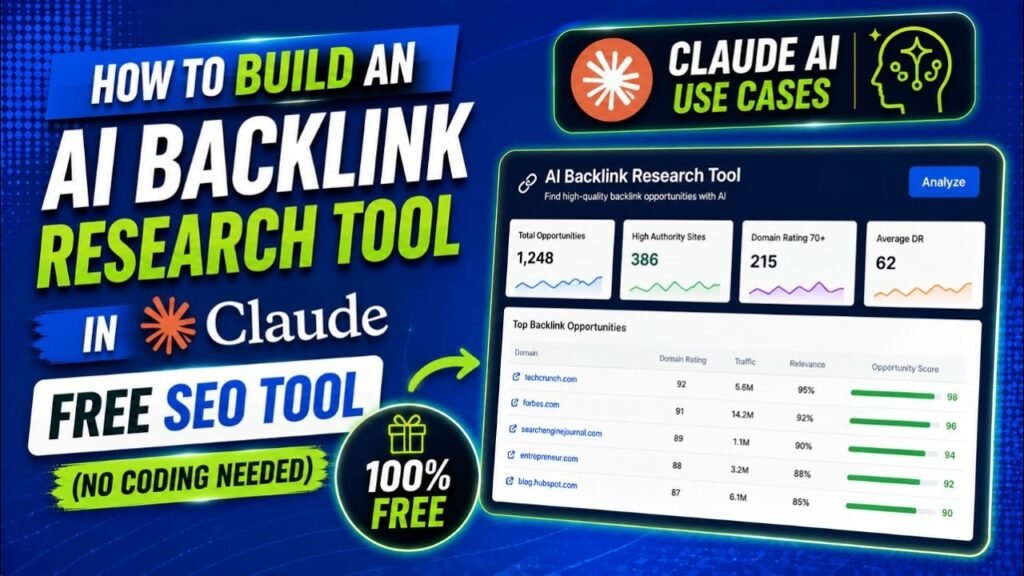
Backlinks remain one of the most powerful ranking factors in Google’s algorithm. Yet building quality backlinks through guest posting is time-consuming, expensive, and requires hours of manual research. What if you could build your own free AI backlink research tool directly inside Claude AI — with no coding skills required?
In this guide, you will learn exactly how to create a powerful AI backlink research tool using Claude AI that finds high-authority guest post websites for any keyword and niche, generates unique topic ideas, writes full SEO-optimized articles with your backlink URL embedded naturally, and exports everything to an Excel spreadsheet — all in one place.
The best part? Claude Pro costs just $20/month — a fraction of the $99–$117/month you would pay for tools like Ahrefs or SEMrush. And this tool does far more than just backlink research.
Watch Step by step video tutorial: https://youtu.be/DFiBPzzaGJw
Prompt that you can use to create the same AI backlink research tool
Create a React artifact named “Quality Backlink Websites Research” — an AI-powered
guest post opportunity finder for SEO backlink building.
—
## TECH STACK
– React (JSX) with useState
– Anthropic API: https://api.anthropic.com/v1/messages
– Model: claude-sonnet-4-6
– SheetJS (xlsx) for Excel export: import * as XLSX from “xlsx”
– No external CDN libraries
—
## INPUT SCREEN
Show 3 text input fields (NO dropdowns):
1. Target Keyword
2. Your Niche
3. Your Website URL
One button: “🚀 Find 7 + 7 Backlink Websites”
—
## HOW IT WORKS
When the button is clicked, make TWO sequential Anthropic API calls:
### API Call 1 — Primary List (max_tokens: 4000)
System prompt: “You are an SEO expert. Respond with ONLY a raw JSON array.
No markdown fences, no explanation. Just the JSON array starting with [
and ending with ].”
User prompt: Find exactly 7 high-quality, large, well-established websites
that accept guest posts for keyword “[keyword]” in niche “[niche]”.
Requirements:
– DA 50+ only
– 5+ years active
– Stable long-running guest post program
– Reputable editorial-quality sites only
– Do NOT include sites known to have stopped accepting guest posts
For each site, create ONE unique guest post topic relevant to the keyword.
Return ONLY a JSON array with exactly 7 objects:
[{
“name”: “Website Name”,
“url”: “https://website.com”,
“guestPostUrl”: “https://website.com/write-for-us”,
“estimatedDA”: “65+”,
“relevance”: “High”,
“difficulty”: “Medium”,
“doFollow”: true,
“topic”: “Unique guest post topic for this site”,
“notes”: “One sentence why this is a strong stable opportunity”
}]
### API Call 2 — Backup List (max_tokens: 2000)
AFTER getting the primary list results, make a second API call.
Pass the primary site names and URLs into the prompt so backups are different.
System prompt: Same as above.
User prompt: Find exactly 7 DIFFERENT backup websites for the same keyword
and niche. Do NOT include any of these sites already in the primary list:
[list primary site names and URLs here].
DA 40+ required.
Return ONLY a JSON array with exactly 7 objects:
[{
“name”: “Website Name”,
“url”: “https://website.com”,
“estimatedDA”: “45+”
}]
### DEDUPLICATION
After getting backup results, filter out any backup site whose URL or name
matches any primary site (case-insensitive comparison).
### JSON PARSING
Use a robust parser: strip markdown fences, find first “[” and last “]”,
extract just the array, then JSON.parse. Do not fail if there is extra
text before or after the array.
—
## RESULTS DASHBOARD
Show two sections:
### PRIMARY LIST (7 sites) — full detail cards
Each card shows:
– Site number badge (gradient purple)
– Site name + URL (plain text, not a clickable link)
– Badges: DA score, Relevance (color-coded), Difficulty (color-coded),
Do-Follow status
– Notes line in italic
– Guest Post Topic box (highlighted with left purple border)
– Two action buttons:
a) “✍️ Write Guest Post” — opens article writer
b) “🌐 Open Website” — opens site.url in new tab
### BACKUP LIST (7 sites) — compact rows
Each row shows:
– Row number
– Site name
– Site URL (plain text)
– DA badge only
No topic, no article writer, no extra buttons.
### EXPORT BUTTON
“⬇ Download Excel (.xlsx)” button at top right of results.
Uses SheetJS to generate a real .xlsx file with two sections:
– MAIN WEBSITES (7): columns #, Type, Website Name, URL, Guest Post URL,
DA, Relevance, Difficulty, Do-Follow, Topic, Notes
– BACKUP WEBSITES (7): columns #, Type, Website Name, URL, DA
Set column widths appropriately.
Use triggerDownload() helper (see Downloads section below).
—
## ARTICLE WRITER
When “✍️ Write Guest Post” is clicked, make a third API call
(max_tokens: 4000) with this system prompt:
System: “You are an expert SEO content writer. Follow the exact format
specified. Use NO markdown formatting whatsoever — no asterisks, no hashes,
no underscores. Plain text only with the section labels as specified.”
User prompt must request this EXACT output format:
TITLE: [Article title here]
INTRO:
[2-3 paragraphs]
SECTION: [Heading]
[2-3 paragraphs]
SECTION: [Heading]
[2-3 paragraphs]
SECTION: [Heading]
[2-3 paragraphs]
SECTION: [Heading]
[2-3 paragraphs]
CONCLUSION:
[1-2 paragraphs]
Also require in the prompt:
– 800 to 1000 words total
– Keyword “[keyword]” used naturally 4-5 times
– ONE backlink embedded using this exact inline format:
BACKLINK: [anchor text] | [website URL]
Place on its own line within a paragraph. Anchor text must be relevant
to the keyword.
– Professional, informative tone
– No markdown symbols at all
### ARTICLE DISPLAY
Parse the structured format and render on a WHITE background like a
real document:
– TITLE → <h1> styled dark
– SECTION headings → <h2> styled purple
– CONCLUSION → <h2> “Conclusion”
– BACKLINK lines → parse “BACKLINK: anchor | url” pattern, render as
a real clickable blue underlined hyperlink in the preview
– All other lines → <p> with justified text
### ARTICLE DOWNLOAD
“⬇ Download Word Document (.doc)” button.
Generate a Word-compatible HTML file (NOT using any CDN library):
– Use this HTML structure with Microsoft Office XML namespace:
<html xmlns:o=”urn:schemas-microsoft-com:office:office”
xmlns:w=”urn:schemas-microsoft-com:office:word”
xmlns=”http://www.w3.org/TR/REC-html40″>
– Include <!–[if gte mso 9]> XML block for Word settings
– Title as <h1>, section headings as <h2> in purple color
– Body paragraphs with Arial font, 12pt, 1.8 line height, justified
– BACKLINK pattern rendered as real <a href=”…”> hyperlink in the doc
– Escape all HTML special characters (&, <, >, “)
– Save as .doc (Word opens HTML .doc files natively)
– Use triggerDownload() helper
—
## DOWNLOADS HELPER FUNCTION
Always use this helper for ALL file downloads (fixes silent failures
in sandboxed iframes):
const triggerDownload = (blob, filename) => {
const url = URL.createObjectURL(blob);
const a = document.createElement(“a”);
a.href = url;
a.download = filename;
a.style.display = “none”;
document.body.appendChild(a);
a.click();
setTimeout(() => {
document.body.removeChild(a);
URL.revokeObjectURL(url);
}, 200);
};
NEVER use a.click() without first appending to document.body.
—
## UI DESIGN
Dark theme throughout:
– Background: linear-gradient(135deg, #0f172a, #1e293b)
– Header: linear-gradient(90deg, #1e40af, #7c3aed)
– Cards: #1e293b background, #334155 border
– Primary buttons: linear-gradient(90deg, #4f46e5, #7c3aed)
– Success/download buttons: #16a34a
– Text: #f1f5f9 primary, #94a3b8 secondary
– Article preview: white background (#ffffff) with dark text
Color coding:
– High relevance: #16a34a (green)
– Medium relevance: #d97706 (amber)
– Low relevance: #dc2626 (red)
– Easy difficulty: #16a34a
– Medium difficulty: #d97706
– Hard difficulty: #dc2626
—
## NAVIGATION FLOW
Step 1: Input screen
Step 2: Loading screen (show loading message text while API calls run)
Step 3: Results dashboard (Primary 7 + Backup 7)
Step 4: Article writer (click Write Guest Post on any primary site)
“← New Search” button in header when not on input screen.
“← Back to Results” button on article screen.
—
## ERROR HANDLING
– Show inline error message if any field is empty
– Show error with first 300 chars of raw API response if JSON parsing fails
– Wrap all API calls in try/catch
– Article generation errors shown inside the article area
Table of Contents
Why Do You Need a Backlink Research Tool?
Before diving into how to build this tool, it is important to understand why backlink research is critical for any SEO strategy. Backlinks — also called inbound links or external links — are links from other websites that point to your site. Google treats each backlink as a vote of confidence. The more high-quality backlinks you have, the higher your website tends to rank in search engine results pages (SERPs).The Challenge of Manual Backlink Research
Finding websites that accept guest posts manually is an extremely tedious process. Here is what the traditional process looks like:- Search Google for ‘write for us + your niche’ — takes 30–60 minutes per search
- Visit each website individually to check if they are still accepting guest posts
- Evaluate website authority using Ahrefs, Moz, or SEMrush — tools that cost $99–$299/month
- Check if the guest post page exists and is not a 404 error
- Research what topics would be a good fit for each website
- Write a full article with the backlink naturally embedded
- Download or organize all data into a spreadsheet
Key Reasons You Need a Backlink Research Tool
- Save time — reduce hours of research to minutes
- Save money — replace expensive paid SEO tools
- Get consistent results — same quality output every time
- Scale your link building — research any keyword in seconds
- Improve your Google rankings — systematic backlink building
- Content creation — AI writes the guest post article for you
- Organization — export all data to Excel for your records
What is Claude AI and Why Use It for SEO?
Claude AI is an advanced large language model (LLM) developed by Anthropic. It is one of the most capable AI models available today, known for its ability to reason, research, write, and build interactive tools through a feature called Claude Artifacts.Unlike basic AI chatbots, Claude can actually build fully functional interactive applications — called Artifacts — that run directly inside the Claude interface. These Artifacts can call the Claude API internally, process data, and generate downloadable files. This makes Claude uniquely powerful for building custom SEO tools without any programming knowledge.Claude AI Plans
- Claude Free — basic access with limited usage
- Claude Pro ($20/month) — full access, required for this tool
- Claude Max ($100–$200/month) — higher usage limits
- Claude Team & Enterprise — for organizations
Benefits of Using Claude AI to Create a Backlink Research Tool
1. Completely Free to Run (After Claude Pro Subscription)
Once you have Claude Pro, there are no additional costs. Tools like Ahrefs cost $99/month, SEMrush costs $117/month, and Moz costs $99/month. With Claude AI, you get a backlink research tool that performs similar research functions for just $20/month — which also gives you access to dozens of other AI-powered capabilities.2. No Coding Required
You do not need to know JavaScript, Python, or any programming language to build this tool. You simply paste a detailed prompt into Claude and it builds the entire application for you automatically. The artifact is fully functional immediately — no setup, no configuration, no deployment.3. Completely Customizable
Because you are building the tool yourself with a prompt, you can customize every single feature. Want different data columns? Add them. Want 10 websites instead of 7? Change the prompt. Want the article to be 1,500 words instead of 1,000? Update the requirement. The tool is entirely yours to modify.4. AI-Powered Content Generation
The tool does not just find websites — it also writes the entire guest post article for you. The AI generates an 800–1,000 word article that includes your target keyword naturally 4–5 times, embeds your backlink URL with relevant anchor text, and is formatted professionally for guest post submission.5. Instant Excel & Word Export
Every research session can be downloaded as a formatted Excel spreadsheet (.xlsx) with all 14 websites organized by columns including DA score, relevance, difficulty, do-follow status, and guest post topic. Each article can be downloaded as a Word document (.doc) ready to submit.6. Works for Any Niche or Keyword
The tool works for any niche — WordPress plugins, health and wellness, SaaS, e-commerce, finance, digital marketing, or any other industry. Simply enter your keyword and niche and the AI researches appropriate websites automatically.7. Reusable for Multiple Campaigns
Once built, you can use the same artifact for unlimited backlink research campaigns. Run a new search for each keyword or niche you are targeting. Each search generates a fresh set of 14 websites and topic ideas.Features of the AI Backlink Research Tool
Feature 1: Keyword, Niche & URL Input
The tool has three simple text input fields at the top. You enter your target keyword (e.g. ‘free WordPress contact form plugin’), your niche (e.g. ‘WordPress plugins’), and your website URL (e.g. https://yoursite.com/page). These three inputs are used across every feature of the tool.Feature 2: Primary List — 7 High-Authority Websites
The tool calls the Claude API and returns exactly 7 high-authority guest post websites relevant to your keyword and niche. Each website card displays the following information:- Website name and URL
- Estimated Domain Authority (DA) — 50+ for primary sites
- Niche relevance rating — High, Medium, or Low
- Difficulty level — Easy, Medium, or Hard
- Do-Follow link status — confirmed where known
- Notes — why this is a strong guest post opportunity
- Guest Post Topic — one unique article idea for this specific site
Feature 3: Backup List — 7 Alternative Websites
In addition to the primary list, the tool generates 7 backup websites. These are alternative sites in case any primary site is unavailable, has a 404 guest post page, or has stopped accepting submissions. The backup list is guaranteed to contain no duplicates from the primary list — the AI explicitly excludes all primary sites when generating backups.Feature 4: One Unique Guest Post Topic Per Website
For every website in the primary list, the tool generates one unique, tailored guest post topic. These topics are specifically designed to be relevant to the website’s audience, relevant to your target keyword, and naturally allow a backlink to your website URL within the content.Feature 5: AI Guest Post Article Writer
Click the ‘Write Guest Post’ button on any primary site card and the tool generates a complete 800–1,000 word guest post article. The article is written specifically for that website’s audience, includes your keyword naturally 4–5 times, and embeds your website URL as a contextual backlink with relevant anchor text. The article is written in clean prose with no markdown symbols.Feature 6: Download as Word Document
After generating an article, you can download it as a Word document (.doc file). The document includes a formatted title, subheadings, justified body text, and your backlink as a real clickable hyperlink inside the document. It opens perfectly in Microsoft Word, LibreOffice, and Google Docs.Feature 7: Download as Excel Spreadsheet
The results dashboard can be downloaded as a real Excel file (.xlsx) using the SheetJS library. The spreadsheet contains two sections — the main 7 websites with all details and the 7 backup websites. Column widths are set automatically so the data is readable immediately on opening.Feature 8: Open Website Button
Each primary site card has an ‘Open Website’ button that opens the website directly in a new browser tab. This makes it easy to quickly review the site’s content, editorial standards, and guest post requirements before pitching.How to Build the AI Backlink Research Tool in Claude (Step-by-Step)
What You Need Before Starting
- A Claude Pro account (claude.ai) — $20/month
- The full prompt (see below or video description)
- Your target keyword, niche, and website URL ready
Step-by-Step Instructions
- Go to claude.ai and log in to your Claude Pro account
- Start a new chat conversation
- Copy the full artifact-building prompt (available in the video description)
- Paste the prompt into the Claude chat and press Enter
- Wait 30–60 seconds while Claude builds the artifact automatically
- The artifact appears on the right side of your screen
- Enter your target keyword in the first field
- Enter your niche in the second field
- Enter your website URL in the third field
- Click ‘Find 7 + 7 Backlink Websites’
- Wait 15–30 seconds for the AI to research and return results
- Review the primary list of 7 websites
- Review the backup list of 7 additional websites
- Click ‘Write Guest Post’ on any website to generate your article
- Download the article as a Word document
- Download the full list as an Excel file
Best Practices for Using This AI Backlink Research Tool
Always Verify Websites Before Pitching
Claude AI’s knowledge has a training cutoff date. Some guest post pages may have changed since then. Before sending a pitch, always visit the website and confirm their guest post page is active and currently accepting submissions. Search Google for ‘sitename.com write for us’ to find the current submission page.Customize the Generated Article
The AI-generated article is a strong starting draft — but always review and personalize it before submission. Add your own expertise, real examples from your experience, and data points relevant to your audience. Most high-quality blogs require original, expert-level content.Target DA 50+ Sites First
Start with the highest-authority sites on your primary list. A single backlink from a DA 70+ website can have more SEO impact than 10 backlinks from DA 20–30 sites. Quality always beats quantity in modern link building.Build 3–5 Backlinks Per Week Consistently
Consistency is more important than volume when it comes to link building. Aim for 3–5 high-quality guest post submissions per week. Use the tool to research a new keyword or niche each week and build a steady, natural-looking backlink profile.Diversify Your Anchor Text
Use different anchor text variations for your backlinks. The AI tool uses keyword-relevant anchor text by default — but you should also use branded anchor text (your site name), generic text (click here, learn more), and partial match keywords across different submissions.Claude AI vs Paid SEO Tools — Backlink Research Comparison
| Feature | Claude AI | Ahrefs | SEMrush | Moz |
| Monthly Cost | $20 | $99 | $117 | $99 |
| Guest Post Finder | ✅ Yes | ❌ No | ❌ No | ❌ No |
| Article Writer | ✅ Yes | ❌ No | ❌ No | ❌ No |
| Word Doc Export | ✅ Yes | ❌ No | ❌ No | ❌ No |
| Excel Export | ✅ Yes | ✅ Yes | ✅ Yes | ✅ Yes |
| Live DA/DR Data | ⚠️ Estimated | ✅ Live | ✅ Live | ✅ Live |
| Backlink Analysis | ⚠️ Basic | ✅ Full | ✅ Full | ✅ Full |
| No Coding Needed | ✅ Yes | ✅ Yes | ✅ Yes | ✅ Yes |
Frequently Asked Questions (FAQ)
Q1: Do I need a paid Claude subscription to use this tool?
Yes. You need a Claude Pro account ($20/month) to build and use this artifact. The artifact makes internal Claude API calls when you search for websites and generate articles, which requires a Pro account.Q2: Is the list of websites 100% accurate?
The tool provides websites based on Claude’s training knowledge. Domain Authority scores are estimates, not live data from Moz or Ahrefs. Some guest post pages may have changed. Always verify each website before pitching by visiting it directly.Q3: How many backlink searches can I do per month?
With Claude Pro, you can run as many searches as your message limit allows. Each search uses approximately 3 API calls (primary list, backup list, and article generation). Most users can run dozens of searches per month on a Claude Pro plan.Q4: Can I use this tool for any niche?
Yes. The tool works for any niche and any keyword. Whether you are in technology, health, finance, e-commerce, travel, or any other industry, simply enter your niche in the input field and the AI researches appropriate websites automatically.Q5: What is the difference between primary and backup websites?
Primary websites are the 7 highest-authority, most well-established sites in your niche — DA 50+. Backup websites are 7 additional alternative sites (DA 40+) that you can use if any primary site is unavailable or not accepting guest posts. The backup list is guaranteed to have no duplicates from the primary list.Q6: Can I modify the article before submitting it?
Absolutely, and it is strongly recommended. The AI-generated article is a high-quality starting draft. Always review it, add your personal expertise, real examples, and any specific data before submitting. High-quality blogs expect original, expert-level content.Q7: How long does it take to generate the website list?
The website research typically takes 15–30 seconds. Article generation takes an additional 15–25 seconds. The total time from entering your keyword to having a ready-to-submit guest post article is under 2 minutes.Q8: Can I share this tool with my team?
Yes. You can share the prompt with anyone who has a Claude Pro account. Each person builds their own version of the artifact in their own Claude account. There is no limit on how many people can use the prompt to build their own copy.Conclusion
Building a free AI backlink research tool inside Claude AI is one of the smartest SEO investments you can make in 2025. For just $20/month — the cost of Claude Pro — you get a fully customizable backlink research system that finds 14 high-authority guest post websites per search, generates unique article topics, writes 800–1,000 word guest post articles with your backlink embedded, and exports everything to Word and Excel files.
Compared to paying $99–$117/month for Ahrefs or SEMrush, this Claude AI approach delivers exceptional value for bloggers, SEO professionals, digital marketers, and small business owners who need to build quality backlinks without breaking the budget.
The tool works for any keyword, any niche, and any website. Whether you are targeting WordPress plugin keywords, health and wellness terms, SaaS product searches, or local business queries — the AI researches the right guest post opportunities for your specific situation in under 60 seconds.
Start building your AI backlink research tool today. Watch the video tutorial, copy the prompt, and run your first backlink research campaign in under 10 minutes.