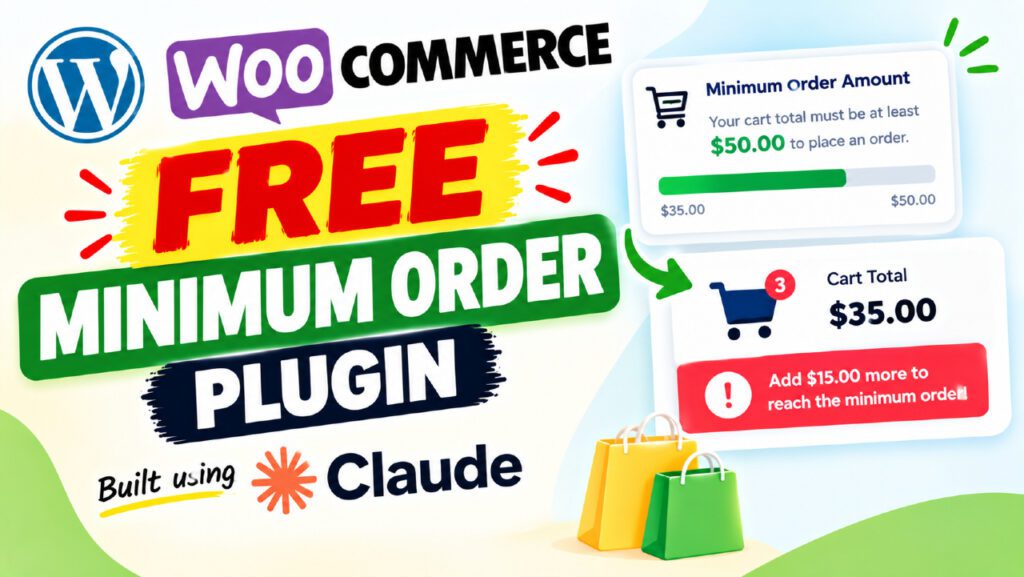
If you run a WooCommerce store, you’ve probably experienced the frustration of processing tiny orders that barely cover your shipping costs — let alone turn a profit. The solution is simple: set a WooCommerce minimum order amount. But how do you do it effectively, and what’s the best tool for the job?
In this complete guide, you’ll learn exactly what a minimum order amount is, why it matters for your store’s profitability, and how to set one up using a free custom plugin built entirely with Claude AI — no coding required. Whether you’re just getting started or looking to upgrade your current setup, this guide covers everything you need.
What Is a WooCommerce Minimum Order Amount?
A WooCommerce minimum order amount is a store-wide rule that requires customers to add a certain value of products to their cart before they can complete checkout. If their cart total falls below the threshold you set, they receive a notice and the checkout process is blocked until they add more.
For example, if you set a minimum order amount of $50 and a customer adds only $30 worth of items, they’ll see a message like: “A minimum order of $50.00 is required. Please add $20.00 more to your cart.”
Minimum Order Amount vs. Minimum Order Quantity
These two concepts are often confused, so let’s clarify:
- Minimum order amount — a monetary threshold (e.g., customer must spend at least $50)
- Minimum order quantity — a unit count threshold (e.g., customer must buy at least 5 items)
Both serve profitability goals, but they work differently. This guide focuses exclusively on the monetary amount, which is more universally useful for most WooCommerce stores.
Does WooCommerce Have a Built-In Minimum Order Setting?
Out of the box, WooCommerce does not include a native minimum order amount setting. The only related native feature is the free shipping minimum — but that controls shipping methods, not checkout access. To enforce a true minimum order amount, you need either a plugin or custom PHP code.
Why You Need a Minimum Order Amount in Your Store
Setting a minimum order amount isn’t just about protecting your margins on one transaction — it reshapes your entire store’s profitability strategy. Here’s why it matters:
Protect Your Profit Margins
Every order carries a baseline cost: payment processing fees (typically 2–3%), packing materials, labour, and shipping. If a customer orders a $5 item and you’re paying $4 in shipping and fees, you’re losing money on the transaction. A minimum order amount ensures every transaction clears that break-even line.
Increase Your Average Order Value (AOV)
When customers know they need to reach a minimum to check out, they naturally explore more products. This behaviour consistently raises the average order value across your store — often by 15–30% according to e-commerce research.
Reduce Processing Overhead
Small, frequent orders eat up fulfilment time disproportionately. Consolidating orders above a minimum threshold reduces the number of shipments you pack per week without reducing total revenue.
Filter Out Unprofitable Customer Segments
Not every customer is worth serving at every price point. A minimum order amount naturally filters out one-off low-value buyers while retaining your best customers — those who consistently purchase in larger quantities.
Works Well for Wholesale and B2B Stores
If you sell to businesses or bulk buyers, a minimum order amount is an industry-standard expectation. It signals that your store is set up for serious purchasing, not casual single-item browsing.
How to Calculate the Right Minimum Order Threshold
Before setting a number, you need to know your actual costs. Use this simple formula:
Minimum Order Amount = Fixed Order Cost ÷ Target Profit Margin |
Where Fixed Order Cost includes:
- Average shipping cost per order
- Packaging and materials
- Payment processing fees (2–3% of order value)
- Labour and fulfilment time (estimated in dollars)
For example, if your fixed costs per order are $12 and you want at least a 20% profit margin, your minimum should be around $60.
Factors to Consider
- Your product price range — a $200 minimum makes no sense if most products cost $10
- Your customer base — B2B buyers expect higher minimums than B2C shoppers
- Your competitors — check what similar stores charge before deciding
- Your shipping model — if you offer free shipping above a threshold, align the two
A good starting point for most small WooCommerce stores is between $30–$75. Test, measure your checkout abandonment rate, and adjust from there.
Introducing the Free QT WooCommerce Minimum Order Amount Plugin
The QT WooCommerce Minimum Order Amount Plugin is a free, lightweight plugin built entirely using Claude AI. It was developed to solve a specific frustration: most free minimum order plugins are either too basic (no progress bar, no role exemptions) or bundled into premium packages you don’t need.
This plugin gives you a professional-grade feature set — completely free, with no premium upsell and no annual subscription.
It was built using a simple descriptive prompt in Claude AI. No PHP developer was hired. No hours were spent debugging from scratch. Claude produced all five plugin files — settings, validation logic, frontend notices, a cart progress bar, and CSS — all working out of the box.
Key Features of the Plugin
Global Minimum Order Amount Setting
Set a single store-wide minimum cart value. The plugin checks this threshold on both the cart page and the checkout page, blocking order submission until the minimum is met.
Apply to Subtotal or Total
Choose whether the minimum applies to the cart subtotal (item total before discounts and taxes) or the cart total (final amount after coupons and taxes). Stores with heavy coupon usage should typically use the subtotal to prevent customers from coupon-stacking their way below the minimum.
Separate Cart and Checkout Notices
The plugin shows different messages on the cart page and the checkout page. Write custom messages using two dynamic placeholders:
- {min} — automatically replaced with the formatted minimum amount
- {remaining} — automatically replaced with how much more the customer needs to add
Animated Cart Progress Bar
One of the most customer-friendly features is the animated progress bar on the cart page. It shows customers exactly how close they are to hitting the minimum, with:
- A customisable fill colour (colour picker in settings)
- A completion message when the minimum is reached
- Smooth CSS transition animation as items are added
This turns a checkout restriction into a motivational tool. Customers are far more likely to add another item when they can see a progress bar that’s 80% full.
Notice Type Options
Choose how cart notices appear: Info (blue) for a neutral tone, Error (red) for urgent attention, or Success (green) for a friendly approach.
User Role Exemptions
Exempt specific WordPress user roles from the minimum order check — essential for wholesale customers, VIP buyers, or staff. By default, no roles are exempt, including administrators, so you can test the plugin exactly as customers experience it.
WooCommerce HPOS Compatible
The plugin fully supports WooCommerce’s High-Performance Order Storage (HPOS) — the modern order management system in WooCommerce 7+. Many older plugins don’t declare this compatibility, causing admin warnings.
AJAX Checkout Blocking
The plugin doesn’t just show a notice — it blocks the order from being placed. It hooks into woocommerce_checkout_process, which fires when Place Order is clicked, including via AJAX. Without this hook, a determined customer could bypass the cart notice and complete their order anyway.
How to Build This Plugin Using Claude AI
One of the most exciting aspects of this plugin is how it was created — using nothing but a text prompt. Here’s the step-by-step process:
Step 1: Open Claude AI
Go to claude.ai and start a new conversation. No coding knowledge is required.
Step 2: Write a Detailed Prompt
Describe the plugin you want in detail. Include the plugin name, author, version number, the settings fields needed, the WooCommerce hooks to use, expected behaviour on cart and checkout, and any edge cases such as role exemptions and HPOS compatibility.
Step 3: Let Claude Generate the Code
Claude will produce all the PHP class files, the main plugin bootstrap file, and the CSS. For a well-specified prompt, it produces working code on the first attempt.
Step 4: Test and Iterate
Install the plugin on a staging site. If anything doesn’t work as expected, describe the issue to Claude and it will fix the code. The QT plugin went through two iterations (v1.0 → v1.1 → v1.2) to resolve three bugs found during real-world testing.
Step 5: Download and Deploy
Claude packages the plugin files into a downloadable zip — ready to install on any WordPress and WooCommerce site.
How to Install and Configure the Plugin
Installation
- Download the plugin zip file
- Go to Plugins > Add New > Upload Plugin in your WordPress dashboard
- Upload the zip file and click Install Now
- Click Activate Plugin
Configuration Settings
Setting | Description |
Enable Plugin | Toggle minimum order enforcement on or off |
Minimum Order Amount | Set the monetary threshold (e.g., 50 for $50) |
Apply To | Subtotal (before tax/discounts) or Total (after) |
Cart Notice | Custom message on cart page. Use {min} and {remaining} |
Checkout Notice | Custom message on checkout page |
Notice Type | Info (blue), Error (red), or Success (green) |
Enable Progress Bar | Show animated progress bar on cart page |
Progress Bar Colour | Choose a hex colour to match your theme |
Completed Message | Message shown when minimum is reached |
Exempt Roles | User roles that bypass the minimum check |
Click Save changes and test your cart by adding a product below the minimum amount.
How the Plugin Works on the Frontend
On the Cart Page
When a customer’s cart is below the minimum, a notice appears at the top of the cart, the animated progress bar shows their percentage progress, and the message includes the exact remaining amount. When they add enough items to hit the minimum, the bar fills to 100% and the completion message replaces the notice.
On the Checkout Page
If a customer navigates directly to checkout without meeting the minimum, a checkout-specific notice appears above the order form and the Place Order button is blocked. This works even with AJAX-powered checkout, which is the default in most WooCommerce themes. The order simply cannot be created until the minimum is met.
Benefits of Using This Plugin Over Other Solutions
Compared to Custom PHP Code
Adding custom PHP to your theme’s functions.php is fragile — it breaks on theme updates and requires developer knowledge to maintain. The plugin approach is update-safe, portable, and fully manageable through the WooCommerce Settings UI.
Compared to Premium Plugins
Many premium minimum order plugins charge $49–$99 per year for features this plugin includes for free: notices, progress bar, role exemptions, HPOS compatibility, and AJAX checkout blocking.
Compared to Other Free Plugins
Most free alternatives lack one or more key features — typically the progress bar, HPOS compatibility, AJAX blocking, or separate cart/checkout messages. The QT plugin covers all of them in a single lightweight package.
The AI-Built Advantage
Because the plugin was built with Claude AI, it can be customised by describing changes in plain English. No developer needed — you describe what you want, and Claude updates the code.
Common Mistakes to Avoid
Setting the Minimum Too High
A minimum significantly above your current average order value will hurt conversion rates. Start conservatively — 10–20% above your current AOV — and increase gradually while monitoring cart abandonment.
Not Testing as a Customer
Always test the plugin while logged out or in a private browsing window. If you’re logged in as an admin who is exempt from the minimum, you’ll see no notices and incorrectly think the plugin isn’t working.
Forgetting the Checkout Block
Some plugins only add a notice to the cart but don’t block checkout. Customers can still proceed and complete the order. Make sure your solution hooks into woocommerce_checkout_process as well.
Using an Unclear Notice Message
Vague messages like “Order too small” frustrate customers. Always include the exact minimum amount and how much more is needed. The {min} and {remaining} placeholders in this plugin do this automatically.
Not Using the Progress Bar
The progress bar transforms a restriction into a goal. Stores that show a visual progress indicator see fewer cart abandonments, because customers are motivated to “complete” the bar rather than abandon their session.
Tips to Help Customers Reach the Minimum Order Amount
Show Related Products in the Cart
Use WooCommerce upsell or cross-sell features to show relevant products directly in the cart. When a customer is $15 away from the minimum and sees a $14.99 add-on that complements their purchase, conversion is natural.
Offer a Small Incentive
Consider offering free shipping, a discount code, or a free gift when the minimum is reached. This reframes the threshold as a reward rather than a restriction.
Use the Progress Bar Strategically
The animated progress bar does a lot of psychological heavy lifting. Customers who can see they’re 80% of the way there are far more likely to add one more item than those who only see a text error message.
Highlight Low-Cost Add-Ons
Create a “Complete Your Order” section featuring your lowest-priced products. Items under $10 are easy impulse additions that help customers clear the minimum without feeling like they’re spending much.
Send Abandoned Cart Emails
If a customer leaves with a below-minimum cart, an automated abandoned cart email can remind them — and suggest specific products to reach the threshold.
Frequently Asked Questions
Does WooCommerce have a built-in minimum order amount feature?
No. WooCommerce does not include a native minimum order amount setting. The only related built-in feature is the free shipping minimum, which controls shipping availability — not checkout access. You need a plugin or custom code to enforce a true cart minimum.
Will this plugin work with my WooCommerce theme?
Yes. The plugin hooks into core WooCommerce actions that work with all WooCommerce-compatible themes, including Storefront, Astra, OceanWP, and Divi.
Can I set different minimums for different products or categories?
The QT plugin sets a single store-wide minimum. For per-product or per-category minimums, you can extend the plugin by describing the additional requirement to Claude AI and generating updated code.
Does the minimum apply to logged-out customers?
Yes. The minimum applies to all customers by default, whether logged in or not. Role-based exemptions only work for logged-in users, since guest users have no assigned WordPress role.
What happens if a customer applies a coupon and their total drops below the minimum?
If the plugin applies to Cart Subtotal, coupons don’t affect the minimum check. If it applies to Cart Total, the post-coupon total is used — so a large discount could drop the cart below the minimum.
Is this plugin GDPR compliant?
Yes. The plugin collects no personal data, sets no cookies, and makes no external requests. It processes only cart data already handled by WooCommerce.
Can I customise the progress bar colour?
Yes. The plugin includes a colour picker in the WooCommerce settings. You can choose any hex colour to match your store’s branding.
Does this plugin support WooCommerce HPOS?
Yes. The plugin explicitly declares High-Performance Order Storage compatibility using WooCommerce’s FeaturesUtil::declare_compatibility() method, preventing warnings in WooCommerce 7 and later.
Conclusion
A WooCommerce minimum order amount is one of the most effective and underused tools for improving store profitability. It protects your margins, raises your average order value, and filters out orders that cost more to fulfil than they generate in revenue.
The QT WooCommerce Minimum Order Amount Plugin gives you everything you need — animated progress bar, custom notices, role exemptions, AJAX checkout blocking, and HPOS compatibility — completely free.
And the best part? It was built entirely with Claude AI, which means you can use the same approach to customise and extend it yourself without hiring a developer.
👉 Ready to get started? Watch the full tutorial video, download the plugin for free, and set up your minimum order amount today. Your profit margins will thank you. |