Running a WooCommerce store in 2026? The good news: you don’t need to spend a fortune on premium plugins to build a fully-featured eCommerce website. There are dozens of free WooCommerce plugins that can add powerful features — from subscription products and gift cards to abandoned cart recovery and product filtering.
In this guide, I’ve rounded up the best free WooCommerce plugins for 2026 — tested and used on real client stores. Each plugin below has a dedicated tutorial on this site so you can follow step-by-step instructions.
How I Selected These Plugins
Every plugin in this list is: ✅ 100% free (or has a solid free version) · ✅ Actively maintained in 2026 · ✅ Compatible with the latest WooCommerce · ✅ Covers a real store need
1. Best Free WooCommerce Subscription Plugin
Want to sell recurring products — monthly boxes, memberships, SaaS plans? The Free WooCommerce Subscription plugin lets you create subscription products without paying for the expensive WooCommerce Subscriptions extension. It supports weekly, monthly, and yearly billing cycles, trial periods, and automatic renewal emails.
Best for: Digital products, membership boxes, software licenses, coaching packages.
2. Best Free WooCommerce Sticky Add to Cart Plugin
A sticky add-to-cart bar follows the user as they scroll, keeping the buy button always visible. This single change can dramatically increase conversions. Check out the Free WooCommerce Sticky Add to Cart button plugin — it works with any theme and requires zero coding.
Best for: Product pages with long descriptions, stores selling physical goods.
3. Best Free WooCommerce Gift Card Plugin
Gift cards are a proven revenue driver, especially around holidays. The Free WooCommerce Gift Card plugin lets customers purchase gift cards for any amount, send them via email, and redeem them at checkout — all for free.
Best for: Retail stores, fashion boutiques, digital stores, any gifting-friendly product range.
4. Best Free WooCommerce Membership Plugin
Want to restrict content, offer member-only pricing, or build a community? The Free WooCommerce Membership plugin handles all of this without a monthly fee. Pair it with WooCommerce Subscriptions for a full membership + billing combo.
Best for: Online courses, coaching sites, subscription boxes, exclusive content communities.
5. Best Free WooCommerce Bookings Plugin
Selling appointments, rentals, or time-based services? The Free WooCommerce Bookings plugin adds a calendar-based booking system to your store. Customers can pick available slots and book directly from the product page.
Best for: Salons, tutors, photographers, fitness trainers, accommodation rentals.
6. Best Free WooCommerce Product Table Plugin
The default WooCommerce grid layout isn’t ideal for all stores. The Free WooCommerce Product Table plugin displays your products in a sortable, searchable table — perfect for wholesale buyers, B2B stores, and product catalogs with many variations.
Best for: Wholesale stores, B2B, digital downloads, configurator-heavy products.
7. Best Free WooCommerce Email Customizer Plugin
Default WooCommerce order emails look plain and unprofessional. The Free WooCommerce Email Customizer plugin lets you design branded transactional emails with a visual builder — no code required. Add your logo, brand colors, and custom messages to every order notification.
Best for: Every store. Professional email design builds customer trust.
8. Best Free WooCommerce Abandoned Cart Recovery Plugin
On average, 70% of shopping carts are abandoned before checkout. The WooCommerce Abandoned Cart Recovery using FunnelKit Automations sends automated follow-up emails and SMS to bring customers back. The free version covers the core recovery workflow.
Best for: Every store with a checkout. Recovering 5–10% of abandoned carts can significantly boost revenue.
9. Best Free WooCommerce Product Filter Plugin
When customers can’t find what they want, they leave. The Free WooCommerce Product Filter plugin adds AJAX-powered filtering by category, price, attributes, and tags — instantly narrowing results without a page reload.
Best for: Stores with 50+ products, clothing stores (filter by size/color), electronics, furniture.
10. Best Free WooCommerce PDF Invoices Plugin
Customers in India and globally expect a proper PDF invoice with every order. The Free WooCommerce PDF Invoices plugin auto-generates and emails GST-ready PDF invoices with every order confirmation. Essential for B2B and compliance.
Best for: Any store selling to businesses, GST-registered sellers, international orders.
11. Best Free WooCommerce Variation Swatches Plugin
Default WooCommerce shows variations as ugly dropdown menus. The Free WooCommerce Variation Swatches plugin converts them into clickable color swatches, image swatches, and button swatches — making product selection far more visual and intuitive.
Best for: Clothing, shoes, furniture, any product with color or size variants.
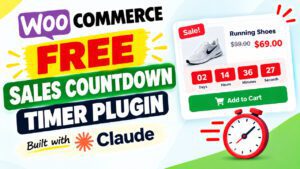
12. Best Free WooCommerce Sales Countdown Timer Plugin
Urgency sells. The Free WooCommerce Sales Countdown Timer plugin adds a live countdown clock to any product page or sale banner — creating FOMO and pushing fence-sitters to buy before the offer expires.
Best for: Flash sales, seasonal promotions, limited-time offers, product launches.
13. Best Free WooCommerce Points and Rewards Plugin
Loyalty programs keep customers coming back. The Free WooCommerce Points and Rewards plugin lets you award points for purchases and allow redemption at checkout — building a simple loyalty system without expensive third-party tools.
Best for: Stores wanting to increase repeat purchases and customer lifetime value.
14. Best Free WooCommerce Dynamic Pricing Plugin
Want to offer bulk discounts, role-based pricing, or buy-X-get-Y deals? The Free WooCommerce Dynamic Pricing and Discounts plugin handles complex pricing rules without expensive premium extensions.
Best for: Wholesale, B2B, quantity discounts, promotional campaigns.
15. Best Free WooCommerce Quick View Plugin
Quick view lets shoppers preview product details in a popup without leaving the category page — reducing friction in the buying journey. The Free WooCommerce Quick View plugin adds this with a single click on any product card.
Best for: Any store with a product grid. Especially useful for fashion, electronics, and gift stores.
Comparison Table: Best Free WooCommerce Plugins 2026
| Plugin | Best For | Free Version |
|---|---|---|
| Subscription | Recurring billing | ✅ Full featured |
| Sticky Add to Cart | Conversion boost | ✅ Full featured |
| Gift Card | Holiday sales | ✅ Full featured |
| Membership | Content restriction | ✅ Core features |
| Bookings | Time-based services | ✅ Core features |
| Product Table | B2B / wholesale | ✅ Full featured |
| Email Customizer | Branded emails | ✅ Full featured |
| Abandoned Cart | Revenue recovery | ✅ Core workflow |
| Product Filter | Large catalogs | ✅ Full featured |
| PDF Invoices | GST / compliance | ✅ Full featured |
| Variation Swatches | Clothing / variants | ✅ Full featured |
| Sales Countdown | Urgency / FOMO | ✅ Full featured |
| Points & Rewards | Loyalty programs | ✅ Core features |
| Dynamic Pricing | Bulk discounts | ✅ Core rules |
| Quick View | Faster browsing | ✅ Full featured |
Which Free WooCommerce Plugins Should You Install First?
If you’re just starting out, here’s a priority order:
- PDF Invoices — Every store needs this for professionalism and compliance.
- Email Customizer — Brand your transactional emails from day one.
- Sticky Add to Cart — Instant conversion win.
- Variation Swatches — If you have any variable products.
- Product Filter — Once you have 30+ products.
- Abandoned Cart Recovery — Once you’re getting traffic.
Frequently Asked Questions
Are free WooCommerce plugins safe to use?
Yes — all plugins listed here are from the official WordPress.org repository or reputable developers. Always keep plugins updated and choose plugins with active installations and recent updates.
Do free WooCommerce plugins slow down my site?
Any plugin can add load time if poorly coded. Install plugins one at a time and test your site speed after each addition. Well-coded plugins have minimal impact.
How many WooCommerce plugins should I install?
There’s no hard limit, but 10–20 well-chosen plugins is a healthy range. Avoid installing plugins for features you don’t actively use.
Can I use free WooCommerce plugins on a live store?
Absolutely. Most plugins in this list are used by thousands of live stores. Test on a staging site first, then deploy to production.
Conclusion
The free WooCommerce plugin ecosystem in 2026 is incredibly powerful. You can build a subscription store, run a membership site, automate abandoned cart emails, and add loyalty rewards — all without spending a rupee on premium extensions.
Start with the plugins that directly address your biggest store pain points. Each one listed above has a detailed tutorial on this site — just click through to see the step-by-step setup guide.
If you’re also choosing between platforms, check out our WooCommerce vs Shopify comparison to make sure you’re on the right platform first.
Frequently Asked Questions About Free WooCommerce Plugins
Are free WooCommerce plugins safe to install on a live store?
Free WooCommerce plugins from the official WordPress Plugin Repository are generally safe to install, but safety depends on several factors you should evaluate before activating any plugin on a live store. First, check the plugin’s active installation count — plugins with over 10,000 active installations have been tested by a large community of users. Second, review the plugin’s rating and read recent reviews, paying particular attention to reviews mentioning bugs, conflicts, or security issues. Third, check when the plugin was last updated — a plugin not updated within the past 12 months may not be compatible with the latest versions of WordPress or WooCommerce, which can cause errors or security vulnerabilities. Fourth, look at whether the plugin developer responds to support threads in the plugin’s support forum. Always test new plugins on a staging site before activating them on your live store, and keep a fresh backup before installing anything new.
How do free WooCommerce plugins make money if they are free?
Most free WooCommerce plugins follow a freemium business model, where the core plugin is free and functional, but advanced features are available in a paid Pro version. The free version serves as a demonstration of the plugin’s capabilities, with the goal of converting free users into paying customers for the premium tier. Some plugins offer a free version on the WordPress Plugin Repository and sell the pro version directly from their own website. Others use add-ons — selling individual feature extensions separately rather than a single pro upgrade. A smaller number of free plugins are created by development agencies as portfolio pieces or marketing tools, where the plugin demonstrates their expertise and attracts potential clients. Some plugins are sponsored by hosting companies or other service providers. Understanding the business model helps you assess the longevity of a plugin — a plugin with no clear monetization path is at higher risk of being abandoned than one with a healthy freemium business behind it.
Can too many plugins slow down my WooCommerce store?
Yes, having too many plugins — or plugins that are poorly coded — can noticeably slow down your WooCommerce store. Each plugin that loads scripts, stylesheets, or makes database queries on the frontend adds to your page load time. However, the number of plugins is less important than the quality of their code. A single poorly optimized plugin can slow a site down more than 20 well-coded plugins. Common performance issues introduced by plugins include loading JavaScript or CSS globally on all pages rather than only on the pages that need them, making excessive or unindexed database queries, not implementing caching properly, or loading large external resources. To identify which plugins are causing performance issues, use a plugin like Query Monitor to see database queries per page load, or use the Performance tab in browser developer tools with plugins deactivated one by one to pinpoint the culprit. Regularly audit your plugin list and deactivate and delete any plugins you are not actively using.
What should I do if a WooCommerce plugin causes a conflict or breaks my site?
If a WooCommerce plugin causes a conflict or breaks your site, start by identifying which plugin is the cause using a systematic deactivation process. Deactivate all plugins except WooCommerce itself, verify the site works, then reactivate plugins one by one until the issue reappears — the last activated plugin is likely the culprit. If you cannot access the WordPress admin due to a fatal error, deactivate all plugins by renaming the wp-content/plugins/ folder to plugins_old via FTP or your hosting file manager, which forces WordPress to deactivate all plugins. Then rename it back and reactivate plugins one by one through the admin. Once you have identified the conflicting plugin, check its support forum to see if others have reported the same issue and whether a fix is available. Report the conflict in the plugin’s support forum with details about which plugins are conflicting and what error occurs. In the meantime, look for an alternative plugin that provides the same functionality without the conflict.
How do I keep my WooCommerce plugins up to date without breaking my site?
Keeping WooCommerce plugins updated is essential for security, compatibility, and access to new features, but updates can occasionally introduce bugs or breaking changes. The safest approach is to maintain a staging environment that mirrors your live site — a testing area where you apply updates first before pushing them to production. Many managed WordPress hosting providers offer one-click staging environments. Before updating, read the plugin’s changelog to understand what has changed in the new version, paying attention to any notes about breaking changes or compatibility requirements. Enable WordPress and WooCommerce maintenance emails so you are notified of available updates. If a staging environment is not available, take a complete backup of your site immediately before applying any updates, and test core functionality — adding products to cart, completing checkout, and processing payments — after each update. For critical WooCommerce updates, schedule them during low-traffic periods rather than during peak shopping hours.