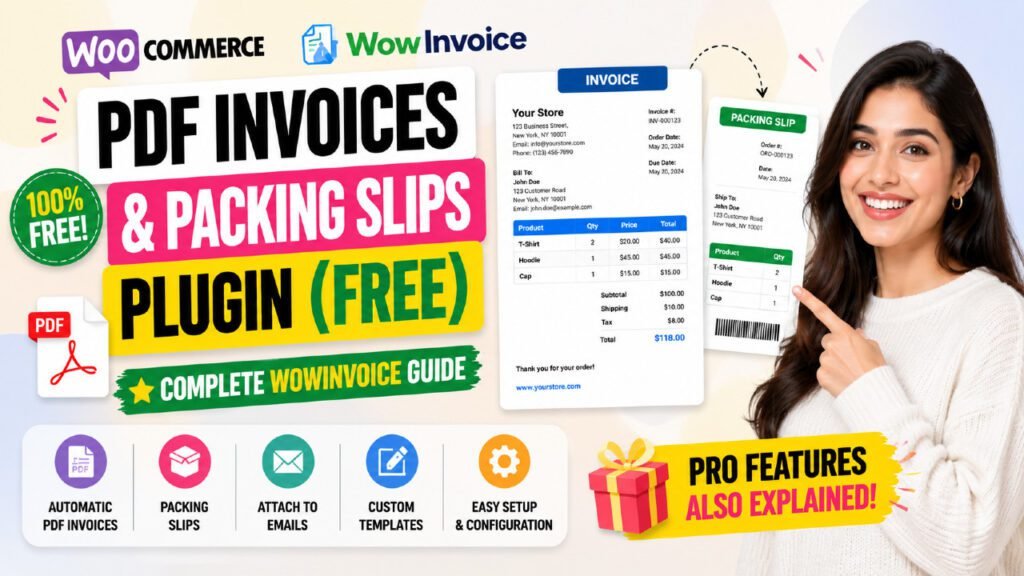
If you have been searching for a reliable way to generate free WooCommerce PDF invoices without paying for expensive premium plugins, WowInvoice is the answer. Built by WPXPO — the team powering over 65,000 websites worldwide — WowInvoice is a completely free, all-in-one WooCommerce document plugin that handles PDF invoices, packing slips, picklists, shipping labels, delivery notes, credit notes, and even EU VAT-compliant UBL invoices. In this complete tutorial, we will walk through every feature, show you exactly how to set it up step by step, and compare the free versus pro versions so you can make the best decision for your store.
Table of Contents
What Is WowInvoice and Who Makes It?
WowInvoice is a free WooCommerce PDF invoices and packing slips plugin developed by WPXPO, a software startup founded in 2020. WPXPO is best known for popular WooCommerce plugins like WholesaleX, WowStore, WowShipping, and PostX — collectively powering over 65,000 websites and earning more than 850 positive reviews across their product range.
WowInvoice was officially launched in June 2026 and has rapidly built a reputation as one of the most feature-complete free invoice plugins available. It holds a 5 out of 5 star rating on WordPress.org, with users praising its clean interface, professional output quality, and responsive support team. The plugin is available completely free from the WordPress plugin directory, with an optional Pro upgrade for advanced features.
Key Stats at a Glance
Developer | WPXPO |
Plugin Name | WowInvoice – PDF Invoices & Packing Slips for WooCommerce |
Current Version | 1.0.4 (July 2026) |
WordPress Rating | 5/5 stars (2 reviews) |
Trustpilot Rating | 4.9/5 based on 440+ reviews (WPXPO) |
Free Version | Yes – full featured on WordPress.org |
Pro Version | From $55/year or $179 lifetime (1 site) |
WP Requirement | WordPress 6.4 or higher |
WC Requirement | WooCommerce 5.0 or higher |
PHP Requirement | PHP 7.4 or higher |
Why WooCommerce Needs a PDF Invoice Plugin
WooCommerce does not generate PDF invoices by default. When a customer places an order, they receive a basic HTML order confirmation email — no professional invoice, no branded receipt, no packing slip for warehouse staff, and no legal tax document for VAT-registered businesses.
This creates real problems for growing stores:
- Customers ask for receipts and invoices you cannot easily provide
- Warehouse teams have no structured document to guide picking and packing
- EU and international businesses face legal compliance issues without proper VAT invoices
- Accounting and bookkeeping requires manual work to reconcile orders
- Returns and refunds need credit notes that WooCommerce does not create automatically
According to the Institute of Finance and Management, 39% of invoices contain errors when created manually. A WooCommerce PDF invoice plugin eliminates this risk by automating the entire document generation process from the moment an order is placed.
WowInvoice Free Features – Full Breakdown
The free version of WowInvoice on WordPress.org is remarkably generous. Here is every feature included at no cost:
Invoice Automation
- Automatically generate PDF invoices when an order is placed or when order status changes
- Attach invoices to WooCommerce order status emails (processing, completed, etc.)
- Generate invoices for both new and existing historical orders
- Allow customers to download invoices from the My Account page and order emails
Document Customization
- Add your store logo and brand details to every document
- Choose from professionally designed premade invoice templates
- Show or hide product images, SKU, quantity, tax, and discount columns in the product table
- Add billing and shipping addresses with custom label text
- Display full financial breakdown: subtotal, discounts, shipping costs, tax, and total
- Add order notes and terms & conditions to invoices
- Include barcodes and QR codes for faster scanning and order tracking
- Attach up to 3 additional files per invoice (e.g. return policy, warranty documents)
Invoice Numbering
- Choose between order number or sequential invoice number
- Add custom prefix and suffix (e.g. INV-2025-0001)
- Set minimum number length for consistent formatting
- Live preview of the numbering format during configuration
Bulk Operations
- Bulk export multiple invoices, packing slips, or other documents in a single click
- Print multiple documents on the same page to save printing costs
- Custom page sizes for shipping labels
Compliance and Compatibility
- EU VAT number display on invoices
- Tax ID support on billing and shipping addresses
- RTL (right-to-left) language support for Arabic, Hebrew, Persian, and Urdu
- Compatible with WordPress 6.4+ and WooCommerce 5.0+
All Document Types Supported by WowInvoice
What makes WowInvoice stand out from other free invoice plugins is its complete document ecosystem. Instead of just generating invoices, it covers every document your WooCommerce order fulfillment workflow needs.
Document Type | Who Uses It | Purpose |
PDF Invoice | Store Owner / Customer | Official record of purchase with pricing, tax, and order details |
Packing Slip | Warehouse Team | Verify all items are included before sealing the package |
Picklist | Warehouse Team | Guide staff to locate and pick the correct items from storage |
Shipping Label | Shipping Team / Courier | Delivery address and tracking info attached to the outside of the parcel |
Delivery Note | Customer / Store | Confirms what was delivered and serves as a proof of delivery record |
Credit Note | Store Owner / Accounts | Legal document issued when a refund is processed, without editing the original invoice |
UBL Invoice | Accountants / EU Stores | Machine-readable invoice for automated accounting and legal EU compliance |
PDF Invoice
The PDF invoice is the core document of WowInvoice. It is automatically generated for every order and can be attached to order confirmation and completion emails. Each invoice includes the store logo, customer billing and shipping addresses, itemized product table, tax breakdown, and order totals. Customers can download their invoice directly from the My Account page without contacting support.
Packing Slip
Packing slips are internal documents used by warehouse staff to verify that every item in an order is included before the package is sealed. WowInvoice generates packing slips automatically alongside invoices, reducing packing errors and speeding up fulfillment for high-volume stores.
Picklist
Picklists are used by warehouse teams to locate and collect items across a large inventory. Rather than checking each order individually, a picklist groups items by location or product, helping staff pick orders efficiently without confusion or missing items.
Shipping Label
Shipping labels contain the customer delivery address and order reference number, attached to the outside of the parcel. WowInvoice generates accurate shipping labels automatically, reducing delivery errors and ensuring packages reach the correct address every time.
Credit Note
Credit notes are legally required documents issued when a refund is processed. Instead of modifying or deleting the original invoice — which is illegal in many jurisdictions — a credit note reduces the amount owed in a fully traceable way. WowInvoice generates credit notes automatically, making your refund process professional and compliant.
UBL Invoice
UBL (Universal Business Language) invoices are standardized, machine-readable documents required by tax authorities in several European countries. WowInvoice supports multiple UBL formats including UBL 2.1, PEPPOL BIS 3.0, CIUS-AT, CIUS-IT, CIUS-NL, CIUS-ES, and RO — making it suitable for businesses operating across the EU.
EU VAT Compliance with WowInvoice
For WooCommerce stores operating in the European Union, displaying VAT numbers on invoices is not optional — it is a legal requirement. WowInvoice makes EU VAT compliance straightforward by automatically fetching and displaying VAT numbers and Tax IDs on every invoice.
Supported EU VAT Plugins
WowInvoice integrates directly with the most popular EU VAT plugins for WooCommerce:
- Germanized for WooCommerce
- EU/UK VAT Validation Manager for WooCommerce
- EU VAT Assistant for WooCommerce
- European VAT Compliance Assistant for WooCommerce
- EU VAT Guard for WooCommerce
- EU VAT Number for WooCommerce
- YITH WooCommerce EU VAT, OSS & IOSS
If you use a different VAT plugin, WowInvoice can still display VAT numbers by reading custom meta fields, ensuring compatibility with virtually any EU VAT solution. WowInvoice also includes its own built-in checkout field for collecting VAT numbers at the point of purchase.
VAT Display Options
- Enable or disable VAT/Tax number display on a per-invoice basis
- Show VAT number alongside billing and shipping addresses
- Use standard labels like “VAT Number” or create fully custom labels
- Automatically pull VAT data from checkout fields or third-party plugins
How to Install WowInvoice – Step-by-Step Guide
Installing WowInvoice takes less than two minutes. Follow these steps to get it running on your WooCommerce store.
Method 1: Install from WordPress Dashboard (Recommended)
- Log into your WordPress admin dashboard
- Go to Plugins → Add New from the left sidebar
- In the search box, type WowInvoice
- Find “WowInvoice – PDF Invoices & Packing Slips for WooCommerce” by WPXPO
- Click Install Now
- Click Activate once installation completes
- A new WowInvoice menu will appear in your WordPress admin sidebar
Method 2: Manual Upload via FTP
- Download the plugin ZIP from wordpress.org/plugins/wow-pdf-invoices-packing-slips/
- Unzip the file on your computer
- Connect to your server via FTP or File Manager (cPanel)
- Upload the unzipped folder to /wp-content/plugins/ on your server
- Go to WordPress Admin → Plugins → Installed Plugins
- Find WowInvoice and click Activate
Minimum Requirements
- WordPress 6.4 or higher
- PHP 7.4 or higher
- MySQL 5.6 or higher
- WooCommerce 5.0 or higher (active)
How to Configure PDF Invoices in WowInvoice
Once installed, configuring your first PDF invoice is a three-step process. WowInvoice is designed so any store owner can complete the setup in under ten minutes without any coding knowledge.
Step 1 – Choose the Document Type
From the WowInvoice dashboard in your WordPress admin, select Invoice from the available document types. You will see all document types listed: Invoice, Packing Slip, Picklist, Shipping Label, Delivery Note, Credit Note, and UBL Invoice.
Step 2 – Add Store Information
Fill in your global store details. These are applied across all documents automatically:
- Store logo (upload your brand logo)
- Shop name and legal business name
- Tax ID or VAT number
- Business email address
- Phone number
- Full business address
WowInvoice auto-syncs with your existing WooCommerce store setup, so many of these fields may already be pre-filled for you.
Step 3 – Configure & Save Invoice Settings
This is where you control exactly how invoices are generated and delivered:
When to Generate: Choose which order status triggers invoice creation (e.g. Processing, Completed, or On Hold). You can also enable invoice generation for historical orders with a single toggle.
Email Attachment: Select which WooCommerce order emails the PDF invoice should be attached to automatically.
Customer Download Access: Enable the download button on the customer’s My Account page and within order emails so customers can self-serve their invoice any time.
Invoice Numbering: Choose between order number and sequential invoice number. Add a prefix (e.g. “INV-“), suffix, and minimum digit length. A live preview updates as you type.
Product Table: Toggle visibility of product images, SKU, quantity, tax details, and discount columns. Customize all column labels to match your branding.
Financial Details: Choose what financial information is shown: discounts, shipping cost, tax per item, tax in totals, and the final order total.
Additional Elements: Enable barcodes, QR codes, order notes, and terms & conditions. Attach up to 3 additional files to the invoice email.
Click Save, and WowInvoice will immediately begin generating PDF invoices for all future orders matching your selected order status trigger.
How to Set Up Packing Slips, Picklists & Shipping Labels
Setting Up Packing Slips
From the WowInvoice dashboard, select Packing Slip as your document type. Configure the same core settings as the invoice — store information, product table columns, and when the document should be generated. Packing slips are designed for internal warehouse use, so you typically do not need to attach them to customer emails. Instead, use the bulk export feature to print all packing slips for the day’s orders in a single batch.
Setting Up Picklists
Select Picklist from the document type menu. Picklists group all items across multiple orders into a single consolidated list, helping warehouse staff collect products efficiently in one pass through the storage area. Configure which order statuses trigger picklist generation and how products are grouped and displayed.
Setting Up Shipping Labels
Select Shipping Label and configure the customer address format and any additional delivery information to include. WowInvoice supports custom page sizes for shipping labels, so you can match the output to your label printer’s specifications. Shipping labels are generated alongside the order and can be printed in bulk for all the day’s dispatches.
Setting Up Credit Notes
Credit notes are generated when you process a refund in WooCommerce. Select Credit Note from the document type list, configure the numbering format and display options, then save. From that point forward, a credit note is automatically created every time you issue a refund — maintaining a clean, legally traceable financial record alongside the original invoice.
WowInvoice Free vs Pro – Feature Comparison
The free version of WowInvoice is impressively complete for most small to medium WooCommerce stores. The Pro version adds advanced customization, more template choices, and priority support for high-volume operations.
Feature | Free | Pro |
PDF Invoice Generation | ✅ Yes | ✅ Yes |
Packing Slips | ✅ Yes | ✅ Yes |
Picklists | ✅ Yes | ✅ Yes |
Shipping Labels | ✅ Yes | ✅ Yes |
Delivery Notes | ✅ Yes | ✅ Yes |
Credit Notes | ✅ Yes | ✅ Yes |
UBL Invoice | ✅ Yes | ✅ Yes |
EU VAT / Tax ID Support | ✅ Yes | ✅ Yes |
Barcode & QR Code | ✅ Yes | ✅ Yes |
RTL Language Support | ✅ Yes | ✅ Yes |
Bulk Export | ✅ Yes | ✅ Yes |
Premade Templates | ✅ Basic | ✅ Premium Templates |
Paid Watermark on Invoice | ❌ No | ✅ Yes |
Email Notifications (Staff) | ❌ No | ✅ Yes |
Priority Support | ❌ No | ✅ Yes |
Number of Sites | 1 site | 1 or Unlimited |
WowInvoice Pricing Plans
WowInvoice Pro is available in both yearly and lifetime plans, with significant discounts currently available.
Plan | Price | Best For |
Free (WordPress.org) | Free forever | Small stores and those just getting started |
Pro – 1 Site Yearly | $55/year (was $69) | Single store owners needing premium features |
Pro – Unlimited Yearly | $119/year (was $149) | Agencies managing multiple client stores |
Pro – 1 Site Lifetime | $179 one-time (was $299) | Best value for established single stores |
Pro – Unlimited Lifetime | $240 one-time (was $599) | Agencies wanting lifetime access for all sites |
Mega Bundle (10+ Plugins) | From $449 lifetime | Full WooCommerce solution with 10+ WPXPO plugins |
All Pro plans include a 14-day no-questions-asked money-back guarantee. Lifetime plans include lifetime updates and support with a single one-time payment.
WowInvoice vs Other Free WooCommerce Invoice Plugins
How does WowInvoice compare to other popular free WooCommerce invoice solutions?
Plugin | Free Document Types | Notable Limitation |
WowInvoice | Invoice, Packing Slip, Picklist, Shipping Label, Delivery Note, Credit Note, UBL Invoice | Newer plugin, still growing install base |
PDF Invoices & Packing Slips (Ewout Fernhout) | Invoice, Packing Slip | Credit notes and extra templates require paid extensions |
YITH PDF Invoices | Invoice, Packing Slip | Advanced features locked in premium version from $89/year |
Print Invoices & Delivery Notes | Invoice, Delivery Note | Basic templates, limited customization in free tier |
WowInvoice is one of the very few free WooCommerce invoice plugins that includes all seven document types — including credit notes, UBL invoices, and picklists — without requiring a paid upgrade. Most competitors gate two or more of these document types behind premium pricing.
Expert Tips for Getting the Most out of WowInvoice
Use Bulk Export for Daily Order Processing
If you process more than ten orders a day, use the bulk export feature every morning. Filter orders by the previous day’s date, select all, and export all packing slips and picklists in one PDF. Print the batch once rather than opening each order individually — this alone can save your warehouse team 30 to 60 minutes per day.
Set Up Invoice Numbering with a Meaningful Prefix
Use a year-based prefix like “2025-” so your invoice numbers look like 2025-0001. This makes it immediately clear in your accounting records which year an invoice belongs to, and it keeps your sequential numbering organized across financial years.
Attach Additional Files for a Professional Customer Experience
WowInvoice lets you attach up to three additional files alongside the invoice email. Use this to automatically include your return policy PDF, product warranty document, or care instructions. This reduces customer service inquiries and makes your store look more professional from the first order email.
Enable Customer Invoice Download on My Account
Turn on the My Account download option so customers can self-serve their invoices any time without contacting you. This alone can eliminate a significant portion of “can I have my invoice?” support requests, especially for B2B stores serving businesses that need invoices for their own accounting.
Use Credit Notes Instead of Editing Invoices for Refunds
Never edit or delete an original invoice when processing a refund. This is illegal in many countries. Always use the credit note feature — it creates a traceable, legal document that reduces the invoice amount without altering the original record. WowInvoice handles this automatically as long as credit note generation is enabled.
Frequently Asked Questions
Is WowInvoice completely free to use?
Yes. WowInvoice is available completely free on the WordPress plugin directory. The free version includes all seven document types (invoice, packing slip, picklist, shipping label, delivery note, credit note, and UBL invoice), EU VAT support, bulk export, barcode and QR code support, and RTL language compatibility. A Pro version is available for advanced features like premium templates, paid watermarks, and staff email notifications.
Does WowInvoice work with all WooCommerce themes?
Yes. WowInvoice operates as a backend document generation system and does not affect your frontend theme or store design. It works with any WooCommerce-compatible theme, including block themes and classic themes.
Can I generate invoices for orders placed before I installed WowInvoice?
Yes. WowInvoice includes an option to generate invoices for historical orders. Simply enable the “generate for existing orders” toggle in the invoice settings and WowInvoice will create PDF invoices for all past orders in your WooCommerce store.
Does WowInvoice support multiple currencies?
Yes. WowInvoice uses your WooCommerce store currency settings and displays the correct currency symbol on all documents. It is compatible with multi-currency plugins that update the order currency at the time of purchase.
Can customers download their own invoices?
Yes. You can enable invoice download access from the My Account page (both the order list and order details pages) as well as within the order confirmation and completion emails. Customers can download their PDF invoice at any time without needing to contact your store.
Does WowInvoice slow down my WooCommerce store?
No. WowInvoice generates documents asynchronously and only when triggered by an order status change. It does not load any scripts on your frontend store pages and has no impact on page speed or store performance.
Is WowInvoice compliant with EU VAT regulations?
Yes. WowInvoice displays EU VAT numbers and Tax IDs on invoices and supports UBL invoice formats required by several EU member states. It integrates with all major EU VAT plugins for WooCommerce and includes a built-in checkout VAT number field for stores that do not use a separate VAT plugin.
What is the difference between WowInvoice free and WowInvoice Pro?
The free version includes all core document types and features suitable for most stores. WowInvoice Pro adds premium designer templates, a paid watermark for invoices, staff email notifications when new documents are generated, and priority support. See the full feature comparison table in the article above.
Conclusion
WowInvoice is, without question, one of the most complete free WooCommerce PDF invoice plugins available in 2025. Where most free invoice plugins give you a basic invoice and a packing slip — then charge for everything else — WowInvoice delivers all seven essential order documents completely free, including picklists, shipping labels, credit notes, and EU VAT-compliant UBL invoices.
The setup process takes less than ten minutes, requires zero coding knowledge, and the plugin is built by WPXPO — a trusted team with a 4.9/5 Trustpilot rating and a track record of actively supporting and improving their plugins. Whether you run a small Etsy-style boutique or a high-volume B2B store shipping hundreds of orders a day, WowInvoice has the document generation tools to streamline your order fulfillment workflow from end to end.
Start with the free version today — download WowInvoice from the WordPress plugin directory — and upgrade to Pro only if you need premium templates or staff notification emails. For most WooCommerce stores, the free version is all you will ever need.
Check out the Quick Tips YouTube channel for a full video walkthrough of WowInvoice setup and all its document types in action.