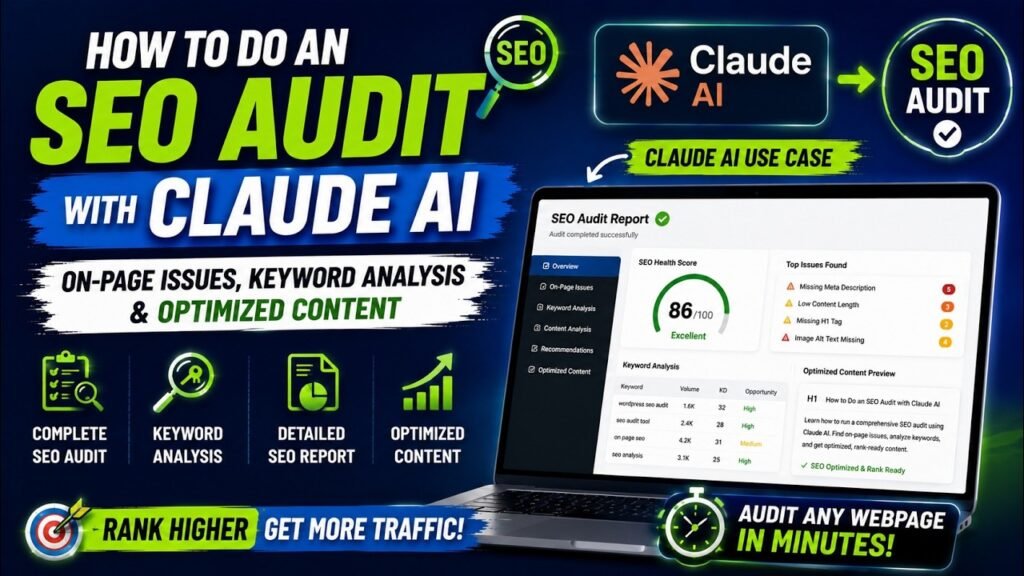
Running a complete SEO audit with Claude AI is now one of the fastest, most cost-effective ways to uncover on-page issues, close keyword gaps, and produce rank-ready content — all without subscribing to a single paid SEO tool. In this step-by-step guide, you will learn exactly how to use a custom SEO Audit Skill built inside Claude AI to audit any webpage, generate a professional SEO report, and receive fully rewritten, optimized content in the same session. Whether you are an SEO professional, a content marketer, or a business owner managing your own site, this workflow will save you hours of manual analysis every single time you run it.
Watch step by step video tutorial: https://youtu.be/hJTw0Mx9B3E
Table of Contents
Prompt that you can use to create a Skill in Claude Ai:
Create a skill called seo-page-auditor that does the following:
When I give you a page URL and a target keyword, fetch the page using web_fetch and run a full 3-layer SEO audit:
Layer 1 — On-page audit: Check the title tag (keyword present? 50–60 chars? keyword-first?), meta description (keyword present? 140–160 chars? has CTA?), H1 (exactly one? contains keyword?), URL slug (keyword in slug? short and hyphenated?), keyword in first 100 words of body, H2–H4 subheadings (do any include keyword or semantic variants?), and image alt text (alt attributes present?).
Layer 2 — Content analysis: Classify the keyword’s search intent (Informational / Commercial / Transactional / Navigational) and check if the page matches it — flag as critical if there’s a mismatch. Estimate word count and flag thin content under 800 words. List 8–12 semantic keywords Google expects on a page about this topic that are currently missing. Check readability (short paragraphs, enough subheadings) and EEAT signals (author bio, citations, trust signals).
Layer 3 — Technical checks: Check for JSON-LD schema markup (present? correct type?). Check canonical tag (present? self-referencing?). Check internal links (descriptive anchor text? obvious gaps?). Check image alt attributes.
After the audit, generate fully rewritten optimized versions of: title tag (keyword-first, 50–60 chars), meta description (140–160 chars with keyword and CTA), H1 (contains keyword), URL slug suggestion, full rewritten body content (matches search intent, uses all missing semantic keywords, proper H2/H3 structure, keyword in first 100 words, 1–2% keyword density), JSON-LD schema code for the correct schema type, and 2–3 internal link suggestions with anchor text and placement.
Then produce a downloadable Word document (.docx) using docx.js with these 5 sections:
– Section 1: Issues report table with columns Severity / Issue / Current Value / Required Fix, grouped into 🔴 Critical (red rows), 🟡 Moderate (amber rows), 🟢 Minor (green rows), followed by a bullet list of missing semantic keywords
– Section 2: Side-by-side table showing Current vs Optimized for title tag, meta description, H1, and URL slug
– Section 3: The full rewritten SEO-optimized page content with proper Heading 1/2/3 styles and word count note
– Section 4: The complete JSON-LD schema code block
– Section 5: Internal link suggestions table with anchor text, destination URL, and placement
Save the file to /mnt/user-data/outputs/seo-audit-[slug].docx and use present_files to share it. In the chat, summarize: number of critical/moderate/minor issues, the single most impactful fix, and confirm the Word doc is ready.
Always be specific to the actual page and keyword — never give generic SEO advice. Always show the current value alongside the fix.
What Is an SEO Audit with Claude AI?
An SEO audit with Claude AI is the process of using Claude’s large language model capabilities to analyze a web page for search engine optimization issues, identify keyword gaps, evaluate content quality against Google’s guidelines, and produce a prioritized action plan — all through natural language conversation.
Unlike traditional SEO tools that run algorithmic checks and return dashboards full of numbers, Claude AI reads your page content the way a senior SEO strategist would. It understands context, evaluates intent matching, and assesses E-E-A-T (Experience, Expertise, Authoritativeness, Trustworthiness) signals that no automated crawler can replicate.
The term “SEO Audit Skill” refers to a custom instruction set built inside a Claude Project — a reusable markdown file that tells Claude exactly what to audit, in what order, and how to format the output. Once built, this skill runs on any URL or page content you paste in, delivering a professional-grade SEO audit in minutes rather than hours.
Why Claude AI Is the Best Free SEO Audit Tool in 2026
The SEO landscape in 2026 has shifted dramatically. Google’s AI Mode, Google AI Overviews, and AI-powered search engines like Perplexity and ChatGPT now account for a significant share of organic traffic. This means a modern SEO audit must evaluate not just classic on-page factors but also AI search visibility signals — a dimension that most traditional SEO tools ignore entirely.
Claude AI addresses this gap better than any other tool available today, free or paid, for several key reasons:
200,000-Token Context Window
Claude’s 200,000-token context window is a game-changer for SEO audits. It means you can paste an entire page’s HTML, your Google Search Console export, competitor page content, and your keyword list — all into a single conversation. Claude analyzes all of it simultaneously, surfacing patterns and conflicts that would be invisible if analyzed in disconnected sessions.
Qualitative Analysis Beyond Algorithmic Scores
Paid SEO tools measure what is countable: keyword density, word count, heading count, backlink numbers. Claude evaluates what those tools cannot — whether your content genuinely demonstrates expertise, whether your arguments are logically structured, and whether a real person searching your target keyword would find your page the most useful result. This qualitative depth is increasingly what Google rewards.
Generates Fixes, Not Just Reports
Most SEO auditing tools identify problems and stop there. Claude AI not only identifies every on-page issue but immediately rewrites your content with every issue fixed. You leave each audit session with both a prioritized report and production-ready optimized content.
Zero Cost for Core Functionality
The free tier at claude.ai gives you access to on-page audits, keyword gap analysis, and content rewriting for any individual page at no cost. For professional workflows — file uploads, Claude Projects, and saved SEO Audit Skills — Claude Pro at $20 per month replaces Semrush ($129/month), Surfer SEO ($89/month), and Clearscope ($170/month) simultaneously.
Benefits of Doing an SEO Audit with Claude AI
The advantages of using Claude AI for SEO audits extend well beyond cost savings. Here is a complete breakdown of the benefits:
1. Speed: Hours Become Minutes
A full on-page SEO audit that used to take a senior SEO three to four hours — reviewing heading structure, checking keyword placement, assessing content quality, identifying schema gaps — now takes 10 to 15 minutes with Claude AI. When you include the rewritten optimized content Claude produces at the end of the audit, you are getting the output of a half-day’s work in a single session.
2. No Tool Stack Required
You do not need Semrush, Ahrefs, Surfer SEO, Clearscope, or any other paid platform to run a comprehensive on-page SEO audit with Claude AI. The only free tools you need alongside Claude are Google Search Console (for live ranking and impression data) and Screaming Frog’s free tier (for crawl data on sites under 500 pages). Everything else — content analysis, keyword gap identification, E-E-A-T scoring, schema validation, and content rewriting — Claude handles natively.
3. E-E-A-T Evaluation No Automated Tool Can Match
Google’s Quality Rater Guidelines updated in September 2025 place even greater emphasis on E-E-A-T signals. Algorithmic tools cannot evaluate whether your content demonstrates real-world experience, whether your author credentials are credible, or whether your citations point to authoritative sources. Claude can assess all of these qualitative signals because it reads and understands content the way a human evaluator would.
4. AI Search Visibility Checks
In 2026, ranking in Google’s traditional blue-link results is only half the battle. Your content also needs to be citable by Google AI Overviews, ChatGPT, Perplexity, and Claude itself. Claude AI can evaluate whether your content is structured for AI citation — checking for direct-answer paragraphs, question-based headings, clean schema markup, and llms.txt discoverability signals that most SEO audits completely ignore.
5. Reusable Skills for Consistent Audits
Once you build your SEO Audit Skill file and save it to a Claude Project, every subsequent audit follows the exact same checklist, format, and output structure. This means you can audit ten client sites in a single day with perfectly consistent output quality — something that is impossible when auditing manually.
6. Instant Content Optimization
Claude does not just tell you what is wrong with your content — it rewrites it. After completing the audit, you can ask Claude to produce the fully optimized version of the page with every identified issue corrected: proper keyword placement, improved heading structure, added semantic coverage, and stronger E-E-A-T signals. You receive both the diagnostic report and the optimized content in the same conversation.
What Is a Claude AI SEO Audit Skill and Why You Need One
A Claude AI SEO Audit Skill is a custom instruction file — written in markdown — that you build once and save to a Claude Project. When you start any new audit conversation within that project, Claude automatically loads your skill and follows the predefined audit workflow without you needing to re-explain the process.
Think of it as programming Claude to behave like your personal senior SEO strategist — one who always runs the same comprehensive checklist in the same order, formats output the same way every time, and never forgets a step.
What Goes Inside an SEO Audit Skill
A well-built SEO Audit Skill typically includes the following instructions for Claude:
- Audit scope: on-page SEO, content quality, keyword coverage, schema markup, internal linking
- Output format: prioritized issue list with Critical / High / Medium / Low severity labels
- E-E-A-T evaluation criteria aligned with Google’s September 2025 Quality Rater Guidelines
- Keyword gap analysis methodology: semantic coverage, People Also Ask questions, topical entities
- Content rewriting instructions: how to fix every identified issue in the optimized version
- Schema validation: which schema types to check, which are deprecated as of 2026
- AI citability checks: author schema, FAQ schema, llms.txt, AI crawler access in robots.txt
How to Create Your SEO Audit Skill
Creating your SEO Audit Skill takes about 30 minutes and saves hours on every audit you run afterward. Open claude.ai, create a new Project, and upload your skill file as a project document. From that point forward, every conversation in the project automatically inherits your audit instructions. You can refine the skill over time as you identify gaps or as Google’s guidelines evolve.
Steps to Do an SEO Audit with Claude AI
Follow these steps exactly to run a complete SEO audit using Claude AI. This workflow covers on-page issue detection, keyword gap analysis, content quality assessment, and optimized content generation — all in a single session.
Step 1: Set Up Your Claude AI Project and SEO Audit Skill
Log in to claude.ai and create a new Project. Upload your SEO Audit Skill file to the project as a reference document. If you do not have a skill file yet, you can start with a simple instruction set: tell Claude to audit heading structure, keyword placement, meta tags, E-E-A-T signals, internal linking, and schema markup — then prioritize findings by impact. Save the project. From this point forward, every conversation within the project automatically loads your audit instructions.
Step 2: Gather the Page’s HTML Source Code
Open the webpage you want to audit in your browser. Right-click anywhere on the page and select View Page Source (or press Ctrl+U on Windows / Cmd+U on Mac). The full HTML of the page will open in a new tab. Select all of it and copy it. This is the raw input Claude will analyze for on-page SEO issues.
Alternatively, for Claude Pro users, you can save the HTML as a .txt file and upload it directly to the conversation. This avoids character limits and works better for long pages.
Step 3: Provide Claude with the Target Keyword and Paste the HTML
Start a new conversation inside your Claude Project. Tell Claude the page’s target keyword, the current URL, and the search intent you are optimizing for. Then paste the full page HTML. A strong prompt looks like this:
“Audit the following webpage for on-page SEO issues. Target keyword: [your keyword]. Search intent: informational. Analyze heading structure, keyword placement, meta tags, content quality, E-E-A-T signals, internal linking, and schema markup. Prioritize findings as Critical, High, Medium, or Low. Then provide a keyword gap analysis. HTML: [paste your HTML here]”
Step 4: Review the On-Page Audit Report
Claude will produce a structured SEO audit report covering every on-page factor. The report will identify specific issues — for example, that your H1 does not contain the target keyword, your meta description is 87 characters below the optimal range, or your content has zero internal links to related pages. Each finding will be labeled by severity and accompanied by a specific fix recommendation.
Step 5: Request the Keyword Gap Analysis
After reviewing the on-page issues, prompt Claude to run a keyword gap analysis. Ask it to identify semantic keywords you have not covered, People Also Ask questions your content does not answer, and topical entities related to your target keyword that are missing from the page. This step uncovers the invisible gaps that separate page-one rankings from page-two results.
Step 6: Run the Content Quality and E-E-A-T Assessment
Ask Claude to evaluate your content against Google’s E-E-A-T guidelines. Specifically, prompt it to assess: whether the content demonstrates first-hand experience with the topic, whether author credentials are visible on the page, whether the information is accurate and current, and whether the content is substantially more useful than what a competitor currently ranks for. Claude will return a scored assessment with specific improvement recommendations for each E-E-A-T dimension.
Step 7: Generate the Optimized Content
Once you have reviewed all audit findings, ask Claude to rewrite the page content with every identified issue resolved. Prompt: “Now rewrite this page’s content with all audit issues fixed. Maintain the original structure where it works, improve where it does not, and ensure the target keyword appears naturally in the H1, the first 100 words, at least two H2 headings, and the meta description. Add the missing semantic keywords naturally throughout.”
Claude will produce a complete, publication-ready version of the page with all SEO issues corrected, all keyword gaps closed, and all E-E-A-T improvements applied.
Step 8: Validate, Implement, and Monitor
Review the rewritten content and the audit report. Implement the changes on your live page. Set a reminder to check Google Search Console in four to six weeks to track ranking changes for your target keyword. Run the same audit again on the updated page to confirm all critical and high-priority issues have been resolved before marking the page as complete.
On-Page SEO Issues Claude AI Can Detect
When you provide Claude with a page’s HTML and a target keyword, it can identify a comprehensive range of on-page SEO issues that would otherwise require multiple paid tools to surface:
Title Tag and Meta Description Issues
- Missing title tag or meta description
- Title tag too short (under 30 characters) or too long (over 60 characters)
- Meta description below 140 characters or above 160 characters
- Target keyword absent from title tag or meta description
- Duplicate title tags across multiple pages
- Clickbait titles that do not match page content (intent mismatch)
Heading Structure Problems
- Multiple H1 tags on a single page
- Missing H1 entirely
- H1 does not contain the target keyword
- Heading hierarchy skips levels (e.g., H1 jumping directly to H4)
- No H2 headings containing the primary keyword or close variations
- Keyword-stuffed headings that read unnaturally
Keyword Usage Problems
- Target keyword absent from the first 100 words of body content
- Keyword density below 0.5% (too thin) or above 2% (stuffing risk)
- Missing semantic and LSI keywords throughout the content
- People Also Ask questions not addressed anywhere on the page
- Keyword cannibalization with other pages on the same site
Content Quality Issues
- Thin content (under 700 words for competitive informational queries)
- No clear definition of the target topic in the first paragraph
- Absence of step-by-step guidance, examples, or practical tips
- Outdated statistics or references to deprecated tools or methods
- No table of contents for long-form content
- Missing FAQ section for question-based keywords
Internal Linking and Technical Issues
- Zero internal links to related pages on the site
- Missing or incorrect canonical tag
- Images with no alt text or keyword-irrelevant alt text
- No schema markup present on the page
- Schema types that were deprecated by Google (HowTo rich results removed 2023, FAQPage rich results removed May 2026)
How to Do a Keyword Gap Analysis with Claude AI
Keyword gap analysis is the process of identifying search terms, questions, and semantic concepts that your target audience searches for but that your page does not currently address. Claude AI is exceptionally well-suited for this task because it understands the full semantic context of a topic — not just exact keyword matches.
The Claude Keyword Gap Analysis Prompt
After pasting your page content, use this prompt to trigger a comprehensive keyword gap analysis:
“Given that the target keyword is [your keyword], review the page content above and identify: 1) Semantic keywords related to this topic that are completely absent from the page. 2) People Also Ask questions about this topic that the page does not answer. 3) Topical entities (brands, tools, concepts, industry terms) associated with this topic that a comprehensive page would typically mention. 4) Subtopics that top-ranking competitors are likely to cover that this page does not address. Organize your findings by priority.”
What Claude’s Keyword Gap Analysis Will Surface
Claude will return a structured list of missing coverage organized by category. Typically this includes primary keyword variations you have not used (essential for modern semantic search), question-based queries your content does not directly answer (critical for featured snippet eligibility), topical entities that signal expertise to Google’s knowledge graph, and comparison or versus queries that readers commonly search after landing on your page.
Each gap comes with a specific recommendation: either add a new section to the existing page, create a new supporting page for cluster-level coverage, or revise an existing section to include the missing angle.
How Claude AI Generates Optimized Content After the Audit
One of the most powerful features of using Claude AI for SEO audits — and the one that most clearly separates it from every other audit tool — is its ability to immediately generate fully optimized content after completing the analysis.
Once Claude has identified all on-page issues and keyword gaps, you can prompt it to produce the rewritten, rank-ready version of the page in the same conversation. The rewritten content will:
- Open with the target keyword in the first sentence within the first 100 words
- Use a single, keyword-rich H1 that matches the searcher’s intent
- Include the primary keyword naturally in at least two H2 headings
- Distribute semantic keywords throughout the body content without stuffing
- Address every People Also Ask question identified in the keyword gap analysis
- Include a table of contents for long-form content
- Feature a dedicated FAQ section for question-based keyword coverage
- End with a clear call to action optimized for the page’s conversion goal
The output is not a generic rewrite — it is a version of your specific page with your specific target keyword, your specific content structure, and your specific brand voice, with every identified SEO issue corrected. You can publish it directly or use it as a detailed brief for a writer to refine further.
Free vs. Pro Claude AI Features for SEO Audit
Understanding what each Claude plan offers helps you decide the right starting point for your SEO audit workflow. Here is a complete comparison:
Feature | Claude Free | Claude Pro ($20/month) |
On-page SEO audit (paste content) | ✅ Yes | ✅ Yes |
Keyword gap analysis | ✅ Yes | ✅ Yes |
E-E-A-T content assessment | ✅ Yes | ✅ Yes |
Optimized content rewriting | ✅ Yes | ✅ Yes |
Schema markup review | ✅ Yes | ✅ Yes |
File upload (HTML, CSV, DOCX) | ❌ No | ✅ Yes |
Claude Projects + saved SEO Skills | ❌ No | ✅ Yes |
Higher usage limits | ⚠️ Limited | ✅ 5x more |
Faster response speeds | ⚠️ Standard | ✅ Priority |
Extended context (200K tokens) | ⚠️ 32K tokens | ✅ 200K tokens |
Batch audit multiple pages in session | ❌ No | ✅ Yes |
Web search for competitor analysis | ❌ No | ✅ Yes |
Monthly cost | $0 | $20 |
When the Free Plan Is Sufficient
If you are auditing individual blog posts or landing pages one at a time, the Claude free plan is entirely adequate for on-page SEO audits. You paste the page’s HTML, provide the target keyword, and receive a complete audit and optimized content output. The limitation is rate limits — on busy sessions you may need to wait before running the next page. For site owners managing up to five pages per week, the free plan works well.
When Claude Pro Is Worth It
Claude Pro becomes the clear choice when you need to audit multiple pages in a single session, upload large HTML or CSV files rather than pasting content, use Claude Projects to save your SEO Audit Skill for reuse across clients, or run extended audit workflows covering an entire site’s worth of content, crawl data, and GSC exports simultaneously. For freelancers and agencies auditing three or more client sites per month, Claude Pro pays for itself in the first hour of use.
Claude AI SEO Audit vs. Paid SEO Tools: Full Comparison
Here is how a Claude AI SEO audit workflow compares to the leading paid SEO platforms across the tasks most relevant to on-page optimization:
Audit Capability | Claude AI | Semrush / Ahrefs / Surfer |
On-page issue detection | ✅ Deep, qualitative | ✅ Algorithmic |
E-E-A-T evaluation | ✅ Excellent | ❌ Not supported |
Keyword gap analysis | ✅ Semantic, contextual | ⚠️ Volume-based |
Content rewriting | ✅ Full rewrite output | ❌ Not supported |
Schema validation | ✅ Yes | ⚠️ Basic |
AI search visibility checks | ✅ Yes | ❌ Mostly absent |
Live backlink data | ❌ Not available | ✅ Yes |
Real-time keyword volumes | ❌ Not available | ✅ Yes |
Full-site crawl (500+ pages) | ⚠️ Use GSC + Screaming Frog | ✅ Yes |
Monthly cost | $0–$20 | $89–$449 |
The conclusion is clear: for qualitative on-page analysis, content optimization, and E-E-A-T evaluation, Claude AI is equal to or better than paid tools at a fraction of the cost. For live data requirements — backlinks, keyword volumes, and large-scale crawls — combining Claude AI with free tools like Google Search Console and Screaming Frog’s free tier covers the gap without any paid platform subscription.
Common Mistakes to Avoid When Using Claude AI for SEO Audits
Even a powerful tool like Claude AI produces poor results when used incorrectly. These are the most common mistakes SEO professionals make when running audits with Claude:
Pasting Rendered Text Instead of HTML
Copying the visible text content of a page and pasting it into Claude misses critical SEO signals — title tags, meta descriptions, heading tags, schema markup, alt text, and canonical tags are all in the HTML, not the visible text. Always paste the full page source code (Ctrl+U / Cmd+U in browser) to give Claude a complete picture of the page’s on-page SEO structure.
Asking Claude to ‘Optimize for Keywords’ Without Context
Prompting Claude with only “optimize this page for [keyword]” produces generic, keyword-stuffed output that can trigger spam signals in 2026. Always include the target keyword, search intent, and the full page HTML as context. The more precise your prompt, the more surgical and useful Claude’s audit will be.
Ignoring the AI Search Visibility Checks
Most people use Claude for classic on-page SEO checks and stop there. In 2026, AI search visibility is an equal priority. Ask Claude specifically to check whether your content is structured for citation in Google AI Overviews, ChatGPT, and Perplexity — including direct-answer paragraphs, author schema, and question-based heading structures. Ignoring this dimension leaves a growing share of organic traffic on the table.
Treating Claude’s Output as Final Without Review
Claude produces highly accurate SEO audits, but it cannot access live data. It cannot confirm your current Google rankings, check real backlink counts, or verify Core Web Vitals scores. Always cross-reference Claude’s technical findings with Google Search Console and, where relevant, Screaming Frog before making large-scale implementation decisions.
Not Saving Your SEO Audit Skill for Reuse
Running a one-off audit with Claude without saving the instructions as a Claude Project skill means you will have to re-explain the entire audit methodology the next time. Build your skill file once, save it to a project, and reuse it across every page and client. This investment of 30 minutes upfront saves hours on every subsequent audit.
Tips to Get Better SEO Audit Results from Claude AI
These expert tips will help you extract maximum value from every Claude AI SEO audit session:
- Use Claude Sonnet for routine audits — it handles content analysis and structured output faster. Reserve Claude Opus for genuinely complex strategic analysis requiring deeper reasoning.
- Start each audit with a context-setting sentence: tell Claude your site’s niche, target audience, and the competitive intent of the keyword before pasting any HTML.
- Audit in phases: run the on-page check first, then the keyword gap analysis, then the E-E-A-T assessment. Breaking the audit into phases produces better output than one giant prompt.
- Include competitor content for comparison: paste one top-ranking competitor page alongside your own and ask Claude to compare the two. This reveals the exact content gaps holding your page back.
- Ask Claude to explain its findings: after receiving the audit report, ask “Why is this a critical issue?” for any item you don’t fully understand. Claude’s explanations are a faster way to learn SEO than reading documentation.
- Export the audit report to a Word document: ask Claude to format the full audit as a Word-compatible structured document. This makes it easy to share with clients or implement across a team.
- Run the audit again after implementation: once you have published the optimized content, run the same audit on the updated page to confirm all critical and high-priority issues have been resolved.
FAQs About SEO Audit with Claude AI
Can Claude AI replace paid SEO tools like Semrush or Ahrefs?
For on-page SEO audits, keyword gap analysis, content quality assessment, and E-E-A-T evaluation, Claude AI can replace or match paid SEO tools at zero cost. However, for live backlink data, real-time keyword volume, and crawl-scale technical audits across hundreds of pages, you may still want to combine Claude with free tools like Google Search Console and Screaming Frog’s free tier.
What is an SEO Audit Skill in Claude AI?
An SEO Audit Skill in Claude AI is a reusable markdown instruction file you build once and save to a Claude Project. Every time you start a new audit conversation, Claude automatically loads the skill and follows your predefined audit checklist — covering on-page issues, keyword gaps, E-E-A-T signals, schema validation, and content rewriting — without needing to re-explain the process each session.
What on-page SEO issues can Claude AI detect?
Claude AI can detect missing or duplicate title tags, meta descriptions that are too short or too long, broken heading hierarchy (H1, H2, H3), missing target keywords in critical positions, keyword stuffing, thin content, poor internal linking, absent schema markup, weak E-E-A-T signals, and content that does not match the searcher’s intent.
Do I need Claude Pro to do an SEO audit with Claude AI?
The free Claude plan can handle basic on-page audits for individual pages. However, Claude Pro is recommended for larger audits because it offers a higher rate limit, faster response times, file upload capability, and access to Claude Projects where you can save your SEO Audit Skill for reuse. For full-site audits or batch processing, Pro is the better option.
How long does an SEO audit take with Claude AI?
A complete on-page SEO audit of a single page — including issue detection, keyword gap analysis, content quality scoring, and rewritten optimized content — takes approximately 5 to 15 minutes using Claude AI. A full-site audit workflow covering technical SEO, content, internal linking, and schema takes approximately 60 to 90 minutes.
Can Claude AI write SEO-optimized content after the audit?
Yes. After identifying SEO issues, Claude can immediately rewrite your page content with all problems fixed: proper keyword placement in the H1 and first paragraph, corrected heading structure, added semantic keywords, improved meta descriptions, and stronger calls to action. You receive analysis and optimized content in the same session.
Is Claude AI good for keyword gap analysis?
Yes. Claude’s large context window allows it to compare your existing page content against a target keyword, identify semantic gaps, suggest related terms you have not covered, and highlight People Also Ask questions your page does not answer. For volume data, pair Claude’s gap analysis with Google Search Console or a free keyword research tool.
What is the difference between Claude Free and Claude Pro for SEO audits?
Claude Free allows you to paste page content and run on-page audits manually one page at a time. Claude Pro adds file upload, Claude Projects with saved SEO skills, higher usage limits for longer audit sessions, faster response speeds, and priority access during peak hours — all of which make it significantly better for professional SEO audit workflows.
Conclusion: Start Doing SEO Audits with Claude AI Today
The era of spending $200 to $500 per month on SEO audit tools — only to receive algorithmic scores that tell you what to fix but not how to fix it — is over. A complete SEO audit with Claude AI delivers deeper on-page analysis, more actionable keyword gap findings, genuine E-E-A-T evaluation, and fully rewritten optimized content — all in a single session, at a fraction of the cost.
Whether you are a solo blogger trying to recover a ranking drop, a freelance SEO consultant onboarding a new client, or an in-house marketer managing dozens of pages, Claude AI’s SEO audit workflow gives you the tools to identify exactly what is holding your content back and produce the fix immediately.
The fastest way to get started is to watch the full step-by-step video tutorial that accompanies this guide. In it, you will see the entire SEO Audit Skill in action — from building the skill file, to running a live on-page audit, to generating the final optimized content — so you can replicate the exact workflow on your own pages today. Head over to claude.ai, build your SEO Audit Skill, and run your first audit this afternoon.