If you’re running a WooCommerce store and want to expand into wholesale or B2B sales, you’re in the right place. In this comprehensive guide, we’ll walk you through everything you need to know about creating a WooCommerce wholesale store — from understanding what it is, to setting it up step by step using the WholesaleX plugin.
Whether you’re a small business owner, a manufacturer, or a distributor, a WooCommerce wholesale store can significantly boost your revenue by allowing you to sell products in bulk at wholesale prices to registered business buyers — all within your existing WooCommerce setup.
Let’s dive in.
Watch Step by step video tutorial: https://youtu.be/mjOK7naa12A
What is a WooCommerce Wholesale Store?
A WooCommerce wholesale store is an online store built on WooCommerce that allows store owners to sell products at wholesale prices to registered wholesale buyers (B2B customers), while still selling to regular retail customers (B2C customers) at standard prices.
Unlike a standard eCommerce store where all customers see the same prices, a wholesale store gives you the ability to:
- Create separate pricing tiers for different customer types
- Show wholesale prices only to approved B2B users
- Set minimum order quantities for wholesale purchases
- Offer bulk discounts and tiered pricing based on order volume
- Manage wholesale registrations and approve buyers manually or automatically
In short, a WooCommerce wholesale store transforms your existing WooCommerce shop into a powerful dual-channel sales platform that serves both retail and wholesale customers simultaneously — without needing two separate websites.
What is a B2B Store?
B2B stands for Business-to-Business. A B2B store is an online shop designed to sell products or services from one business to another business — not to individual consumers.
In a WooCommerce B2B wholesale store context, this typically means:
- Selling in bulk quantities to retailers, resellers, or distributors
- Offering discounted wholesale pricing to registered business buyers
- Requiring buyers to register and get approved before seeing prices
- Supporting features like bulk order forms, quote requests, and net payment terms
- Managing complex pricing structures like tiered pricing and user role-based discounts
B2B stores have different requirements compared to standard retail shops. They often need features like custom registration forms, role-based access, hidden prices for guests, and advanced discount rules — all of which WholesaleX provides out of the box.
What is a B2C Store?
B2C stands for Business-to-Consumer. A B2C store is a traditional online shop where businesses sell products directly to end consumers — the kind most people are familiar with when shopping online.
In a WooCommerce B2C store, products are displayed at standard retail prices and anyone can browse and purchase without needing approval or special access. Amazon, Flipkart, and most typical online stores are examples of B2C eCommerce.
What makes WholesaleX particularly powerful is that it allows you to run a B2B + B2C hybrid store — meaning your regular retail customers continue to shop normally, while your approved wholesale buyers see a different set of prices and access exclusive wholesale features.
Benefits of Creating a WooCommerce Wholesale Store
Creating a wholesale store on WooCommerce comes with a range of powerful advantages for both established businesses and growing eCommerce stores:
1. Increase Revenue Per Order
Wholesale customers buy in larger quantities than retail customers, which means fewer individual transactions but higher order values. This dramatically increases your average order value (AOV) and overall revenue.
2. Build Long-Term Business Relationships
B2B wholesale relationships tend to be more stable and long-term than B2C transactions. Once a retailer or distributor starts buying from you, they’re likely to keep coming back — creating predictable, recurring revenue.
3. Move Inventory Faster
By offering bulk pricing incentives, you can move large volumes of inventory faster, reducing storage costs and improving cash flow.
4. Serve Multiple Customer Types from One Store
With a plugin like WholesaleX, you don’t need to build a separate B2B website. You can serve both retail and wholesale customers from the same WooCommerce store, saving time, money, and maintenance effort.
5. Better Pricing Control
Dynamic wholesale pricing rules give you full control over who sees what price. You can set different prices for different customer roles, product categories, or order quantities — all from a simple dashboard.
6. Improved Wholesale Customer Experience
Features like bulk order forms, request a quote, and dedicated wholesale dashboards make the buying process faster and more professional for your B2B customers — increasing satisfaction and repeat purchases.
7. Automate Wholesale Operations
WholesaleX automates many manual processes like customer approval, pricing application, and order management, freeing up your time to focus on growing the business.
What is WholesaleX Plugin?
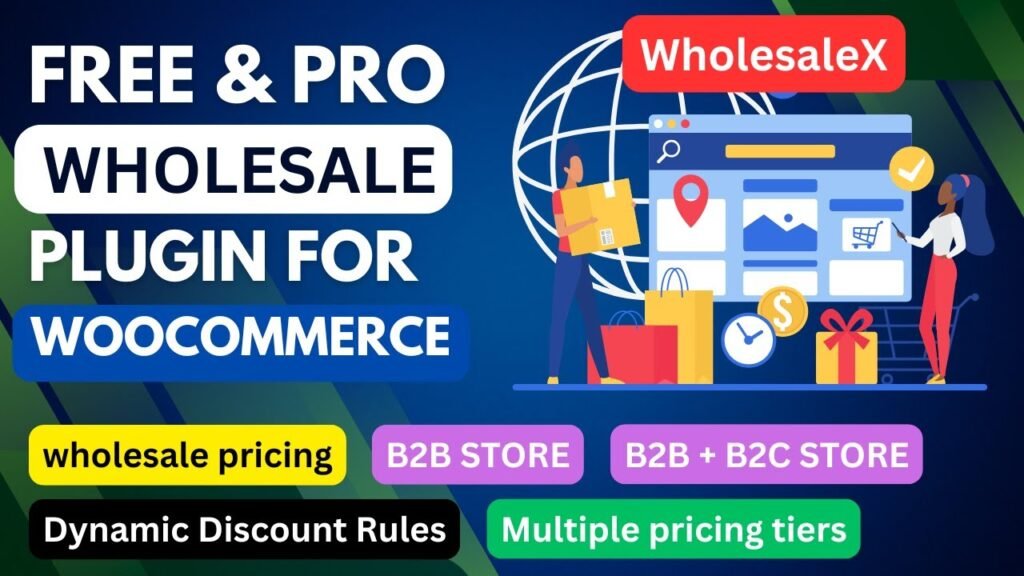
WholesaleX is the most advanced WooCommerce wholesale plugin available, developed by WPXPO. It is a feature-packed, all-in-one solution designed to transform any WooCommerce store into a fully functioning B2B, B2C, or B2B+B2C hybrid wholesale store.
WholesaleX is already trusted by 60,000+ businesses worldwide and has earned a stellar 4.9 out of 5 rating on Trustpilot based on 400+ reviews. The plugin is available in both a free version (on WordPress.org) and a premium Pro version (at getwholesalex.com).
The plugin handles every aspect of wholesale management — from custom registration forms and user roles to dynamic pricing rules, bulk ordering, quote negotiation, and digital wallets — all from a single intuitive dashboard inside WordPress.
Key Features of WholesaleX Plugin
1. Dynamic Pricing & Discount Rules
WholesaleX comes with 16+ dynamic pricing and discount rules that give you granular control over how and when discounts are applied. These include:
- Product-level discount and wholesale pricing
- Quantity-based / tiered pricing (e.g., buy 10 get 10% off, buy 50 get 20% off)
- User role-based pricing
- Cart discount rules
- Buy X Get 1 Free (BOGO) and Buy X Get Y Free
- Payment method-based discounts
- Minimum and maximum order quantity rules
- Checkout restrictions
- Hidden price for non-approved users
- Shipping rules and tax exemption rules
2. Wholesale User Roles
Create unlimited custom user roles (e.g., Retailer, Distributor, VIP Wholesaler) and assign different pricing, discounts, and access levels to each role. This allows you to serve different tiers of B2B customers with personalized experiences.
3. Custom Registration Form Builder
The registration form builder lets you create fully customized wholesale registration forms with unlimited additional fields (text, dropdown, checkbox, file upload, etc.) and a role-selection option. You can set registrations to auto-approve or manually approve each applicant.
4. Bulk Order Form
Give your B2B customers a dedicated wholesale ordering area where they can search for products by name, category, or tag, add multiple items to their cart at once, and even save purchase lists for future orders. This significantly speeds up the ordering process for repeat buyers.
5. Private Store & Product Visibility Control
Restrict your wholesale store or specific products from being visible to guest users or B2C customers. You can hide prices with a ‘Login to View Prices’ message or completely hide the store from unauthorized visitors — making WholesaleX an ideal WooCommerce private store plugin.
6. Request a Quote
The Request a Quote feature enables customers to submit price negotiation requests directly from the product or cart page. Store admins can then send custom offers back through the built-in conversation system, making price negotiation smooth and professional.
7. Built-in Conversation System
WholesaleX includes a native messaging system accessible from the customer’s My Account page. This allows wholesale buyers to communicate directly with the store admin for inquiries, negotiations, and support — without needing a third-party chat tool.
8. Wholesale Wallet
The digital wallet system works as a built-in payment method for your store. Both B2B and B2C customers can add funds to their wallet and use it to pay for orders. There are no transaction fees, making it a cost-effective payment solution.
9. WooCommerce Wholesale Subaccounts
B2B account holders can create sub-accounts for their employees or team members. Subaccount holders can place orders on behalf of the main account, while the primary account holder retains full monitoring and control over all subaccount activity.
10. Catalog Mode
Enable catalog mode to make products browseable but non-purchasable — ideal for trade shows or product showcases. You can combine this with the Request a Quote button to capture leads even when direct purchasing is disabled.
11. Email Templates
WholesaleX ships with ready-made email templates for registration confirmations, approvals, rejections, quote responses, and more. These can be further customized using the YayMail Email Customizer addon.
12. Marketplace Compatibility
WholesaleX integrates seamlessly with Dokan and WCFM Marketplace, allowing multi-vendor marketplace owners to extend wholesale pricing and B2B features to their vendors. It also supports WPML for multilingual stores and reCAPTCHA v2 for form security.
How to Create a WooCommerce Wholesale Store With WholesaleX Plugin
Now let’s get into the step-by-step process of setting up your WooCommerce wholesale store using WholesaleX. We’ll cover both the free and pro versions.
Step 1: Install WooCommerce
Before installing WholesaleX, make sure WooCommerce is installed and activated on your WordPress website. WholesaleX is a WooCommerce extension, so WooCommerce is a prerequisite.
- Go to WordPress Dashboard > Plugins > Add New
- Search for ‘WooCommerce’ and click Install Now
- Click Activate and complete the WooCommerce setup wizard
Step 2: Install WholesaleX (Free Version)
The free version of WholesaleX provides a solid foundation for your wholesale store. Here’s how to install it:
- Go to WordPress Dashboard > Plugins > Add New
- Search for ‘WholesaleX’
- Find the WholesaleX plugin by WPXPO and click Install Now
- Click Activate to enable the plugin
- You’ll now see the WholesaleX menu item in your WordPress dashboard
Step 3: Configure the WholesaleX Dashboard
Once activated, navigate to WholesaleX in your WordPress dashboard. You’ll see the main dashboard with an overview of your wholesale store activity, including user roles, active rules, and recent orders.
The dashboard is clean and intuitive, giving you quick access to all key sections: User Roles, Dynamic Rules, Registration Forms, and more.
Step 4: Set Up Wholesale User Roles
Go to WholesaleX > User Roles to create your wholesale customer roles. By default, WholesaleX comes with standard B2B and B2C roles. You can create additional custom roles such as:
- Wholesaler
- Retailer
- Distributor
- VIP Buyer
Each role can have its own pricing rules, access levels, and product visibility settings. This gives you full control over how different buyer segments interact with your store.
Step 5: Create Dynamic Pricing Rules
Navigate to WholesaleX > Dynamic Rules to create your wholesale pricing rules. Click ‘Add New Rule’ and choose from the available rule types:
- Product Discount — set a fixed or percentage discount on specific products
- Quantity-Based Pricing — offer better prices as order quantities increase
- Cart Discount — apply discounts when the cart total or quantity meets a threshold
- BOGO — offer free products when certain quantities are purchased
- Minimum/Maximum Order Quantity — enforce MOQ for wholesale buyers
You can apply each rule to specific user roles, products, or categories, giving you highly targeted control over your wholesale pricing strategy.
Step 6: Build a Wholesale Registration Form
Go to WholesaleX > Registration Forms to create a custom registration form for your wholesale applicants. You can add custom fields like:
- Business Name
- Tax ID / GST Number
- Business Type
- Expected Monthly Purchase Volume
- Upload Business License (file upload field)
You can choose to auto-approve new registrations or manually review and approve each applicant — giving you full control over who gets wholesale access.
Step 7: Configure Private Store Settings
Under WholesaleX Settings, you can configure visibility options such as:
- Hide prices from guest users and show a ‘Login to View Prices’ message
- Restrict the entire store to registered users only
- Show or hide specific product categories based on user role
These settings ensure your wholesale pricing remains exclusive to approved buyers only.
Step 8: Upgrade to WholesaleX Pro (Optional but Recommended)
While the free version is a great starting point, WholesaleX Pro unlocks the full power of the plugin with features like bulk order forms, request a quote, wholesale wallet, subaccounts, and advanced dynamic rules. To install the Pro version:
- Purchase WholesaleX Pro from getwholesalex.com
- Download the Pro plugin ZIP file from your account
- Go to WordPress Dashboard > Plugins > Add New > Upload Plugin
- Upload and activate the Pro plugin — it works alongside the free version
- Enter your license key to activate Pro features
Step 9: Enable Bulk Order Form (Pro)
Once Pro is active, go to WholesaleX > Addons and enable the Bulk Order Form addon. This creates a dedicated page where B2B customers can quickly search and add multiple products to their cart in a single session — significantly improving the buying experience for wholesale customers.
Step 10: Set Up Request a Quote (Pro)
Enable the Request a Quote addon from the WholesaleX Addons panel. Customers will now see a ‘Request a Quote’ button on product and cart pages. When they submit a quote request, it enters the conversation system where you can negotiate and send custom pricing offers.
Step 11: Configure the Wholesale Wallet (Pro)
Enable the Wallet addon to give customers a digital store credit balance they can top up and use at checkout. You can also use the wallet to offer refunds, incentives, or loyalty rewards to your wholesale customers.
Step 12: Test Your Wholesale Store
Before going live, create test wholesale user accounts and verify:
- Wholesale pricing is correctly displayed for approved users
- Guest users see the ‘Login to View Prices’ message
- Registration form is working and approval emails are sent
- Bulk order form is accessible to B2B users
- Dynamic discount rules are applying correctly at cart and checkout
WholesaleX Free vs Pro: Detailed Comparison
Here’s a comprehensive comparison of what’s included in the free vs pro versions of WholesaleX:
Feature | Free Version | Pro Version |
Dynamic Pricing Rules | Basic | Advanced (16+ rules) |
User Roles | Limited | Unlimited Custom Roles |
Registration Form Builder | Basic | Advanced with Custom Fields |
Bulk Order Form | Not Available | Included |
Request a Quote | Not Available | Included |
Wholesale Wallet | Not Available | Included |
Subaccounts | Not Available | Included |
Conversation System | Not Available | Included |
Catalog Mode | Basic | Advanced Control |
Private Store | Basic | Full Control |
Tiered / Quantity Pricing | Basic | Advanced Tiers |
BOGO & Buy X Get Y | Not Available | Included |
Cart Discount Rules | Basic | Advanced |
Payment Method Discount | Not Available | Included |
Tax Rules | Not Available | Included |
Shipping Rules | Not Available | Included |
Email Templates | Basic | Customizable + YayMail |
Priority Support | Community | Dedicated Priority Support |
White Label (Agency) | Not Available | Agency Plan Only |
WholesaleX Pro Pricing Plans
WholesaleX Pro is available in three plans, with both yearly and lifetime payment options:
Plan | Yearly Price | Lifetime Price | Sites |
Starter | $83/year | $149 one-time | 1 Site |
Business | $119/year | $199 one-time | 5 Sites |
Agency | $164/year | $279 one-time | 20 Sites |
All Pro plans include a 14-day money-back guarantee and priority support. The Agency plan also includes a White Label option — perfect for agencies building wholesale stores for clients.
System Requirements for WholesaleX
- WordPress 6.8 or higher
- WooCommerce (latest version recommended)
- PHP version 7.4 or higher
- MySQL version 5.6 or higher
Frequently Asked Questions (FAQs)
1. Can I Use WholesaleX on an Existing WooCommerce Store?
Yes, absolutely. WholesaleX can be added to any existing WooCommerce store without disrupting your current retail customers. Existing B2C users continue shopping as normal, while new wholesale features are layered on top for B2B buyers. This makes it a zero-risk addition to your current setup.
2. Is WholesaleX Suitable for Both B2B and B2C Stores?
Yes. WholesaleX is designed to power B2B-only, B2C-only, or B2B+B2C hybrid stores. Using features like user roles and dynamic pricing rules, you can serve both wholesale buyers and retail customers from the same WooCommerce store — each seeing prices and features tailored to their role.
3. Can I Hide Wholesale Prices from Guest Users?
Yes. WholesaleX includes a ‘Login to View Prices’ feature that replaces product prices with a login prompt for unregistered or guest users. You can also completely hide specific products or categories from B2C users and guests, ensuring your wholesale pricing remains exclusive and confidential.
4. What is the Difference Between WholesaleX Free and Pro?
The free version of WholesaleX provides essential wholesale features including basic user roles, product discounts, tiered pricing, and a registration form builder. The Pro version unlocks premium features such as the Bulk Order Form, Request a Quote system, Wholesale Wallet, Subaccounts, advanced dynamic rules (BOGO, tax rules, shipping rules, payment method discounts), and priority support. For most serious wholesale operations, the Pro version is strongly recommended.
5. Does WholesaleX Work with Marketplace Plugins like Dokan?
Yes. WholesaleX has dedicated integration addons for both Dokan and WCFM Marketplace. This means you can extend wholesale pricing, user roles, and B2B features to vendors in your multi-vendor marketplace. WholesaleX also integrates with WPML for multilingual stores, YayMail for email customization, and various currency switcher plugins.
Conclusion
Creating a WooCommerce wholesale store has never been easier, thanks to plugins like WholesaleX. Whether you’re starting out with the free version or going all-in with the Pro plan, WholesaleX gives you everything you need to build a professional, scalable B2B wholesale operation on top of your existing WooCommerce store.
From dynamic pricing rules and bulk order forms to quote negotiation and a digital wallet system, WholesaleX is genuinely the most comprehensive WooCommerce wholesale plugin available today — trusted by 60,000+ businesses and backed by a 4.9/5 Trustpilot rating.
If you’re serious about growing your wholesale revenue, expanding into B2B sales, or simply giving your bulk buyers a better experience, installing WholesaleX is the smartest first step you can take.
Ready to get started? Download the free WholesaleX plugin from WordPress.org today, or visit getwholesalex.com to explore the Pro version with a 14-day money-back guarantee.