Recurring revenue is the holy grail of eCommerce. Unlike one-time purchases — where you constantly need to find new customers to sustain your income — a subscription model turns every customer into a reliable, repeating revenue source. Whether you sell physical products, digital content, software, services, or online courses, adding a WooCommerce subscription product to your store can transform your business from unpredictable month-to-month revenue into a stable, growing recurring income stream.
The challenge, historically, has been that setting up WooCommerce subscriptions required expensive, complex plugins with steep learning curves. That is no longer the case. Sublium is a modern, beautifully designed WooCommerce subscription plugin that lets you create subscription products, manage recurring payments, reduce churn, and track revenue metrics — all in one place, with a 5-minute setup wizard and no coding required.
In this comprehensive guide, we cover everything you need to know: what a WooCommerce subscription product is, why your store should offer them, how to set one up step by step using Sublium, and a detailed comparison of the free and paid versions.
Watch step by step video tutorial: https://youtu.be/DFSo93I9Bto
What is a Subscription Product in WooCommerce?
A subscription product in WooCommerce is a product or service that customers purchase on a recurring basis — daily, weekly, monthly, or annually. Instead of a single one-time payment, the customer agrees to be billed automatically at a defined interval, and their access to the product or service continues as long as their subscription remains active.
WooCommerce does not natively support subscription products. By default, WooCommerce is built for standard one-time purchases. To sell subscription products, you need a dedicated WooCommerce subscription plugin like Sublium that adds recurring billing infrastructure on top of WooCommerce.
A subscription product typically includes:
- A recurring billing interval (e.g., billed every month, every quarter, or every year)
- An optional free trial period (e.g., 7 days free before first charge)
- An optional one-time signup fee charged at the time of the first purchase
- Automatic payment renewal using a saved payment method (tokenized card)
- Subscription management tools for the customer (pause, skip, cancel, upgrade)
- Automated email notifications for renewals, failed payments, and cancellations
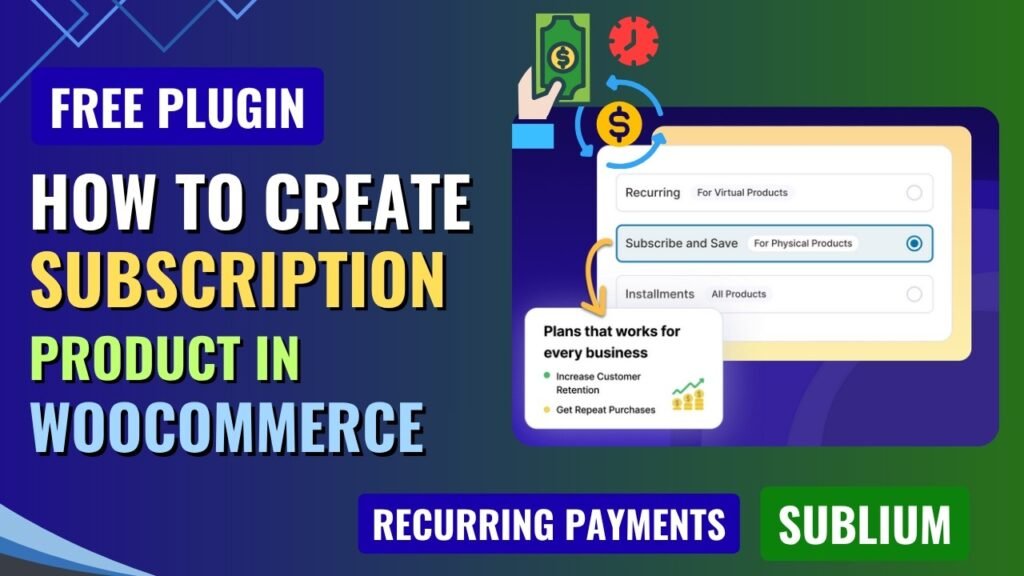
Sublium supports several distinct types of subscription products, including Subscribe & Save for physical products with regular deliveries, recurring digital memberships and services, and installment payment plans that split a larger purchase into smaller regular payments.
Benefits of Creating WooCommerce Subscription Products
1. Predictable, Recurring Revenue
The most powerful benefit of subscriptions is revenue predictability. Instead of starting each month at zero and hoping for enough one-time sales, you begin with a guaranteed baseline of recurring income from active subscribers. This makes financial planning, inventory management, and hiring decisions dramatically easier and more confident.
2. Higher Customer Lifetime Value (CLV)
A subscriber who pays $29 per month stays on for an average of 12 months is worth $348 in lifetime value — far more than a one-time buyer who spends $49 once. Subscriptions inherently increase CLV by converting single transactions into ongoing relationships, and Sublium’s built-in retention tools help you extend those relationships even further.
3. Lower Customer Acquisition Cost (CAC) Impact
Since subscribers keep paying month after month, the cost of acquiring each customer is spread across a much longer revenue timeline. This improves your marketing efficiency and makes paid advertising far more profitable — you can afford to spend more to acquire a customer when you know they will generate recurring revenue for months or years.
4. Improved Cash Flow and Business Stability
Recurring billing creates a steady, predictable cash flow that insulates your business from the volatility of one-time purchase cycles. This makes it easier to manage operational costs, invest in growth, and weather slow periods without financial stress.
5. Automatic Upsell Opportunities
Active subscribers are your most engaged and trusting customers. They are the perfect audience for upgrade campaigns, tier upsells (e.g., from a basic plan to a premium plan), and cross-sell offers. Sublium’s upgrade groups feature makes it easy to present and manage these opportunities automatically.
6. Reduced Churn Through Retention Tools
Unlike standard eCommerce where a lost customer is simply gone, subscription businesses have the opportunity to actively retain subscribers who want to cancel. Sublium’s smart cancellation flows present benefit reminders, collect cancellation reasons through surveys, and automatically trigger win-back offers like discounts or free pauses — converting potential cancellations into continued subscriptions.
7. Better Inventory Planning (Physical Products)
For physical product subscriptions, knowing how many subscribers you have and when their renewals are due lets you forecast demand with remarkable accuracy. This reduces both overstock and stockout risks, optimizes procurement, and improves delivery logistics.
8. Customer Loyalty and Brand Stickiness
Subscribers develop a habitual relationship with your brand. Regular touchpoints through delivery or access create familiarity and loyalty that one-time buyers rarely develop. This loyalty translates to word-of-mouth referrals, higher review rates, and lower sensitivity to price increases.
What is Sublium Plugin?
Sublium is a modern WooCommerce subscription plugin developed by the team behind FunnelKit. It is designed to be the easiest, most powerful way to sell subscriptions on WooCommerce — without the complexity, outdated interfaces, or high transaction fees associated with older subscription plugins.
Sublium goes significantly beyond basic recurring billing. It includes built-in retention tools (smart cancellation flows, win-back offers), payment recovery automation (automatic retry for failed payments, one-click card updater), a customer self-service portal (pause, skip, reschedule without contacting support), a built-in analytics dashboard tracking MRR, ARR, and churn, and a visual drag-and-drop email builder for professional subscription communications.
Sublium is available as a free Lite version on WordPress.org and a premium Pro version at sublium.com. The free version includes unlimited subscriptions and subscribers with core features (plus a 2.9% transaction fee). Pro plans start at $99.5 per year and eliminate all transaction fees while unlocking advanced analytics, upgrade campaigns, retention flows, and more. A 14-day money-back guarantee covers all Pro plans.
Key Features of Sublium WooCommerce Subscription Plugin
1. 5-Minute Setup Wizard
Sublium includes a guided setup wizard that walks you through creating your first subscription product from scratch in under five minutes. There is no complex configuration, no PHP hooks to understand, and no developer required. If you can create a standard WooCommerce product, you can create and manage subscriptions with equal ease.
2. Flexible Subscription Models
Sublium supports multiple distinct subscription product types to cover virtually every business model:
- Subscribe & Save — Offer automatic recurring deliveries for consumable physical products (coffee, supplements, pet food, beauty products). Customers choose their delivery frequency, earn subscriber discounts, and receive automatic fulfillment.
- Recurring Digital Memberships & Services — Automate billing for online courses, SaaS tools, content libraries, coaching programs, and service retainers. Access is automatically granted on payment and revoked when a payment fails.
- Installment Payment Plans — Split high-ticket purchases (courses, equipment, furniture) into smaller weekly or monthly payments. Collect a down payment upfront, allow early payoff, and reduce cart abandonment on expensive items.
3. Flexible Billing Intervals and Terms
Set any billing interval you need: daily, weekly, bi-weekly, monthly, quarterly, or annual. Define subscriptions as fixed-term (e.g., a 12-month plan that ends automatically) or unlimited evergreen subscriptions that continue until the customer cancels. Combine any billing interval with a free trial period of any length.
4. Free Trial Periods
Offer customers a risk-free trial before their first charge. You have full control over the trial length, billing start date, and post-trial renewal behavior. Free trials are one of the most effective tools for converting hesitant buyers into committed subscribers, as they eliminate the perceived risk of commitment.
5. One-Time Signup Fees
Charge a one-time setup, activation, or onboarding fee at the time of the first purchase, in addition to the regular recurring subscription price. This is ideal for services that require account creation, initial consultation, equipment provisioning, or any other upfront cost that is separate from the ongoing subscription value.
6. Variable Subscription Products
Create subscription products with multiple variations — for example, a monthly plan and an annual plan as variants of the same product, or different subscription tiers (Basic, Standard, Premium) with different pricing and billing intervals. Customers select their preferred variant at purchase.
7. Advanced Subscription Coupons
Apply percentage or fixed discounts that recur across subscription renewals, not just the first payment. Combine coupons with usage limits, expiry dates, and time-limited promotional windows to run targeted subscription acquisition campaigns.
8. Smart Payment Recovery
Failed payments are one of the biggest revenue leaks in subscription businesses — cards expire, billing addresses change, and insufficient funds cause declines. Sublium handles this automatically with intelligent payment retry scheduling (up to 6 retry attempts with customizable intervals), proactive card expiry alerts sent 30 days in advance, and automated recovery email notifications. Pro users also get the one-click card updater, which lets customers update their payment method via a secure link without needing to log in.
9. Customer Self-Service Portal
Reduce support tickets dramatically by giving subscribers full control over their own accounts. From the self-service portal within their WooCommerce account, customers can:
- Pause their subscription for a set period
- Skip an upcoming delivery or payment
- Reschedule their next renewal date
- Trigger an early renewal or early Subscribe & Save shipment
- Pay off remaining installments ahead of schedule
- Update their shipping address
- View their full subscription history and upcoming payment dates
This level of self-service is what customers expect from modern subscription businesses — and it directly reduces churn by giving subscribers flexibility instead of forcing them to cancel when life circumstances change.
10. Smart Cancellation Flows (Pro — Scale Plan)
When a subscriber attempts to cancel, Sublium’s smart cancellation flow intercepts the process and presents a structured retention experience. First, it displays benefit reminder pages highlighting what the subscriber will lose. Next, it collects cancellation reasons via a survey. Based on the reason provided, it automatically triggers a targeted retention offer — a discount, a free pause, a skip, or a tier downgrade — to address the subscriber’s specific concern. A final win-back offer is presented before cancellation is confirmed.
11. Built-in Analytics Dashboard (Pro)
Stop guessing about your subscription business performance. Sublium Pro’s analytics dashboard gives you real-time visibility into:
- MRR (Monthly Recurring Revenue) and ARR (Annual Recurring Revenue)
- Churn rate and subscriber trends over time
- New vs renewal revenue comparison
- Cohort performance analysis
- Revenue forecasting based on upcoming renewals
- Upgrade group performance and ROI
- Cancellation flow effectiveness
- Payment recovery success rates
All data can be filtered by custom date ranges and exported to CSV for external reporting.
12. Upgrade Groups and Tier Management (Pro)
Create tier hierarchies (e.g., Silver, Gold, Platinum) and configure intelligent upgrade campaigns that prompt subscribers to move to a higher tier. Set upgrade discounts as incentives, configure display conditions for upgrade banners, and let Sublium handle automatic proration when customers upgrade mid-billing cycle. Track upgrade conversion rates and ROI from within the analytics dashboard.
13. Visual Email Builder (Pro)
Design professional, mobile-optimized subscription email templates using a drag-and-drop visual builder. Personalize every email with smart merge tags (subscriber name, product name, renewal date, amount, etc.) and set up advanced email triggers for specific events: failed payments, card expiry alerts, upgrade confirmations, win-back campaigns, and more.
14. Powerful Payment Gateway Support
Sublium supports all major payment gateways: Stripe (with full automatic recurring billing), PayPal (Pro only for recurring), Square, all major credit and debit cards (Visa, Mastercard, American Express, Discover, JCB), Apple Pay, and Google Pay. All payment processing uses PCI-compliant secure tokenization, ensuring your customers’ payment data is handled safely.
15. Deep Third-Party Integrations
Sublium integrates natively with the most important tools in the WooCommerce ecosystem:
- FunnelKit Funnel Builder — Sell subscriptions through high-converting checkout pages, and offer subscription products as one-click upsells or order bumps in sales funnels
- FunnelKit Automations — Trigger marketing workflows based on subscription events, tag subscribers automatically, and launch targeted email campaigns
- LearnDash and TutorLMS — Auto-enroll students when subscriptions are purchased and automatically revoke course access when payments fail
- MemberPress and WooCommerce Memberships — Use Sublium for billing while your membership plugin manages content access and protection
- AffiliateWP — Reward affiliates for subscription renewals and track recurring commissions automatically
- WPML — Full multilingual compatibility for international subscription stores
How to Create a Subscription Product Using Sublium Plugin
Here is a complete step-by-step guide to setting up your first WooCommerce subscription product using Sublium, starting from the free version.
Step 1: Install WooCommerce
Sublium is built on top of WooCommerce, so WooCommerce must be installed first. Go to WordPress Dashboard > Plugins > Add New, search for WooCommerce, install and activate it, and complete the basic store setup.
Step 2: Install Sublium Free Plugin
- Go to WordPress Dashboard > Plugins > Add New
- Search for ‘Sublium’ or ‘Sublium Subscriptions for WooCommerce’
- Find the plugin by FunnelKit and click Install Now
- Click Activate — Sublium will appear in your WordPress sidebar
- The 5-minute setup wizard will launch automatically on first activation
Step 3: Connect a Payment Gateway
Sublium requires a payment gateway that supports tokenized recurring billing. Stripe is the recommended gateway for automatic renewals. In the Sublium setup wizard or settings, connect Stripe by entering your API keys from your Stripe dashboard. Square is also supported for recurring payments. PayPal support for recurring billing is available in Sublium Pro.
Step 4: Create a New Subscription Product
- Go to WordPress Dashboard > Products > Add New
- Enter your product name and description
- In the Product Data section below the editor, open the Product Type dropdown
- Select ‘Sublium Subscription’ as the product type
- The product data panel will now show Sublium-specific subscription settings
Step 5: Configure Subscription Pricing and Billing
In the Subscription tab of the product data panel, configure:
- Subscription Price — the recurring amount charged per billing period
- Billing Interval — how often to charge (daily, weekly, monthly, quarterly, or annually)
- Subscription Length — choose fixed-term (e.g., 12 months) or unlimited (until cancelled)
- Free Trial — set a trial length in days, weeks, or months before the first charge
- Signup Fee — enter a one-time fee charged at the time of initial purchase, in addition to the recurring price
Step 6: Choose Your Subscription Model Type
In the Sublium product settings, select the subscription model that fits your use case:
- Recurring — standard subscription with automatic billing at your chosen interval
- Subscribe & Save — for physical products with regular deliveries and subscriber discounts
- Installment Plan — split a total price into regular smaller payments
Each model type reveals additional relevant configuration options specific to that subscription format.
Step 7: Set Up Variable Subscriptions (Optional)
If you want to offer multiple plans (e.g., monthly at $9/month and annual at $79/year), go to the Variations tab and set up product variations. Each variation can have its own price, billing interval, trial period, and signup fee — giving customers the choice between plans at purchase.
Step 8: Configure Subscription Coupons (Optional)
Go to WooCommerce > Coupons and create a new coupon. With Sublium active, you will see new subscription-specific coupon options including recurring discount type (fixed or percentage), number of renewals to apply the discount to, and expiry settings. Create a coupon for a launch promotion or trial conversion incentive.
Step 9: Publish the Product
Click Publish. Your subscription product is now live in your WooCommerce store. When customers purchase it, Sublium automatically creates a subscription record, processes the initial payment (including any trial or signup fee), and schedules all future renewal payments.
Step 10: Manage Subscriptions from the Dashboard
Go to Sublium > Subscriptions in your WordPress dashboard to view and manage all active subscriptions. From here you can:
- View all active, paused, cancelled, and expired subscriptions
- Search for specific customers or subscriptions
- Manually pause, cancel, or reschedule individual subscriptions
- View the full activity timeline for any subscription
- Monitor upcoming renewal payments at a glance
Step 11: Set Up Email Notifications
Go to Sublium > Emails to configure automated email notifications. The free version includes pre-built templates for Welcome (subscription created), Renewal Receipt, Failed Payment Alert, and Cancellation Confirmation emails. Edit each template using the rich text editor to match your brand voice. Pro users can access the visual drag-and-drop email builder for fully branded, personalized email designs.
Step 12: Install Sublium Pro (Optional Upgrade)
- Purchase your preferred Pro plan from sublium.com (Launch plan from $99.5/year)
- Download the Pro plugin ZIP from your Sublium account
- Go to WordPress > Plugins > Upload Plugin, upload and activate the ZIP
- Enter your license key to activate Pro features
- Pro features — analytics dashboard, upgrade groups, cancellation flows, card updater, visual email builder, and 0% transaction fees — will be unlocked immediately
Use Cases for WooCommerce Subscription Products
1. Physical Product Subscriptions (Subscribe & Save)
Ideal for consumable goods like coffee, supplements, skincare, pet food, cleaning products, and meal kits. Set up an automatic monthly delivery subscription with a 10–15% subscriber discount as an incentive. Use Sublium’s renewal data to forecast inventory requirements and optimize your supply chain. Subscribers get convenience and savings; you get predictable revenue and loyal customers.
2. Online Course and Educational Memberships
Sell access to an online course library, coaching program, or educational content platform as a monthly or annual subscription. Integrate Sublium with LearnDash or TutorLMS to automatically enroll subscribers in courses upon payment and revoke access when subscriptions lapse. Offer a 7-day free trial to reduce signup hesitation.
3. SaaS and Digital Tool Subscriptions
Charge monthly or annual fees for access to software, WordPress plugins, digital tools, apps, or browser extensions. Use variable subscriptions to offer multiple pricing tiers (Starter, Professional, Business) with different feature sets and price points. Sublium’s upgrade groups make it easy to upsell users from lower to higher tiers automatically.
4. Service Retainer Subscriptions
Offer retainer packages for ongoing services like social media management, SEO consulting, graphic design, bookkeeping, or website maintenance as recurring monthly subscriptions. Collect a one-time onboarding fee using the signup fee feature, then bill the regular retainer monthly. Smart cancellation flows help retain clients who want to pause rather than fully cancel.
5. Membership Sites and Premium Content
Gate premium content, exclusive videos, downloadable resources, or member-only communities behind a recurring subscription. Integrate with MemberPress or WooCommerce Memberships to manage content access control while Sublium handles all recurring billing, payment recovery, and subscriber management.
6. Installment Payment Plans for High-Ticket Items
Make expensive products or programs accessible by breaking the total price into smaller regular payments. A $997 online course can be sold as 12 monthly payments of $97, dramatically reducing the barrier to purchase. Sublium’s installment plan feature handles all scheduling, failed payment retry, and early payoff options automatically.
7. Subscription Boxes
Curate and ship a monthly box of themed products (books, snacks, beauty items, hobby supplies) on a subscription basis. Use Sublium’s Subscribe & Save model to manage deliveries, track upcoming shipments using renewal dates, and let subscribers pause or skip months they cannot receive deliveries — dramatically reducing churn on subscription box products.
Sublium Free vs Pro: Detailed Comparison
Here is a comprehensive feature-by-feature breakdown of the Sublium free Lite version versus the Pro plans:
Feature | Free (Lite) | Pro Version |
Unlimited Subscriptions & Subscribers | Yes | Yes |
Subscribe & Save (Physical Products) | Yes | Yes |
Recurring Digital Memberships | Yes | Yes |
Installment Payment Plans | Yes | Yes |
Variable Subscription Products | Yes | Yes |
Free Trial Periods | Yes | Yes |
One-Time Signup Fees | Yes | Yes |
Flexible Billing Intervals (Daily–Annual) | Yes | Yes |
Fixed-Term or Unlimited Subscriptions | Yes | Yes |
Automatic Payment Retry (Up to 6 Attempts) | Yes | Yes |
Customizable Retry Intervals | Yes | Yes |
Prorated Billing for Upgrades/Downgrades | Yes | Yes |
Basic Customer Self-Service Portal | Yes | Yes (Enhanced) |
Pause, Skip & Reschedule (Self-Service) | Basic | Full Control |
Email Notifications (Rich Text Editor) | Yes | Yes + Visual Builder |
Drag-and-Drop Visual Email Builder | Not Available | Yes |
Smart Merge Tags for Email Personalization | Not Available | Yes |
Payment Gateways (Stripe, Square, Cards) | Yes | Yes + Full PayPal |
Apple Pay & Google Pay | Yes | Yes |
Transaction Fees | 2.9% per transaction | 0% (Zero Fees) |
Built-in Analytics (MRR, ARR, Churn) | Not Available | Yes (Full Dashboard) |
Revenue Forecasting | Not Available | Yes |
Cohort Performance Analysis | Not Available | Yes |
Upgrade Groups (Tier Hierarchies) | Not Available | Yes |
Upgrade Discounts & Proration | Not Available | Yes |
Smart Cancellation Flows with Surveys | Not Available | Yes (Scale Plan) |
Automated Win-Back Offers | Not Available | Yes (Scale Plan) |
One-Click Card Updater (No Login) | Not Available | Yes (Scale Plan) |
Proactive Card Expiry Alerts | Not Available | Yes |
Comprehensive Activity Logs + CSV Export | Not Available | Yes |
FunnelKit Funnel Builder Integration | Yes | Yes |
LearnDash / TutorLMS Integration | Yes | Yes |
AffiliateWP Integration | Yes | Yes |
Priority Support | Community | Dedicated Priority Support |
Sublium Pro Pricing Plans
Sublium Pro offers three annual plans, all backed by a 14-day money-back guarantee and 0% transaction fees:
Plan | Regular Price | Discounted | Sites | Key Highlight |
Free (Lite) | Free | Free | Unlimited | Core features + 2.9% transaction fee |
Launch | $199/year | $99.5/year | 1 Site | 0% fees, full subscription management |
Growth | $299/year | $149.5/year | 2 Sites | Analytics, MRR/ARR, upgrade campaigns |
Scale | $399/year | $199.5/year | 5 Sites | Cancellation flows, card updater, retention tools |
Note: The free Lite version charges a 2.9% transaction fee on all subscription revenue. Upgrading to any Pro plan eliminates this fee entirely — meaning for most stores, the Pro plan pays for itself quickly in saved transaction fees alone, especially as your subscriber base grows.
Frequently Asked Questions (FAQs)
1. Does WooCommerce Natively Support Subscription Products?
No. WooCommerce does not include subscription or recurring billing functionality out of the box. WooCommerce is designed for standard one-time purchases only. To sell subscription products and accept recurring payments in WooCommerce, you need a dedicated subscription plugin like Sublium. Sublium adds all the necessary subscription infrastructure — recurring billing, payment tokenization, renewal scheduling, customer self-service, and automated notifications — directly into your WooCommerce store.
2. Which Payment Gateways Does Sublium Support?
Sublium supports Stripe (recommended for full automatic recurring billing), Square, all major credit and debit cards (Visa, Mastercard, American Express, Discover, JCB), Apple Pay, and Google Pay in both the free and Pro versions. Full PayPal support for recurring subscription billing is exclusive to Sublium Pro plans. All payment processing uses PCI-compliant secure tokenization, meaning Sublium never stores raw card data on your server.
3. What Happens When a Subscriber’s Payment Fails?
Sublium handles failed payments automatically without any manual intervention required. It intelligently retries the failed charge up to 6 times on a customizable schedule. Automated email notifications are sent to the subscriber alerting them to the failed payment and prompting them to update their payment information. Pro users also benefit from proactive card expiry alerts sent 30 days before a card expires, and the one-click card updater that allows subscribers to update their payment method via a secure link without needing to log into their account.
4. Can Subscribers Manage Their Own Subscriptions?
Yes. Sublium includes a comprehensive customer self-service portal accessible from the subscriber’s WooCommerce account page. From this portal, subscribers can pause their subscription for a set period, skip an upcoming delivery or payment, reschedule their next renewal date, trigger an early renewal, pay off remaining installments ahead of schedule, view their full subscription history, and update their shipping address. This level of self-service dramatically reduces support tickets and prevents unnecessary cancellations from subscribers who simply need a temporary pause rather than a full cancellation.
5. Is Sublium Compatible with FunnelKit and Other Plugins?
Yes. Sublium was built by the same team as FunnelKit and has deep native integration with both FunnelKit Funnel Builder and FunnelKit Automations. You can sell subscription products through high-converting FunnelKit checkout pages, offer subscriptions as one-click post-purchase upsells in FunnelKit sales funnels, and trigger marketing automation workflows based on subscription events. Sublium also integrates with LearnDash, TutorLMS, MemberPress, WooCommerce Memberships, AffiliateWP, and WPML for multilingual stores.
Conclusion
Adding subscription products to your WooCommerce store is one of the most impactful decisions you can make for long-term business growth. Subscriptions transform unpredictable one-time revenue into stable, compounding recurring income — and they create the kind of ongoing customer relationships that drive loyalty, referrals, and sustainable scale.
Sublium makes this transition as easy and risk-free as possible. With a 5-minute setup wizard, support for every major subscription model (physical, digital, installment), built-in payment recovery, customer self-service tools, smart retention flows, and a powerful analytics dashboard, Sublium is the most complete and modern WooCommerce subscription plugin available today.
The free version gives you everything you need to get started with unlimited subscriptions and subscribers — and when your revenue grows to the point where the 2.9% transaction fee justifies upgrading, Sublium Pro delivers a full suite of retention, analytics, and revenue optimization tools at a fraction of the cost of legacy subscription plugins.
Ready to start accepting recurring payments? Download the free Sublium plugin from WordPress.org today, or visit sublium.com to explore Pro plans with a 14-day money-back guarantee.