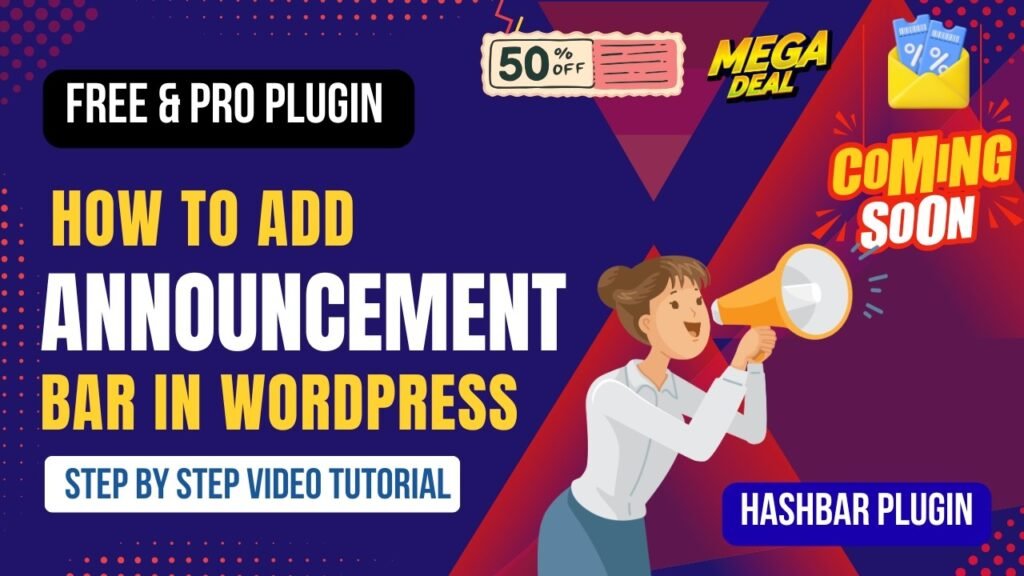
An announcement bar in WordPress is one of the most effective ways to grab user attention and promote important messages on your website.
Whether you want to:
- promote a discount offer
- announce a sale
- share important updates
- collect leads
an announcement bar (also called a notification bar or top bar) can help you do it effectively.
In this tutorial, you will learn:
- What is an announcement bar in WordPress
- Benefits of using announcement bars
- Features of the Hashbar plugin
- How to add an announcement bar step-by-step
- Hashbar Free vs Pro comparison
Using the Hashbar plugin, you can easily create professional announcement bars without coding.
Watch Step by step video tutorial: https://youtu.be/hdRVYTMd5OA
What is Announcement Bar in WordPress?
An Announcement Bar is a horizontal bar displayed at the top or bottom of a website.
It is used to highlight important information such as:
- promotions
- announcements
- alerts
- call-to-actions
The announcement bar is usually:
- sticky (remains visible while scrolling)
- clickable
- customizable
It is one of the best tools for increasing user engagement and conversions.
Why Use Announcement Bars on Your Website
Users often ignore banners or popups, but announcement bars are subtle and effective.
They are visible without interrupting the browsing experience.
Benefits of Adding Announcement Bar in WordPress
1. Highlight Important Messages
Announcement bars ensure your key messages are visible to all visitors.
2. Increase Conversions
You can use announcement bars to promote:
- discounts
- limited-time offers
- special deals
This increases conversions.
3. Improve User Engagement
Clickable announcement bars encourage users to interact with your content.
4. Promote Products or Services
Highlight specific products or services directly from the top bar.
5. Collect Leads
You can add:
- email subscription forms
- call-to-action buttons
6. Non-Intrusive Marketing
Unlike popups, announcement bars do not disrupt user experience.
7. Increase Website Traffic
Drive traffic to:
- landing pages
- sales pages
- blog posts
Plugin Used in This Tutorial
To create an announcement bar, we use:
Hashbar – WordPress Notification Bar Plugin
Hashbar is a powerful plugin that allows you to create customizable notification bars.
It supports:
- free version
- premium version with advanced features
Features of Hashbar Plugin
1. Unlimited Notification Bars
Create multiple announcement bars for different campaigns.
2. Sticky Announcement Bar
Make the bar stick to the top or bottom of the screen.
3. Custom Design Options
Customize:
- colors
- fonts
- background
- button styles
4. Call-to-Action Buttons
Add buttons to drive users to specific pages.
5. Responsive Design
Announcement bars work perfectly on mobile and desktop devices.
6. Scheduling Options (Pro)
Display announcement bars for specific dates and times.
7. Targeting Options (Pro)
Show bars based on:
- user behavior
- pages
- devices
8. Email Subscription Integration
Collect leads directly from the announcement bar.
9. Shortcode Support
Display bars anywhere using shortcodes.
10. Performance Optimized
Lightweight and fast loading.
How to Add Announcement Bar in WordPress Using Hashbar Plugin
Step 1: Install Hashbar Plugin
Steps:
- Go to WordPress Dashboard
- Click Plugins → Add New
- Search for Hashbar
- Install and activate
Step 2: Create a New Announcement Bar
After activation:
- Go to Hashbar settings
- Click Add New Bar
Step 3: Add Content to the Bar
Enter your message such as:
- “Get 20% OFF Today”
- “Free Shipping on Orders Above $50”
Step 4: Add Call-to-Action Button
You can add a button like:
- “Shop Now”
- “Learn More”
Link it to your target page.
Step 5: Customize Design
Customize:
- background color
- text color
- font size
- button style
Make the bar visually appealing.
Step 6: Set Display Position
Choose where to display:
- top of the page
- bottom of the page
Step 7: Enable Sticky Option
Enable sticky mode so the bar remains visible while scrolling.
Step 8: Publish the Announcement Bar
Save and publish.
Your announcement bar will now appear on your website.
Hashbar Free vs Pro Comparison
| Feature | Free Version | Pro Version |
|---|---|---|
| Basic announcement bar | Yes | Yes |
| Custom styling | Yes | Advanced |
| Sticky bar | Yes | Yes |
| Multiple bars | Limited | Unlimited |
| Scheduling | No | Yes |
| Targeting rules | No | Yes |
| Email integration | Limited | Advanced |
| Analytics | No | Yes |
Best Practices for Announcement Bars
Keep Message Short
Use clear and concise text.
Use Strong CTA
Encourage users to take action.
Use Contrasting Colors
Make the bar stand out.
Avoid Overuse
Too many bars can annoy users.
Use Urgency
Use phrases like:
- Limited Time Offer
- Ends Today
Use Cases of Announcement Bars
eCommerce Stores
Promote sales and offers.
Blogs
Promote new posts or lead magnets.
Service Websites
Highlight services or contact offers.
Landing Pages
Drive conversions with targeted messages.
Common Mistakes to Avoid
- Using too much text
- Poor color contrast
- No call-to-action
- Showing irrelevant messages
Frequently Asked Questions (FAQ)
1. What is an announcement bar in WordPress?
An announcement bar is a notification bar displayed at the top or bottom of a website to show important messages or promotions.
2. Can I add an announcement bar in WordPress for free?
Yes. You can use free plugins like Hashbar to create announcement bars.
3. Do announcement bars increase conversions?
Yes. They highlight offers and encourage users to take action, improving conversions.
4. Can I customize the announcement bar design?
Yes. You can customize colors, text, buttons, and layout using plugins.
5. Where should I place the announcement bar?
The top of the website is the most effective location, but you can also place it at the bottom.
Final Thoughts
Adding an Announcement Bar in WordPress is a simple yet powerful way to improve engagement and conversions.
With the Hashbar plugin, you can easily:
- create attention-grabbing bars
- promote offers
- increase clicks
- improve user experience
The free version is enough for basic usage, while the Pro version provides advanced targeting and scheduling features.
If you want to boost your website performance, adding an announcement bar is a smart move.