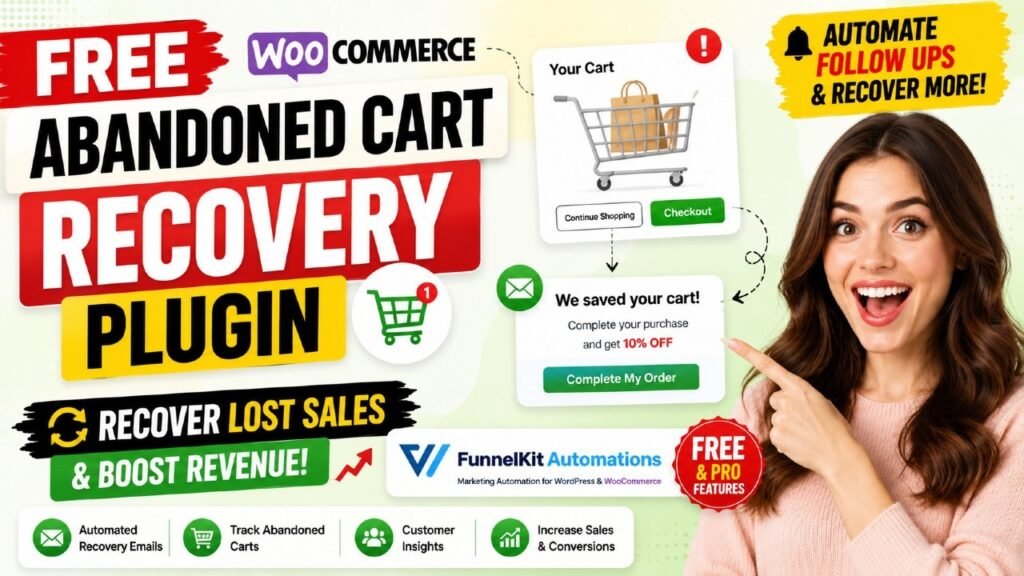
If you run a WooCommerce store, WooCommerce abandoned cart recovery is one of the highest-ROI actions you can take right now. Studies by the Baymard Institute confirm that the average cart abandonment rate in 2026 sits at 70.22% — meaning roughly 7 out of every 10 shoppers who add items to your cart walk away without buying. That is not a small problem. For a mid-sized store, that translates into hundreds of thousands of dollars in lost revenue every year. The good news is that a large portion of those carts can be recovered with the right plugin, the right timing, and the right message. In this guide, you will learn exactly how to set up a complete abandoned cart recovery system in WooCommerce using FunnelKit Automations – a plugin that is free to start and powerful enough to compete with premium paid platforms.
Watch step by step video tutorial:
Table of Contents
What Is WooCommerce Abandoned Cart Recovery?
WooCommerce abandoned cart recovery is the process of automatically identifying shoppers who added products to their cart but left your store before completing the purchase — and then reaching out to bring them back to finish their order.
A complete cart recovery system involves three stages: capturing the cart data (usually by recording the email address entered at checkout), waiting for a defined period to confirm the cart is truly abandoned, and then triggering a sequence of automated follow-up messages through email, SMS, or other channels.
What Counts as an Abandoned Cart?
A cart is typically marked as abandoned when a shopper has added at least one product to their WooCommerce cart, entered their email address at the checkout page, and then left without completing payment within a set waiting period. FunnelKit Automations gives you full control over this waiting period — you can set it from as little as 15 minutes to several hours, depending on your store and audience.
Why It Is One of the Highest-ROI Strategies in eCommerce
Abandoned cart recovery works so well because you are targeting warm leads — people who already found your store, chose a product, and started the buying process. They know your brand. They want your product. They just need a nudge at the right moment. Recovery campaigns consistently deliver open rates between 40% and 45%, which is two to three times higher than standard marketing emails.
Why Cart Abandonment Happens: Top Reasons in 2026
Before you can recover abandoned carts effectively, it helps to understand why shoppers leave in the first place. Research from Baymard Institute and industry surveys consistently point to the same recurring reasons:
Unexpected Costs at Checkout
The single biggest reason shoppers abandon their carts is unexpected costs — primarily shipping fees that were not visible on the product page. When a customer sees a $49 item and then discovers $15 in shipping at checkout, the psychological shock often overrides their purchase intent.
Forced Account Creation
Many WooCommerce stores require shoppers to create an account before they can buy. This friction is a major conversion killer, especially for first-time visitors who are not yet committed to your brand.
Long or Complicated Checkout Process
A checkout that requires too many steps, too many form fields, or redirects to unfamiliar payment pages creates doubt and fatigue. Shoppers compare the effort required to the perceived value of the purchase — and often decide it is not worth it.
Security and Trust Concerns
If your checkout page does not display trust signals — SSL badges, secure payment logos, clear refund policies — hesitant shoppers will abandon rather than risk entering their payment details.
Simply Not Ready to Buy
A significant portion of cart abandoners are not actually lost customers. They are shoppers who are researching, comparing prices, or saving items for later. These users respond very well to a well-timed reminder email because the intent to purchase is already there — they just need a reason to return.
The Revenue Opportunity: Key Cart Abandonment Statistics
Before you invest in any abandoned cart recovery plugin, it helps to understand the scale of the opportunity. Here are the most important data points for WooCommerce store owners in 2026:
Cart Abandonment Rate
- The global average cart abandonment rate is 70.22% (Baymard Institute, 2026)
- WooCommerce stores specifically see abandonment rates between 70% and 75%
- Mobile shoppers abandon at even higher rates — up to 85.65% on mobile devices
- Only 24% of active WooCommerce stores have implemented a cart recovery plugin (Automattic, 2024)
Recovery Email Performance
- Abandoned cart emails achieve a 40–45% open rate — 2–3x higher than standard marketing emails
- 50% of users who click an abandoned cart email go on to complete their purchase
- A 3-email recovery sequence recovers 69% more orders than a single email
- Abandoned cart emails deliver an average of $5.81 in revenue per recipient (Klaviyo benchmark data)
Recovery Rate Benchmarks
- Well-executed recovery campaigns recover 10–30% of abandoned cart value
- One store owner using FunnelKit Automations recovered 20% of daily revenue within 24 hours
- Another FunnelKit user recovered 38 carts in just 48 hours after switching from a competing platform
These numbers paint a clear picture: if you are not running an abandoned cart recovery campaign, you are leaving a significant and measurable amount of revenue on the table every single day.
What Is FunnelKit Automations?
FunnelKit Automations (formerly known as Autonami) is a WordPress-native marketing automation engine built specifically for WooCommerce stores. Unlike SaaS tools that charge per contact or per email, FunnelKit Automations runs entirely inside your WordPress dashboard — and the Lite version is completely free to download from WordPress.org.
The plugin is developed by the FunnelKit team, the creators behind one of the most popular WooCommerce sales funnel ecosystems available. With over 20,000 active installations, 340+ five-star reviews on WordPress.org, and a 4.9/5 rating across 989+ reviews on their website, FunnelKit Automations has built a strong reputation among serious store owners.
What Makes FunnelKit Automations Stand Out for Cart Recovery
- Real-time live cart capturing — captures email the moment it is entered at checkout, before purchase
- Works for both guest shoppers and logged-in customers
- No contact limits — your list can grow without extra costs
- No email sending limits — no per-email fees tied to volume
- Visual automation builder with Canvas interface — see your workflow as you build it
- Pre-built abandoned cart recipe — import and go live in minutes
- Multi-channel recovery — email, SMS via Twilio and BulkGate, Slack alerts
- 100% self-hosted and GDPR compliant
- Active development — version 3.8.1.1 released in 2026 with continuous improvements
How FunnelKit Automations Tracks Abandoned Carts
Understanding how the cart tracking mechanism works helps you set it up correctly and troubleshoot any issues that arise. FunnelKit Automations uses a real-time cart capture approach that differs from simpler plugins.
Live Cart Capturing Technology
The moment a shopper enters their email address in the WooCommerce checkout form, FunnelKit Automations captures it — even if they never click the Order button. The plugin simultaneously records the cart contents, cart value, and timestamp. This works on mobile devices and for both guest and logged-in users, with no additional setup required.
The Abandonment Timer
After the email is captured, FunnelKit Automations starts a waiting period. If the shopper does not complete the purchase within your configured time window, the cart is officially marked as abandoned and the recovery automation begins. You can configure this waiting period to match your store’s typical buying behavior — shorter for impulse purchases, longer for high-value items that require more consideration.
Cart Status Tracking
FunnelKit Automations tracks every cart through its full lifecycle with three clear statuses:
- Recoverable — currently abandoned and eligible for recovery emails
- Recovered — the shopper returned and completed their purchase
- Lost — the cart was not recovered within the configured window
This three-state tracking gives you a clear picture of your recovery performance and helps you identify exactly where improvements are needed.
Handling Edge Cases
One of the more sophisticated aspects of FunnelKit Automations is how it handles edge cases. If a shopper completes their purchase after receiving the first recovery email, the automation automatically stops — they will not receive unnecessary follow-up messages. The plugin also detects and handles duplicate carts, bot traffic, and AJAX-based checkout forms for compatibility with popular checkout plugins.
Setting Up WooCommerce Abandoned Cart Recovery: Step-by-Step
Getting your first abandoned cart recovery campaign live with FunnelKit Automations is straightforward. Here is a complete walkthrough from installation to activation.
Step 1: Install and Activate FunnelKit Automations
Navigate to your WordPress dashboard and go to Plugins → Add New. Search for “FunnelKit Automations” or type “wp-marketing-automations” in the search bar. Click Install Now and then Activate. Alternatively, download the plugin directly from wordpress.org/plugins/wp-marketing-automations and upload it via Plugins → Add New → Upload Plugin.
Step 2: Connect an Email Service Provider
FunnelKit Automations routes all emails through WordPress SMTP, so you will need an email sending service connected to your site. Recommended providers include Amazon SES, Mailgun, SendGrid, and Postmark. Use a WordPress SMTP plugin such as WP Mail SMTP to connect your chosen provider. This ensures reliable deliverability for your recovery emails.
Step 3: Configure Cart Abandonment Settings
Go to FunnelKit Automations → Settings → Cart Abandonment. Here you can set your abandonment waiting time — how long FunnelKit should wait before marking a cart as abandoned. A common starting point is 60 minutes for most stores, though you may want to experiment with shorter windows (15–30 minutes) for lower-priced products. You can also enable GDPR consent settings from this panel if your store serves EU customers.
Step 4: Import the Abandoned Cart Recovery Recipe
Navigate to FunnelKit Automations → Automations → Add New. You will see the recipe library. Click on “Abandoned Cart Recovery” and select Import. FunnelKit will create a complete multi-step automation workflow for you automatically, including the Cart Abandoned trigger, delay nodes, and pre-written email templates.
Step 5: Customize Your Email Content
Click into each email node in the workflow to customize the email content. At minimum, you should update the store name, logo, and the body copy to match your brand voice. Use the available merge tags to dynamically insert the customer’s first name, the abandoned cart items, cart total, and a unique one-click recovery link that takes them directly back to their cart.
Step 6: Set Your Delay Timing
Review the delay nodes between emails. A proven three-email sequence timing is:
- Email 1: Send 1 hour after abandonment — a friendly reminder with the cart items
- Email 2: Send 24 hours after abandonment — add social proof or highlight product benefits
- Email 3: Send 48–72 hours after abandonment — create urgency, optionally add a coupon code
Step 7: Set a Recovery Goal
In the automation settings, define a Goal — for example, “Order Created.” When a contact completes a purchase, the automation will automatically stop and remove them from the recovery sequence. This prevents awkward follow-up emails to customers who have already bought.
Step 8: Activate and Monitor
Toggle the automation to Active status. From this point, FunnelKit Automations will automatically track every cart, wait for the abandonment window, and fire your email sequence. Check the analytics dashboard regularly to monitor recoverable carts, recovery rate, and revenue attributed to the campaign.
Crafting High-Converting Abandoned Cart Emails
The effectiveness of your WooCommerce abandoned cart recovery campaign depends heavily on the quality of your emails. Getting the structure and timing right is what separates a 5% recovery rate from a 20% recovery rate.
Email 1: The Reminder (1 Hour After Abandonment)
The first email should be simple and direct. Its job is to remind the shopper what they left behind — not to sell aggressively. Keep it friendly and helpful. Include:
- The customer’s first name in the subject line and greeting
- A visual display of the abandoned cart items with images, names, and prices
- A prominent one-click recovery link or button that restores the exact cart
- A brief, reassuring note — “Your cart is saved and ready for you”
Subject line ideas: “You forgot something, [First Name]!” or “Your cart is waiting — here’s what you left behind.”
Email 2: The Value Builder (24 Hours After Abandonment)
The second email should deepen the customer’s desire for the product. Add social proof, highlight a key benefit they may have overlooked, or address common objections (free shipping, easy returns). Still include the recovery link prominently.
Subject line ideas: “Here’s why [Product Name] is worth it” or “Questions about your order? We have answers.”
Email 3: The Urgency Creator (48–72 Hours After Abandonment)
The third email is where you bring urgency. This is the right place to introduce a time-limited discount coupon if you choose to use one. Emphasize that the offer expires soon, or mention limited stock if applicable. Make the call to action unmissable.
Subject line ideas: “Last chance — your cart expires soon” or “Here’s 10% off to complete your order [First Name].”
Best Practices for Abandoned Cart Email Design
- Keep subject lines under 50 characters for maximum mobile visibility
- Use a single, clear call-to-action button — not multiple competing links
- Always include the abandoned product name and image — visual reminders are powerful
- Test plain-text emails against designed ones — sometimes simpler performs better
- Make the unsubscribe link easy to find — FunnelKit includes this by default
Using SMS for Abandoned Cart Recovery
Email is powerful, but adding SMS to your WooCommerce abandoned cart recovery strategy can dramatically increase your recovery rate. SMS messages have an open rate of up to 98% — far higher than email — and are typically read within minutes of delivery.
SMS Integration with FunnelKit Automations
The Pro version of FunnelKit Automations supports SMS sending via Twilio and BulkGate. Once you connect your Twilio account credentials or BulkGate API key in the plugin settings, you can add SMS nodes directly into your existing abandoned cart workflow — no separate platform required.
Building a Multi-Channel Recovery Sequence
A powerful multi-channel approach might look like this:
- Hour 1: Email reminder with cart contents and recovery link
- Hour 4: SMS message — short, direct, with a link back to cart
- Day 2: Email with social proof and product benefits
- Day 3: Email with time-sensitive discount offer
SMS Compliance Considerations
Before adding SMS to your recovery sequence, ensure you have explicit opt-in consent from your customers for marketing text messages. FunnelKit Automations supports GDPR settings, and you should add a clear SMS consent checkbox to your checkout form. Do not send SMS messages to customers who have not explicitly opted in to text marketing.
Smart Coupon Codes: The Secret Recovery Weapon
Discount coupons are one of the most effective tools in abandoned cart recovery — but using them carelessly can train your customers to abandon intentionally just to get a discount. FunnelKit Automations gives you a smart, behavior-based approach to coupon deployment.
Dynamic Personalized Coupons (Pro Feature)
With FunnelKit Automations Pro, you can create dynamic coupon codes that are generated automatically inside your automation workflow. These are not generic store-wide discount codes. Each coupon is:
- Unique per customer — personalized with their first name as a prefix
- Time-limited — set to expire after 24 or 48 hours to create urgency
- Condition-based — only triggered for carts above a specific value threshold
- Auto-applied — embedded in the recovery link so the discount applies automatically at checkout
Smart Coupon Strategy
The most effective strategy is to reserve discount coupons for the third email only. This way, customers who would have returned without an incentive do so at full price, and you only discount for the harder-to-recover group. Over time, this protects your margins while still maximizing recovery volume.
Customizing Coupon Settings
In the FunnelKit coupon creation node, you can configure:
- Discount type — percentage off or fixed amount
- Discount value — specific percentage or dollar amount
- Minimum cart value — only apply coupon if cart exceeds a threshold
- Expiry period — automatically expire after a set number of hours or days
- Free shipping — include free shipping as part of the offer
- Usage limit — restrict the coupon to one use per customer
Advanced Features: Conditions, Goals & A/B Testing
Beyond the basic email sequence, FunnelKit Automations Pro unlocks sophisticated automation logic that lets you create highly targeted, personalized cart recovery campaigns.
Condition-Based Workflows
The Conditions feature lets you branch your automation based on specific criteria. For example, you can send a different recovery email to customers who abandoned a cart worth over $200 versus those with a cart under $50. Conditions can be based on:
- Cart total value — high-value vs low-value cart segmentation
- Specific products in cart — send product-specific messaging
- Product categories — tailor tone and content by category type
- Customer type — first-time visitor vs returning customer
- Geographic location — country, state, or city-based targeting
- Coupon used in cart — detect if a coupon is already applied and skip the discount email
Automation Goals
Setting a Goal in your workflow tells FunnelKit what success looks like. The most common goal for abandoned cart recovery is “Order Created.” When a contact reaches this goal — meaning they completed a purchase — they automatically exit the automation. This prevents any contact from receiving unnecessary emails after converting.
A/B Testing Your Recovery Campaigns
FunnelKit Automations Pro includes a split path testing feature that routes a percentage of contacts down different workflow paths. You can test:
- Subject line variations — test emotional vs practical subject lines
- Send time variations — morning vs afternoon delivery
- Offer variations — 10% off vs free shipping vs no discount
- Email design variations — visual template vs plain text
The analytics dashboard tracks performance for each path in real time, so you can identify the winner and apply those learnings across your entire automation strategy.
Winning Back Beyond Abandoned Carts
FunnelKit Automations also supports recovery sequences for incomplete orders — pending, failed, on-hold, and cancelled orders. This extends your recovery capability beyond cart abandonment to any point in the purchase process where revenue is at risk.
Cart Recovery Analytics: Measuring What Matters
You cannot improve what you do not measure. FunnelKit Automations provides a dedicated analytics dashboard that gives you visibility into every aspect of your abandoned cart recovery performance.
Key Metrics in the Dashboard
- Recoverable Carts — number of carts currently in your recovery pipeline
- Recovered Carts — number successfully converted after abandonment
- Lost Carts — carts that expired without recovery
- Recovery Rate — percentage of abandoned carts that were recovered
- Revenue Recovered — total revenue attributed to the recovery automation
- Email Open Rate — per email, displayed inline on the automation canvas
- Click-Through Rate — for each email in your sequence
Contact-Level Activity Logs
Beyond aggregate stats, you can drill into individual contact profiles to see exactly which emails a specific shopper received, which ones they opened, and whether they clicked the recovery link. This contact-level data is invaluable for troubleshooting deliverability issues and understanding buyer behavior patterns.
Using Analytics to Optimize
Review your analytics at least weekly during the first month. Look for drop-off points — if your second email has a much lower open rate than the first, that often indicates a subject line issue or suboptimal send timing. If click rates are high but purchase rates are low, the problem may be on your checkout page rather than in the email.
FunnelKit Free vs Pro: What You Get
FunnelKit Automations offers both a free Lite version and a paid Pro version. Here is a clear breakdown of what each version includes for abandoned cart recovery:
Feature | Free (Lite) | Pro |
Live Cart Capturing | ✅ Included | ✅ Included |
Guest Shopper Capture | ✅ Included | ✅ Included |
Abandoned Cart Trigger | ✅ Included | ✅ Included |
Pre-Built Cart Recipe | ✅ Included | ✅ Included |
Text-Based Email Builder | ✅ Included | ✅ Included |
Cart Analytics Dashboard | ✅ Included | ✅ Included |
Email Delays & Sequencing | ✅ Included | ✅ Included |
GDPR Consent Settings | ✅ Included | ✅ Included |
Drag-and-Drop Email Builder | ❌ Not available | ✅ Included |
SMS via Twilio / BulkGate | ❌ Not available | ✅ Included |
Dynamic Coupon Codes | ❌ Not available | ✅ Included |
Condition-Based Branching | ❌ Not available | ✅ Included |
A/B Split Path Testing | ❌ Not available | ✅ Included |
Automation Goals | ❌ Not available | ✅ Included |
Contact Tagging & Lists | ❌ Not available | ✅ Included |
Slack Alerts | ❌ Not available | ✅ Included |
Google Sheets Export | ❌ Not available | ✅ Included |
20+ Pre-Built Recipes | ❌ Limited | ✅ Included |
Contact Limit | Unlimited | Unlimited |
Email Send Limit | Unlimited | Unlimited |
Pricing | Free | From $99.50/year |
The free version is a genuinely useful starting point for stores that are just beginning their cart recovery journey. The Pro version is the right investment for stores that want to maximize recovery rates with SMS, dynamic coupons, conditions, and A/B testing.
FunnelKit Automations vs Other Abandoned Cart Plugins
FunnelKit Automations is not the only WooCommerce abandoned cart plugin on the market. Here is how it compares to the most popular alternatives.
FunnelKit Automations vs Retainful
Retainful is a popular dedicated abandoned cart plugin with a focused feature set for email recovery. FunnelKit Automations offers a significantly broader toolkit — it handles not just cart recovery but also post-purchase follow-ups, broadcasts, CRM, and full marketing automation. If you want everything under one roof without separate plugin subscriptions, FunnelKit is the stronger choice.
FunnelKit Automations vs Klaviyo
Klaviyo is a powerful eCommerce marketing platform with excellent WooCommerce integrations. However, Klaviyo is SaaS-based with contact-tier pricing that grows expensive as your list scales. FunnelKit Automations Pro offers unlimited contacts for $99.50 per year — a fraction of what Klaviyo costs for most stores. FunnelKit also keeps all your data on your own server, which is a major advantage for privacy-conscious store owners.
FunnelKit Automations vs Mailchimp
Several FunnelKit users who switched from Mailchimp report dramatically better results with FunnelKit. One documented case recovered 38 carts in 48 hours after switching — more than Mailchimp’s cart recovery delivered in four years of usage. Mailchimp’s cart recovery features are also limited compared to FunnelKit’s condition-based workflows, dynamic coupons, and SMS capabilities.
FunnelKit Automations vs WooCommerce Follow-Ups (Official Extension)
WooCommerce’s own Follow-Ups extension is a solid tool but lacks the visual Canvas builder, real-time cart capture, and multi-channel SMS capabilities that FunnelKit Automations provides. FunnelKit also benefits from significantly faster development cycles and a more active support team.
Pro Tips to Maximize Your Cart Recovery Rate
Once your basic abandoned cart recovery workflow is live, here are proven strategies to push your recovery rate higher.
1. Segment by Cart Value
Treat high-value and low-value carts differently. A shopper who abandoned a $500 cart deserves a more personalized, detailed recovery approach than someone who left a $20 item. Use FunnelKit’s condition nodes to create separate paths for different cart value thresholds.
2. Personalize Beyond First Name
Use FunnelKit’s merge tags to dynamically insert the specific product name, product image, and cart total into your emails. A subject line like “Still thinking about [Product Name]?” consistently outperforms generic “You left something behind” subject lines.
3. Test Your Recovery Window
The standard 60-minute abandonment window works well for most stores, but it is worth testing shorter windows (15–30 minutes) for impulse-buy categories and longer windows (2–4 hours) for high-consideration purchases like furniture or electronics.
4. Use Unique Recovery Links
FunnelKit Automations generates unique recovery links for each shopper that restore their exact cart with a single click. Make this link the most prominent element in every recovery email — a big, clear button with direct copy like “Return to My Cart.”
5. Add a Slack Notification for High-Value Carts
With FunnelKit Pro, you can add a Slack notification node to your workflow that alerts your sales team in real time whenever a cart above a set value threshold is abandoned. This enables manual follow-up for your most valuable recovery opportunities.
6. Export to Google Sheets for Sales Team Follow-Up
The Pro version includes a Google Sheets integration that automatically exports abandoned cart data. This gives your sales team a live, sortable view of every abandoned cart, allowing them to prioritize personal outreach for high-value accounts.
7. Combine Cart Recovery with Post-Purchase Upsells
Once a shopper completes their purchase through your recovery campaign, do not let the momentum stop. Set up a post-purchase follow-up sequence that triggers immediately after the cart is recovered — offering related products, upsells, or a loyalty reward for their return.
Frequently Asked Questions
What is the best WooCommerce abandoned cart recovery plugin?
FunnelKit Automations is consistently rated as one of the best WooCommerce abandoned cart plugins available in 2026. It offers live cart capture, multi-channel recovery via email and SMS, dynamic coupons, condition-based workflows, A/B testing, and a free version to get started without any upfront cost.
How does FunnelKit Automations capture guest shopper carts?
FunnelKit Automations captures the cart the moment a guest shopper enters their email address on the WooCommerce checkout page. Even if they never click the payment button, their email, cart contents, and cart value are stored and the recovery automation can begin after the configured abandonment window passes.
How many abandoned cart emails should I send?
Most experts recommend a sequence of 2 to 3 emails. Research shows that a 3-email sequence recovers 69% more orders than a single email. Sending more than 3 tends to generate unsubscribes without proportionally increasing recovery rates. Space your emails at 1 hour, 24 hours, and 48–72 hours after abandonment.
Can I offer a discount coupon in my cart recovery emails?
Yes. With FunnelKit Automations Pro, you can create dynamic, personalized, time-limited coupon codes that are automatically generated and embedded in your recovery emails. The best practice is to reserve coupons for the third email in your sequence to protect margins on customers who would have returned without an incentive.
Does FunnelKit Automations work with WooCommerce block checkout?
Yes. FunnelKit Automations is compatible with both the classic WooCommerce checkout and the newer block-based Gutenberg checkout. The team actively maintains compatibility with the latest WooCommerce versions — the plugin was updated to version 3.8.1.1 in 2026 and is tested up to WordPress 7.0.
Is FunnelKit Automations GDPR compliant?
Yes. FunnelKit Automations is 100% self-hosted, and all customer data stays on your own server. The plugin includes built-in GDPR consent settings for cart abandonment tracking, allowing you to display a consent notice at checkout before storing any cart or email data for EU shoppers.
Can FunnelKit Automations send SMS messages for cart recovery?
Yes. The Pro version of FunnelKit Automations supports SMS sending via Twilio and BulkGate. You can add SMS nodes directly into your abandoned cart automation workflow to create multi-channel recovery sequences that combine email and text message reminders.
How much does FunnelKit Automations cost?
The Lite version is completely free and available on WordPress.org. The Pro version starts at $99.50 per year for a single site with unlimited contacts, unlimited email sending, and access to all advanced features including SMS, dynamic coupons, conditions, A/B testing, and 20+ pre-built automation recipes.
Final Verdict: Start Recovering Lost Revenue Today
WooCommerce abandoned cart recovery is not a nice-to-have feature for 2026 — it is a fundamental revenue engine that every serious store owner should have running. With 70% of carts abandoned and documented recovery rates of 10% to 30%, the math is simple: if you are not recovering abandoned carts, you are leaving a predictable, recoverable stream of revenue untapped every single day.
FunnelKit Automations gives you a complete abandoned cart recovery system — from real-time cart capture to multi-step email sequences, from condition-based personalization to SMS follow-ups and dynamic coupons — all within a single plugin that runs entirely inside your WordPress dashboard. The free version is powerful enough to get meaningful results, and the Pro version at $99.50 per year delivers a complete marketing automation platform that replaces tools costing five to eight times more.
With over 20,000 active installations, 4.9-star ratings, and real-world results like recovering 20% of daily revenue within 24 hours and 38 carts in 48 hours, FunnelKit Automations is the clear choice for WooCommerce store owners who are serious about cart recovery.
Ready to stop losing revenue to abandoned carts? Download FunnelKit Automations free from WordPress.org and set up your first recovery automation today. For stores ready to unlock SMS, dynamic coupons, and A/B testing, the Pro version is available at funnelkit.com.