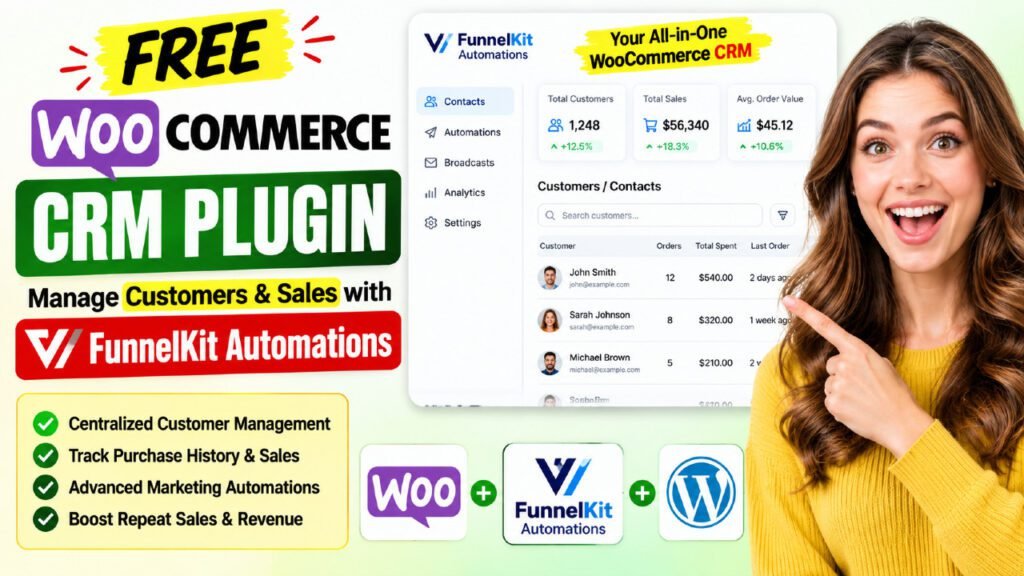
If you run a WooCommerce store, you already know how expensive dedicated CRM tools can get. Paying hundreds of dollars per year for platforms like HubSpot, ActiveCampaign, or Klaviyo is a tough pill to swallow — especially when you are just starting out. The good news? There is a free WooCommerce CRM plugin that gives you powerful customer management features right inside your WordPress dashboard. It is called FunnelKit Automations, and in this guide, you will discover exactly how to use it as a full-featured CRM for your WooCommerce store.
Table of Contents
What Is FunnelKit Automations?
FunnelKit Automations (formerly known as Autonami) is a WordPress-native marketing automation and CRM engine built specifically for WooCommerce stores. Unlike SaaS CRM platforms that charge per contact or per email, FunnelKit Automations lives inside your WordPress installation — and best of all, the Lite version is completely free.
The plugin was created by the FunnelKit team, the same people behind FunnelKit Funnel Builder, one of the most popular sales funnel plugins for WordPress. With over 20,000 active installations and a near-perfect 5-star rating from 340+ reviews on WordPress.org, FunnelKit Automations has earned its reputation as one of the most reliable free WooCommerce CRM plugins available today.
Key Highlights
- No monthly subscription fees for the core CRM features
- Unlimited contacts — no cap on your customer list size
- Unlimited emails — no sending limits tied to contact tiers
- 100% self-hosted and GDPR-compliant
- Works seamlessly with WooCommerce out of the box
- Actively maintained with regular updates (version 3.8.1.1 as of 2026)
Why Use a WooCommerce CRM Plugin Instead of a Standalone CRM?
Many WooCommerce store owners start with a standalone CRM like HubSpot or Zoho. While these platforms are powerful, they introduce a critical problem: your customer data lives in two separate places. You need to sync WooCommerce orders, products, and customer data with your CRM constantly, and syncing problems are inevitable.
A native WordPress CRM plugin solves this completely. Because FunnelKit Automations sits directly inside your WordPress installation, it has real-time access to every order, customer, cart, and product in your WooCommerce database. There are no syncing issues, no API rate limits, and no extra cost for data volume.
The Cost Comparison
According to FunnelKit’s own analysis, running separate tools for abandoned cart recovery, CRM, follow-up emails, SMS marketing, and workflow automation would cost you over $799 per year. FunnelKit Automations Pro bundles all of these for $99.50 per year — and the Lite version gives you many of the most critical features for free.
Why WooCommerce Store Owners Need a CRM
- Understand which customers spend the most and target them with VIP offers
- Recover revenue from shoppers who abandon their carts
- Build post-purchase sequences that drive repeat sales
- Segment customers by product, location, and order value for precision marketing
- Reduce churn with win-back campaigns before customers disappear
FunnelKit Automations Free Version: CRM Features Explained
The Lite version of FunnelKit Automations is not a stripped-down demo. It is a genuinely useful set of tools that gives small WooCommerce stores a working CRM and marketing automation system from day one.
1. Contact Management
The free version gives you access to the Contacts module, which is the heart of the CRM functionality. Every customer who interacts with your WooCommerce store — whether they place an order, abandon a cart, or sign up via a form — is automatically captured as a contact.
From the Contacts dashboard, you can view a list of all your customers with key data points at a glance. You can search, filter, and sort your contacts based on various criteria, making it easy to find exactly who you are looking for without any manual data entry.
2. WooCommerce Event Triggers
The free version supports a comprehensive set of WooCommerce event triggers that allow you to build automated workflows based on customer actions. Available triggers include:
- Cart Abandoned — trigger workflows the moment a shopper leaves without buying
- Cart Recovered — fire a workflow when the cart is successfully recovered
- Order Created — automate follow-ups the moment a purchase is made
- Order Created Per Product — trigger specific workflows based on individual product purchases
- Order Status Changed — send emails when an order moves to processing, shipped, completed, or refunded
- Order Item Refunded — handle refund communications automatically
- Review Received — follow up after a review is posted
- User Created and User Login — capture new WordPress user registrations
3. Text-Based Email Builder
The Lite version includes a text-based email builder. While this does not have the drag-and-drop visual capabilities of the Pro version, text-based emails often outperform visual ones in automated sequences because they feel more personal and less promotional. You can personalize every email with merge tags that pull in the customer’s name, order details, cart items, and more.
4. Email Delays and Sequencing
Timing is everything in email marketing. FunnelKit Automations Lite lets you add delays between emails in minutes, hours, days, weeks, or even months. This allows you to build multi-step automated sequences without upgrading to Pro.
The Contacts Module: Your WooCommerce CRM Dashboard
The Contacts module in FunnelKit Automations is the feature that truly makes it a free WooCommerce CRM plugin rather than just an email automation tool. Here is a deep look at what you can see and do inside this module.
Customer List View
The main Contacts page displays all your WooCommerce customers in a clean, organized list. You can see key information at a glance — name, email, total spend, and engagement status. The search and filter functionality lets you slice your customer list by purchase history, tags, lists, custom fields, and more.
Individual Contact Profiles
Clicking on any contact opens a detailed 360-degree profile page that aggregates everything FunnelKit Automations knows about that customer. This single view gives you a complete picture without jumping between different sections of WooCommerce.
Inside each contact profile, you can view:
- Personal Details — name, email address, phone number, billing and shipping address
- Purchase History — every order the customer has placed, including order date, items, and status
- Total Revenue — the total amount the customer has spent in your store
- Average Order Value (AOV) — their individual AOV compared to your store’s overall AOV
- Total Orders Count — how many times they have purchased from you
- Last Order Date — when they last bought something
- Email Engagement — opens, clicks, and responses to your automated emails
- Automation Activity — which automations the contact is currently enrolled in
Why This Matters for CRM
Having all this data in one place is exactly what a CRM is supposed to do. Rather than piecing together information from WooCommerce orders, email logs, and separate analytics tools, FunnelKit Automations gives you a single, unified customer profile that helps you make smarter marketing decisions.
Abandoned Cart Recovery with FunnelKit Automations
One of the most valuable CRM and marketing automation features in the free version is abandoned cart recovery. According to industry data, the average cart abandonment rate for eCommerce stores is around 70%. That means seven out of ten shoppers who add products to their cart never complete the purchase. FunnelKit Automations helps you recover a significant portion of that lost revenue.
How Abandoned Cart Capture Works
FunnelKit Automations captures cart data the moment a visitor enters their email address on the checkout page. This works even if they never complete the purchase — and it works on mobile devices too. This real-time cart capture is a major advantage over tools that only capture data after checkout completion.
Cart Analytics Dashboard
The plugin gives you a clear analytics view showing recoverable carts, recovered carts, and lost carts. This data helps you understand exactly how much revenue you are getting back and where there is still room for improvement.
Setting Up Your Abandoned Cart Sequence
Using the free version, you can create a multi-step abandoned cart email sequence triggered by the Cart Abandoned event. A typical setup might look like this:
- Email 1: Send immediately after abandonment — remind the customer what they left behind
- Email 2: Send 24 hours later — include a gentle nudge or highlight product benefits
- Email 3: Send 48 hours later — create urgency around limited stock or offer a small incentive
In the Pro version, you can add personalized dynamic coupon codes with expiry dates to create even stronger urgency.
Pre-Built Automation Recipes for WooCommerce
One of the biggest advantages of FunnelKit Automations is its library of pre-built automation recipes. Rather than building workflows from scratch, you can import a ready-made recipe with one click, customize the copy and timing, and go live within minutes.
Free Version Recipes
The Lite version includes several essential pre-built automations:
- Abandoned Cart Recovery Sequence
- Welcome Email Sequence for New Customers
- Post-Purchase Follow-Up Email
- Review Collection Email
- First Purchase Anniversary Campaign
Building Custom Automations
If the pre-built recipes do not cover your specific use case, you can build a completely custom automation from scratch. The visual Canvas interface lets you visualize your workflow as you construct it — adding triggers, actions, delays, and conditions in a clean, intuitive layout.
The Canvas interface also shows inline analytics directly on the workflow, so you can see email open rates and click-through rates without leaving the automation builder.
FunnelKit Automations Pro: Advanced CRM Features
While the free version covers the fundamentals, FunnelKit Automations Pro unlocks a significantly more powerful CRM and marketing automation toolkit. Here are the standout Pro features that are worth knowing about, even if you start with the free version.
360-Degree Contact Profiles
Pro users get even richer contact profiles, including the ability to view each contact’s individual journey through your automations. You can see exactly which emails they opened, which links they clicked, and where they dropped off — giving you the data you need to optimize every touchpoint.
Advanced Segmentation and Tagging
The Pro version lets you tag contacts and add them to lists in real time based on triggers. This enables powerful audience segmentation based on:
- Geographic location — US customers, Europe customers, etc.
- Products purchased — segment buyers of specific products or categories
- Order values and AOV — identify high-value customers vs. one-time buyers
- Coupons used — track which promotions are driving conversions
- Email engagement — separate active subscribers from unengaged ones
Broadcast Campaigns
With Pro, you can send targeted broadcast emails (newsletters) to segmented audiences. Rather than blasting your entire list, you target specific segments for higher engagement and better deliverability. The built-in drag-and-drop email builder makes creating beautiful, on-brand campaigns straightforward even for non-designers.
A/B Testing
Pro users can split-test email subject lines, preview text, and email content to find the best-performing versions of their campaigns. This is a critical feature for optimizing abandoned cart sequences, welcome emails, and broadcast campaigns over time.
Dynamic Coupons
One of the most powerful Pro features is the ability to create personalized, time-limited coupon codes automatically. You can set an expiry date, choose a fixed or percentage discount, add a prefix, and even personalize the coupon code with the customer’s name. These coupons embed directly into your automated emails.
Condition-Based Workflows
The Pro version introduces condition nodes that let you create branching, logic-driven automation workflows. For example, you can send a different email to customers who spent over $200 versus those who spent under $50 — all within the same workflow. Conditions can be based on cart total, location, AOV, engagement history, WooCommerce data, and more.
WooCommerce Transactional Emails
Pro users can design and track WooCommerce transactional emails — order confirmations, shipping notifications, delivery completions — using the full drag-and-drop email builder. You can also track opens and clicks on transactional emails and resend them with one click.
Free vs Pro: Feature Comparison
Here is a side-by-side comparison to help you understand exactly what you get in the free version versus upgrading to Pro:
Feature | Free (Lite) | Pro |
Abandoned Cart Recovery | ✅ Basic | ✅ Advanced (dynamic coupons) |
Contact Profiles | ✅ Basic | ✅ 360° detailed profiles |
Email Builder | ✅ Text-based | ✅ Drag-and-drop visual builder |
Pre-built Automation Recipes | ✅ 5+ | ✅ 20+ |
Broadcast Campaigns | ❌ | ✅ |
A/B Testing | ❌ | ✅ |
SMS Marketing | ❌ | ✅ |
Condition-Based Workflows | ❌ | ✅ |
Dynamic Coupons | ❌ | ✅ |
Advanced Segmentation | ❌ | ✅ |
Contact Timeline / Journey | ❌ | ✅ |
WooCommerce Transactional Emails | ❌ | ✅ |
Integrations (Zapier, CRMs) | ✅ Basic | ✅ 100+ integrations |
Contact Limit | Unlimited | Unlimited |
Email Send Limit | Unlimited | Unlimited |
The Pro version starts at $99.50 per year for a single site with unlimited contacts and emails. Given that it replaces tools that would otherwise cost $799+ per year (separate plugins for cart recovery, CRM, follow-up emails, SMS, and workflow automation), the Pro version offers exceptional value for growing WooCommerce stores.
How to Install FunnelKit Automations on Your WooCommerce Store
Getting started with FunnelKit Automations is quick and straightforward. Here is a step-by-step guide:
Step 1: Install the Plugin
Go to your WordPress dashboard and navigate to Plugins → Add New. Search for ‘FunnelKit Automations’ or ‘wp-marketing-automations’. Click Install Now and then Activate. Alternatively, you can download the plugin directly from wordpress.org/plugins/wp-marketing-automations and upload it manually via Plugins → Add New → Upload Plugin.
Step 2: Connect Your Email Service
FunnelKit Automations sends emails through WordPress SMTP, which means you need an email service provider (ESP) connected to your site. Recommended providers include Amazon SES, Mailgun, SendGrid, and Postmark. Connect your preferred SMTP plugin (such as WP Mail SMTP) and configure your sending credentials.
Step 3: Explore the Contacts Module
Once the plugin is active, navigate to FunnelKit Automations → Contacts in your WordPress dashboard. Your existing WooCommerce customers will begin populating here automatically. Click on any contact to view their detailed profile.
Step 4: Import a Pre-Built Recipe
Go to FunnelKit Automations → Automations → Add New. Browse the library of pre-built recipes and import your first automation — we recommend starting with the Abandoned Cart Recovery recipe. Customize the email copy, set your delays, and activate the automation.
Step 5: Monitor Your Analytics
Visit the FunnelKit Automations dashboard regularly to monitor your cart recovery stats, email engagement metrics, and automation performance. Use these insights to refine your email copy, adjust timing, and improve your overall strategy.
FunnelKit Automations vs Other WooCommerce CRM Plugins
There are several alternatives to FunnelKit Automations in the WooCommerce CRM space. Here is how it compares to the most popular options:
FunnelKit Automations vs Jetpack CRM
Jetpack CRM is backed by Automattic and offers a solid free version for basic contact management, invoicing, and WooCommerce integration. However, it is better suited for service-based businesses that need invoicing and quote tools. FunnelKit Automations is the stronger choice for WooCommerce stores that need email automation, cart recovery, and marketing workflows.
FunnelKit Automations vs HubSpot for WooCommerce
HubSpot offers a free CRM tier, but the WooCommerce-specific features — like dynamic coupons and abandoned cart workflows — require paid HubSpot plans. Additionally, HubSpot’s paid plans start at $216 per year for just 1,000 marketing contacts, and pricing scales with your list size. FunnelKit Automations Pro offers unlimited contacts for $99.50 per year, making it far more cost-effective for growing stores.
FunnelKit Automations vs FluentCRM
FluentCRM is another popular self-hosted WordPress CRM with strong email marketing capabilities. Both are excellent tools, but FunnelKit Automations has the edge in WooCommerce-specific features like real-time cart capture, dynamic coupons, and the Canvas automation builder. If your primary goal is WooCommerce customer management and marketing automation, FunnelKit Automations is the more focused solution.
FunnelKit Automations vs Drip
Drip is a powerful eCommerce-focused CRM, but it is a SaaS platform with monthly pricing that starts at $39 per month for 2,500 contacts. That is $468 per year — and pricing increases as your list grows. FunnelKit Automations keeps everything on your own server with flat-rate annual pricing and no contact limits.
Who Should Use FunnelKit Automations?
FunnelKit Automations is the right choice for:
Small to Medium WooCommerce Stores
If you are running a WooCommerce store and you want to manage customer relationships, recover abandoned carts, and send automated follow-up emails without paying for multiple tools, the free version of FunnelKit Automations gives you everything you need to get started.
Store Owners Ready to Scale
As your store grows, upgrading to Pro unlocks the full CRM toolkit — segmentation, tagging, broadcasts, A/B testing, and condition-based workflows — that lets you compete with stores using much more expensive platforms.
WordPress Developers and Agencies
If you build WooCommerce sites for clients, FunnelKit Automations is an excellent default CRM recommendation. It integrates natively with WordPress, requires no external accounts, and the Pro version supports multiple sites.
Stores Switching from Expensive SaaS CRMs
If you are currently paying for HubSpot, ActiveCampaign, Klaviyo, or Drip and want to consolidate your tools and reduce costs, FunnelKit Automations Pro provides comparable functionality at a fraction of the price — all hosted on your own WordPress server.
Frequently Asked Questions
Is FunnelKit Automations really free?
Yes. The Lite version of FunnelKit Automations is completely free and available on WordPress.org. It includes the Contacts CRM module, abandoned cart recovery, pre-built automation recipes, text-based email builder, and several WooCommerce event triggers — all at no cost.
Does the free version have a contact limit?
No. One of the standout advantages of FunnelKit Automations is that both the free and Pro versions have no cap on contacts. You can have as many customers as your store generates, and you will never be charged extra for contact volume.
How is FunnelKit Automations different from a traditional CRM?
Traditional CRMs like Salesforce or HubSpot are generic business tools that require you to connect and sync your WooCommerce data through integrations. FunnelKit Automations is purpose-built for WooCommerce, meaning it reads your store data natively and in real time — no syncing required.
Can FunnelKit Automations replace ActiveCampaign or Klaviyo?
For WooCommerce stores, absolutely. FunnelKit Automations Pro provides email and SMS automation, segmentation, broadcasts, A/B testing, and contact management that rival what these platforms offer — at a significantly lower cost and without contact-based pricing.
Does FunnelKit Automations work with any email service provider?
Yes. The plugin sends emails through WordPress SMTP, which means it works with any compatible email service provider including Amazon SES, Mailgun, SendGrid, Postmark, and Sendinblue. This gives you full control over your email deliverability.
Is FunnelKit Automations GDPR compliant?
Yes. FunnelKit Automations is 100% self-hosted and fully GDPR compliant. All your customer data stays on your own server. The plugin also includes an unsubscribe link in all automated emails by default.
Can I migrate my contacts from another CRM to FunnelKit Automations?
Yes. FunnelKit Automations supports CSV import, which means you can export your contacts from any existing CRM or email platform and import them directly. The Pro version also supports direct imports from ActiveCampaign, Mailchimp, and Kit (formerly ConvertKit).
How much does FunnelKit Automations Pro cost?
The Pro version starts at $99.50 per year for a single site. This includes unlimited contacts, unlimited emails, all automation features, and one year of plugin updates and support. A bundle plan combining FunnelKit Automations with the FunnelKit Funnel Builder starts at $249.50 per year.
Final Verdict: The Best Free WooCommerce CRM Plugin for 2026
If you have been searching for a free WooCommerce CRM plugin that actually delivers on its promise, FunnelKit Automations is the most complete option available today. The free Lite version gives you a real contact management system, abandoned cart recovery, pre-built automation recipes, and WooCommerce event triggers — without paying a single cent.
What sets FunnelKit Automations apart from the competition is how deeply it integrates with WooCommerce. There are no syncing headaches, no contact limits, and no per-email pricing. Your customer data is already there — FunnelKit Automations simply makes it actionable.
For stores that are ready to invest in growth, the Pro version at $99.50 per year delivers an all-in-one marketing automation and CRM platform that replaces tools costing five to eight times more. With over 20,000 active installations, 340+ five-star reviews, and a track record of consistent updates since its launch, FunnelKit Automations has proven itself as the go-to WooCommerce marketing automation solution for serious store owners.
Ready to get started? Download the free version of FunnelKit Automations from WordPress.org and experience WooCommerce CRM without the price tag. When you are ready to scale, the Pro version is waiting to unlock your store’s full marketing potential.