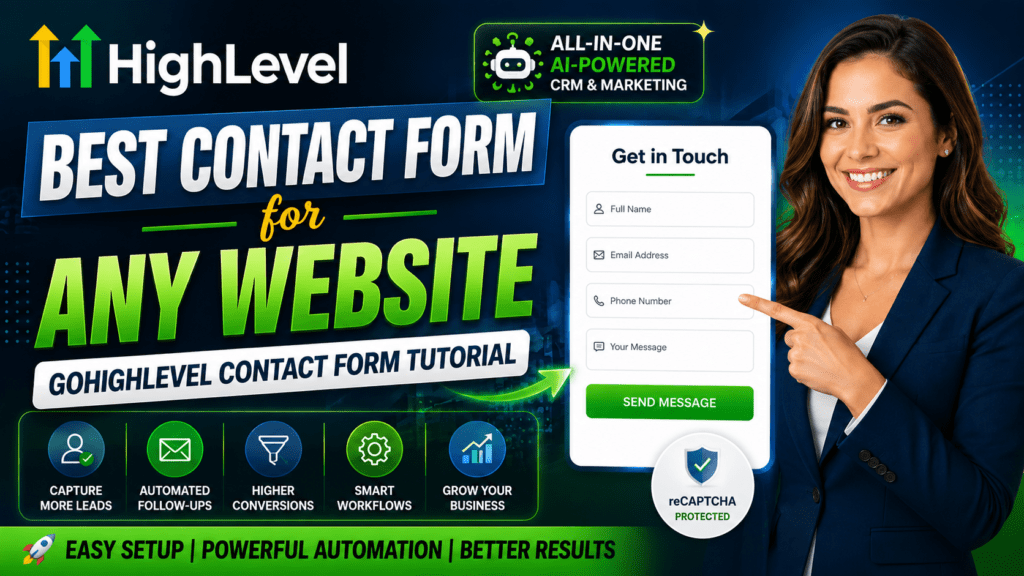
If you’ve been searching for the best contact form for your website, your search ends here. The GoHighLevel contact form is more than a simple data collection tool — it’s a fully integrated lead capture system connected directly to a powerful CRM, automated follow-up engine, and AI-powered marketing platform. In this step-by-step tutorial, you’ll learn how to build, customize, embed, and automate a GoHighLevel contact form that works around the clock to grow your business.
Watch Step by step video tutorial: https://youtu.be/ooC_xWg6rEM
Table of Contents
What Is a GoHighLevel Contact Form?
A GoHighLevel contact form is a customizable web form built inside the GoHighLevel all-in-one marketing platform. Unlike basic contact forms that simply send an email notification, GoHighLevel forms automatically capture every lead into the built-in CRM, trigger automated follow-up sequences, and integrate seamlessly with funnels, websites, calendars, and workflows.
GoHighLevel (often called GHL) is trusted by tens of thousands of agencies, freelancers, and businesses worldwide. Its form builder is designed to replace multiple disconnected tools — no more stitching together a form plugin with a CRM, then connecting it to an email tool. Everything lives in one place.
Who Can Benefit from GoHighLevel Contact Forms?
- Digital marketing agencies managing multiple clients
- Freelancers collecting inquiries and project requests
- Local businesses capturing leads from their website
- Coaches and consultants booking discovery calls
- E-commerce brands collecting wholesale or partnership inquiries
- Real estate professionals collecting buyer and seller information
Why GoHighLevel Has the Best Contact Form for Any Website
Most contact form solutions are standalone tools that require manual integrations. You build the form with one tool, connect it to a CRM with another, set up email automation in a third, and hope everything works together. GoHighLevel eliminates this complexity entirely.
Here’s why GoHighLevel stands apart from every other contact form solution on the market:
All-in-One Integration
When someone submits a GoHighLevel contact form, their information is immediately added to your CRM. No Zapier. No API setup. No manual exports. The contact record is created instantly, complete with name, email, phone number, tags, and the source of their submission.
Automated Lead Follow-Up Built In
Most businesses lose leads because they don’t follow up fast enough. GoHighLevel solves this with built-in workflow automation. The moment someone fills out your form, an automated email and SMS sequence can fire immediately — even at 2 AM on a Sunday.
Works on Any Website
Your GoHighLevel contact form doesn’t have to live on a GoHighLevel website. You can embed it on WordPress, Wix, Squarespace, Webflow, Shopify, or any other platform using a simple embed code. It works anywhere HTML can be placed.
GoHighLevel Contact Form Features: A Deep Dive
Let’s explore every major feature that makes the GoHighLevel form builder the best choice for capturing and converting leads in 2026.
Drag-and-Drop Form Builder
The GoHighLevel form builder uses an intuitive drag-and-drop interface. You simply select a field from the right panel and drag it into your form. No coding required. You can add text fields, email fields, phone number fields, dropdowns, checkboxes, radio buttons, date pickers, file uploads, and more.
Pre-Built Templates
GoHighLevel offers a library of pre-built contact form templates. Instead of starting from scratch, you can select a template designed for contact inquiries, appointment requests, lead magnets, or customer feedback — then customize it to match your brand.
Conditional Logic
Conditional logic lets you show or hide form fields based on what a user selects. For example, if someone selects ‘Business Owner’ from a dropdown, you can reveal additional fields asking about their team size and monthly revenue. This creates a personalized experience that improves both lead quality and completion rates.
Multi-Step Forms
Multi-step forms break a long form into smaller, digestible pages. Research consistently shows that multi-step forms convert at higher rates than single-page forms because they feel less overwhelming. GoHighLevel’s builder makes it easy to create multi-step forms with a progress indicator.
Mobile-Responsive Design
Every GoHighLevel contact form is fully mobile responsive out of the box. Forms automatically resize and reflow to look great on smartphones, tablets, and desktops. Given that over 60% of web traffic now comes from mobile devices, this is non-negotiable.
reCAPTCHA Spam Protection
GoHighLevel integrates Google reCAPTCHA to protect your forms from spam bots. Enable it in your form settings with one click. This keeps your CRM clean and ensures the leads you capture are real, engaged humans — not automated scripts.
CRM Integration
Every form submission automatically creates or updates a contact in the GoHighLevel CRM. You can map form fields to custom CRM fields, assign tags based on the form submitted, and set a specific pipeline stage for new leads. Your sales team gets all the context they need without any manual data entry.
Calendar and Appointment Booking
You can embed a GoHighLevel calendar directly into a contact form, turning it into an appointment booking form. Visitors can select a time slot, fill in their details, and schedule a call — all in a single step.
How to Create a GoHighLevel Contact Form: Step-by-Step
Follow these steps to build your first GoHighLevel contact form from scratch. This process takes under 20 minutes for a complete, professional form.
Step 1: Navigate to the Form Builder
- Log in to your GoHighLevel account.
- Select the correct sub-account (client account) from your agency dashboard.
- In the left-hand navigation menu, click Sites.
- Under Sites, click Forms.
- Click the + Create New Form button in the top-right corner.
Step 2: Choose a Template or Start from Scratch
GoHighLevel gives you two options: start from a blank canvas or select from a library of pre-designed contact form templates. If you’re new to GHL forms, choosing a template is the fastest way to get started. Select a Contact Form template, and GoHighLevel will pre-populate common fields like Name, Email, Phone, and Message.
Step 3: Add and Configure Form Fields
Using the drag-and-drop builder, add the fields your form needs. The most effective contact forms include:
- Full Name (required)
- Email Address (required)
- Phone Number (optional but recommended for SMS automation)
- Message or Inquiry (text area)
- How Did You Hear About Us? (dropdown for lead source tracking)
For each field, you can set a custom label, placeholder text, whether the field is required, and how it maps to your CRM fields. Take time to configure these accurately — they determine the quality of data in your CRM.
Step 4: Configure Form Settings
After adding your fields, click on the Settings tab. Here you can configure:
- Notifications: Enter the email addresses that should receive an alert every time the form is submitted. Add multiple team members if needed.
- Form Style and Design: Adjust the form’s colors, fonts, button text, button color, and background. Match your brand identity for a professional look.
- Form Actions: Set what happens after submission. Options include showing a thank you message, redirecting to a URL (like a thank you page), or triggering a specific workflow.
- reCAPTCHA: Toggle this on to add Google reCAPTCHA spam protection.
Step 5: Save and Get Your Embed Code
Once your form looks great and the settings are configured, click Save in the top-right corner. Then click the Embed button to access the form’s embed code. You’ll get two options: an iframe embed or a JavaScript snippet. Copy whichever works best for your website.
How to Customize Your GoHighLevel Form Design
A well-designed contact form builds trust and encourages visitors to complete it. GoHighLevel gives you full control over the visual presentation of your form.
Branding Your Form
In the Style settings, you can change the primary color to match your brand, update the font family, and adjust the button color and text. A branded contact form looks professional and reassures visitors they’re interacting with a legitimate business.
Adding a Custom Header or Description
GoHighLevel lets you add a custom header image, logo, or text description above your form fields. Use this space to explain what happens after submission — for example: ‘Fill out the form below and our team will respond within 24 hours.’
Form Width and Layout
You can adjust the form’s maximum width and field layout. For simple contact forms, a single-column layout works best on mobile. For more complex forms, a two-column layout can reduce visual length and feel more manageable.
How to Embed a GoHighLevel Contact Form on Any Website
One of GoHighLevel’s biggest strengths is that its contact forms can be embedded on virtually any website. You don’t need to be using GoHighLevel’s own website builder to benefit from its form features.
Embedding on WordPress
Copy the embed code from your GoHighLevel form and paste it into a Custom HTML block in the WordPress block editor (Gutenberg). If you’re using Elementor, add an HTML widget and paste the code inside. The form will render and function fully, with all submissions going directly into your GoHighLevel CRM.
Embedding on Wix, Squarespace, or Webflow
All three of these website builders support custom HTML embeds. In Wix, use the HTML iframe element. In Squarespace, use a Code Block. In Webflow, use an Embed component. Paste the GoHighLevel form embed code and publish. The form will appear on your live site within minutes.
Embedding in GoHighLevel Funnels and Websites
If you’re building landing pages or funnels inside GoHighLevel itself, adding a form is even simpler. In the funnel or website editor, drag a Form element into your page and select the form you’ve already built. It embeds automatically with no additional code.
Form Hosted URL
GoHighLevel also provides a hosted URL for every form — a standalone web page where the form lives. This is useful for sharing the form directly via email or social media without embedding it anywhere.
How to Automate Follow-Ups with GoHighLevel Forms
The real power of the GoHighLevel contact form isn’t the form itself — it’s what happens after someone submits it. GoHighLevel’s Workflow automation turns your form into a 24/7 lead nurturing machine.
Creating a Form Submission Workflow
To set up automated follow-ups, go to Automation in your left-hand menu and click Create Workflow. Select Start from Scratch (or choose a pre-built recipe if available). Name your workflow something descriptive, like ‘Contact Form Follow-Up Sequence.’
Setting the Trigger
The workflow trigger determines what activates the sequence. Click Add Trigger and select Form Submitted. Choose the specific form you want this workflow to respond to. Now, every time someone submits that form, the workflow starts automatically.
Adding Follow-Up Actions
After the trigger, you can add any combination of actions:
- Send Email: Draft a personalized thank you email that goes out instantly. Use dynamic fields to include the lead’s name, making it feel personal.
- Wait: Add a wait step of 1 hour or 24 hours before the next action fires. This prevents overwhelming the lead with too many messages at once.
- Send SMS: Send a text message follow-up to the phone number captured in the form. SMS open rates exceed 90%, making this one of the most effective follow-up channels.
- Assign to Pipeline: Automatically move the new lead into the correct stage of your sales pipeline.
- Notify Team Member: Send an internal notification to a specific team member so they can follow up personally.
Example Follow-Up Sequence
Here’s a proven contact form follow-up sequence used by top GoHighLevel agencies:
- Immediately: Send a thank you email confirming receipt of the inquiry
- After 1 hour: Send an SMS check-in message
- After 24 hours: Send a second email with more information about your services
- After 3 days: Send a final follow-up email with a clear call to action
This sequence runs on autopilot. Whether you’re with a client, on vacation, or asleep, every new contact form submission receives prompt, professional follow-up automatically.
Advanced GoHighLevel Form Features
Beyond the basics, GoHighLevel offers advanced features that give serious marketers and agencies a significant edge.
Custom Fields and CRM Mapping
GoHighLevel allows you to create unlimited custom fields in your CRM and map them directly to form fields. For example, you could create a custom field called ‘Project Budget’ and map it to a dropdown in your contact form. Every time someone submits the form, their budget information is stored in the CRM automatically.
Form Analytics and Submission Tracking
GoHighLevel tracks every form submission, including the date, time, and source. You can view all submissions in the form’s submission log. Combined with UTM tracking, you can identify which marketing campaigns are driving the most contact form completions.
Partial Form Submission Capture
Advanced GoHighLevel users can configure forms to capture partial submissions — even if a visitor fills out their email and abandons the form before hitting submit. This is particularly valuable for recovering leads that almost converted.
Integration with Calendars
GoHighLevel allows you to embed its appointment calendar directly into a form. When a visitor submits the contact form, they can immediately book a call at an available time. This eliminates the back-and-forth of scheduling and significantly reduces the time-to-meeting for new leads.
Webhook Integration
For advanced use cases, GoHighLevel forms support webhooks. You can send form submission data to any external system — Google Sheets, Zapier, Pabbly, or your own custom API endpoint — in real time. This opens up virtually unlimited integration possibilities.
GoHighLevel Contact Form vs. Other Form Builders
How does GoHighLevel compare to other popular contact form solutions? Here’s a clear breakdown:
Feature | GoHighLevel | Contact Form 7 | Gravity Forms | Typeform | JotForm |
CRM Integration | Built-in (native) | Manual/Plugin | Manual/Plugin | Third-party | Third-party |
Automation Workflows | Built-in | None | Limited | Limited | Third-party |
Multi-Step Forms | Yes | No | Yes (add-on) | Yes | Yes |
Conditional Logic | Yes | Limited | Yes | Yes | Yes |
SMS Follow-Up | Built-in | No | No | No | Third-party |
reCAPTCHA | Yes | Yes | Yes | Yes | Yes |
Calendar Booking | Built-in | No | Add-on | No | Yes |
AI Automation | Yes (native) | No | No | No | No |
White Label Option | Yes (agencies) | No | No | No | No |
Monthly Cost | Included in GHL plan | Free | $59/year | $25+/month | $34+/month |
The clear winner for businesses serious about lead generation and automation is GoHighLevel. While other tools offer standalone form features, none match the native CRM integration, workflow automation, and AI-powered follow-up capabilities that come bundled with GoHighLevel.
Common Mistakes to Avoid with GoHighLevel Forms
Even with a powerful tool like GoHighLevel, there are common mistakes that can reduce your form’s effectiveness. Avoid these pitfalls:
Asking for Too Much Information
Every additional field you add to a contact form reduces the completion rate. Stick to the minimum information you actually need to follow up effectively. Name, email, phone number, and one qualifying question is often sufficient for an initial inquiry form.
Not Setting Up Automation
Creating a GoHighLevel contact form without connecting it to an automation workflow wastes the platform’s biggest advantage. Always set up at least a basic follow-up email to confirm receipt of the submission and keep the lead warm.
Skipping Mobile Testing
Always test your form on a real mobile device after publishing it. While GoHighLevel forms are responsive by default, custom styles or third-party embeds can sometimes break the mobile layout.
Not Enabling reCAPTCHA
Without spam protection, contact forms on live websites can quickly fill with bot submissions. Enable reCAPTCHA from day one to keep your CRM data clean and avoid inflated lead counts.
Using Weak Thank You Messages
The message a user sees after submitting your form is a critical moment of trust-building. Instead of a generic ‘Form submitted,’ use a warm, branded confirmation message that tells the visitor exactly what to expect next and when.
Tips to Maximize Conversions with Your GoHighLevel Contact Form
A GoHighLevel contact form that captures the maximum number of leads requires intentional design and copywriting. Here are proven tips to boost your conversion rate:
Use a Compelling Headline Above the Form
Instead of just placing a form with no context, add a headline that addresses the visitor’s need. Something like ‘Get a Free Consultation in 24 Hours’ or ‘Tell Us About Your Project and We’ll Be in Touch Today’ sets clear expectations and motivates action.
Add Social Proof Near the Form
Displaying a testimonial, a star rating, or the number of clients served near your contact form builds credibility and reduces hesitation. People are more likely to fill out a form when they can see that others have had positive experiences.
Keep the Button Copy Action-Oriented
Change your form’s submit button text from the generic ‘Submit’ to something action-oriented: ‘Get My Free Quote,’ ‘Book My Free Call,’ or ‘Send My Inquiry.’ Specific button text aligned with the visitor’s goal increases click-through rates.
Use Multi-Step Forms for Longer Inquiries
If your contact form needs to collect more than 5–6 fields, switch to a multi-step format. Start with the easiest fields (like name and email) to build momentum, then ask qualifying questions on the second step. Completion rates for multi-step forms can be 40–60% higher than equivalent single-step forms.
Test Your Form Regularly
Forms can break when websites are updated, plugins are changed, or embed codes are regenerated. Schedule a monthly check to verify that your GoHighLevel contact form is still submitting correctly and that all automations are firing as expected.
Frequently Asked Questions About GoHighLevel Contact Forms
What is a GoHighLevel contact form?
A GoHighLevel contact form is a customizable web form built inside the GoHighLevel platform that captures visitor information such as name, email, and phone number. Submissions are automatically saved to the GoHighLevel CRM and can trigger automated email and SMS follow-up sequences — making it far more powerful than a standard HTML contact form.
How do I create a contact form in GoHighLevel?
To create a GoHighLevel contact form, log in to your account and navigate to Sites then Forms. Click Create New Form, choose a template or start from scratch, drag and drop your desired fields, customize the design and settings, then save and copy the embed code to place the form on your website.
Can GoHighLevel forms connect to the CRM automatically?
Yes, absolutely. Every GoHighLevel form submission automatically creates or updates a contact record in the built-in CRM. No manual data entry is required. The contact’s information, tags, source, and submission date are all captured and stored instantly.
Does GoHighLevel support multi-step contact forms?
Yes, GoHighLevel supports multi-step forms. You can break your form into multiple pages or steps, each presenting a smaller number of fields. Multi-step forms typically see higher completion rates than single-page forms because they feel less overwhelming to visitors.
Can I add conditional logic to a GoHighLevel contact form?
Yes. GoHighLevel’s form builder supports conditional logic, allowing you to show or hide specific fields based on a visitor’s previous selections. This creates a more personalized experience and helps you collect more relevant, higher-quality lead information.
How do I embed a GoHighLevel form on my WordPress site?
After saving your form in GoHighLevel, click the Embed button to access the iframe or JavaScript embed code. In WordPress, paste this code into a Custom HTML block in the Gutenberg editor, or into an HTML widget in Elementor. The form will render on your website and all submissions will flow directly into GoHighLevel.
Is the GoHighLevel contact form mobile responsive?
Yes, all GoHighLevel contact forms are mobile responsive by default. They automatically adapt to fit any screen size, ensuring a seamless experience for visitors on smartphones, tablets, and desktop computers.
Can GoHighLevel send automated follow-up emails after a form submission?
Yes, this is one of GoHighLevel’s strongest features. By connecting your contact form to a Workflow in the Automation section, you can automatically send a personalized email — and an SMS — the moment someone submits your form. The entire sequence runs without any manual intervention.
Does GoHighLevel have spam protection for its contact forms?
Yes, GoHighLevel supports Google reCAPTCHA integration for all forms. Enabling reCAPTCHA adds an invisible or visible challenge that blocks automated bots from submitting fake entries and polluting your CRM with junk data.
Who should use GoHighLevel contact forms?
GoHighLevel contact forms are ideal for digital marketing agencies, freelancers, local businesses, coaches, consultants, real estate professionals, and any organization that wants to capture leads automatically, eliminate manual data entry, and follow up with prospects using automated email and SMS sequences.
Conclusion: Build Your GoHighLevel Contact Form Today
The GoHighLevel contact form is the most powerful lead capture tool available for agencies and businesses in 2026. It combines an intuitive drag-and-drop builder with native CRM integration, intelligent automation, and AI-powered follow-up capabilities — all in one platform.
Whether you’re capturing inquiries for a local service business, collecting leads for a digital agency, or booking discovery calls for your coaching practice, a GoHighLevel contact form ensures every single visitor who expresses interest is captured, followed up with, and nurtured automatically.
Stop losing leads to slow response times and manual processes. Build your GoHighLevel contact form today, connect it to a follow-up workflow, and watch your conversion rates climb.
Ready to get started? Sign up for a 30-day free trial of GoHighLevel and build your first high-converting contact form in under 20 minutes. Your next client could be the very next person who fills out your form.