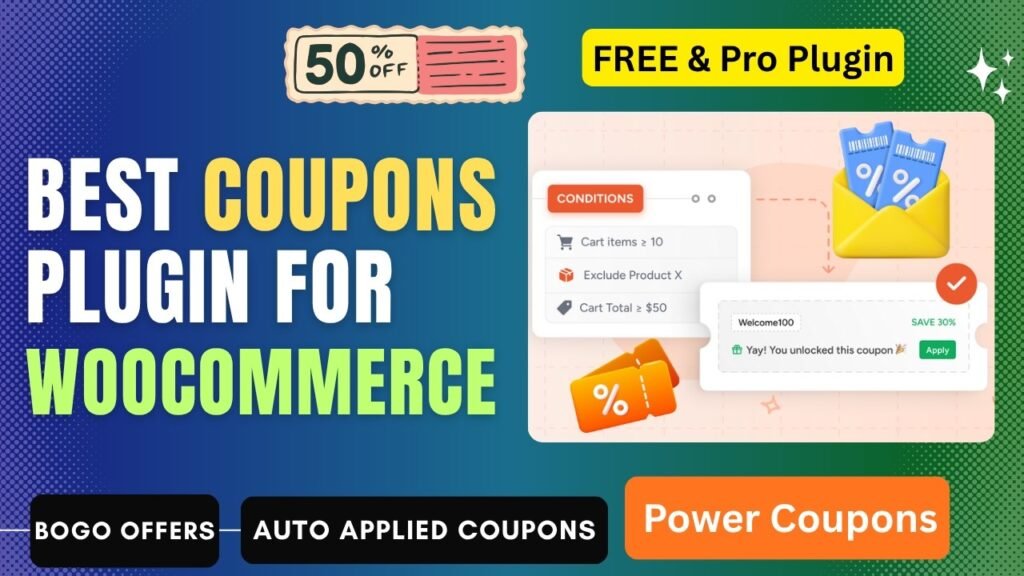
Lets see How to Create Advanced Coupons in WooCommerce Using Power Coupons Plugin. Coupons and discounts are among the most powerful tools in any eCommerce store owner’s marketing arsenal. Done right, they drive conversions, increase average order values, reward loyal customers, clear slow-moving inventory, and win back shoppers who were on the fence. Done wrong, they erode margins, condition shoppers to wait for discounts before buying, and create manual management headaches that consume hours every week.
The challenge with WooCommerce’s built-in coupon system is its limitations. Native WooCommerce coupons are static — you create a code, set a discount type, and the shopper has to find and type that code at checkout. There are no auto-apply rules based on cart conditions, no BOGO (Buy One Get One) deal mechanics, no loyalty point systems, no gift card infrastructure, and no way to intelligently target discounts to the right customer at the right moment.
Power Coupons — a newly launched, freshly built WooCommerce coupon plugin by Brainstorm Force (the team behind CartFlows, Astra, and a suite of tools trusted by over 12 million businesses worldwide) — solves all of this. Power Coupons replaces the fragmented approach of running separate plugins for coupon rules, BOGO deals, loyalty programs, and auto-apply discounts with a single, unified rule engine that manages every discount scenario from one clean interface.
In this comprehensive guide, we cover what WooCommerce coupons are, why they matter, the full feature set of Power Coupons, a step-by-step guide to creating advanced coupons, a free vs pro comparison, real-world use cases, and answers to the five most common questions about WooCommerce coupons.
Watch step by step video: https://youtu.be/OPWknEqZI6w
What are Coupons in WooCommerce?
Coupons in WooCommerce are promotional discount codes or automatic discount rules that reduce the price a customer pays at checkout, either for the entire cart, specific products, or specific product categories. WooCommerce includes a native coupon system that allows store owners to create basic discount codes of three types: percentage discount (e.g., 20% off the cart total), fixed cart discount (e.g., $15 off any order), and fixed product discount (e.g., $5 off a specific product).
A standard WooCommerce coupon consists of:
- A coupon code — the alphanumeric string the customer enters at checkout (e.g., SAVE20)
- A discount type — percentage, fixed cart, or fixed product
- A discount amount — the value of the reduction applied
- Usage restrictions — minimum order value, specific products or categories, excluded items
- Usage limits — maximum number of uses total and per customer
- Expiry date — the date after which the coupon becomes invalid
While these native features cover basic promotional needs, they have significant limitations for modern eCommerce operations. Shoppers must manually find and enter coupon codes — and 62% of shoppers will abandon a purchase to search for a discount code if they think one exists. There are no built-in auto-apply rules based on cart behavior, no BOGO mechanics, no loyalty point systems, no gift card capabilities, and no way to run dynamic discounts that update in real time as the cart changes.
Advanced coupon plugins like Power Coupons extend WooCommerce’s native system with a powerful rule engine that automates discount application, adds conditional targeting based on cart contents and customer attributes, and introduces new discount models like BOGO deals, loyalty rewards, and gift cards — transforming WooCommerce’s simple code-based coupon system into a sophisticated, conversion-optimized promotional platform.
Benefits of Creating Coupons in WooCommerce
1. Drive Conversions at the Moment of Hesitation
Shoppers are most likely to abandon a cart when they are uncertain about the value of their purchase. A strategically timed discount — auto-applied at the moment the cart conditions indicate hesitation, such as adding items but not proceeding to checkout after a delay — removes the final barrier to purchase. Research consistently shows that discounts are most effective when applied automatically and contextually, reducing the friction that causes abandonment.
2. Increase Average Order Value (AOV)
Threshold-based discounts — offering a percentage off or free shipping when the cart subtotal exceeds a specific amount — are one of the most reliable levers for increasing average order value. When a shopper with $65 in their cart sees a message saying ‘Spend $75 and get 15% off your order’, a significant percentage will add more items to their cart to unlock the threshold. Power Coupons automates this incentive presentation directly in the cart in real time.
3. Protect Your Margins from Coupon Leakage
One of the most expensive problems with traditional coupon codes is leakage — customers who would have paid full price using a discount code they found on a coupon aggregator site. Studies estimate that 62% of shoppers search for a coupon before completing a purchase, including shoppers who had no intention of abandoning the checkout. Auto-apply coupons that trigger only when specific conditions are met (cart value, product type, customer segment) eliminate code-hunting entirely, ensuring discounts only reach customers who genuinely qualify for them.
4. Run BOGO and Quantity-Based Promotions
Buy One Get One (BOGO) deals and quantity-break discounts are among the most effective promotional formats in retail. They drive volume, create a sense of reward, and move inventory quickly. Without a dedicated coupon plugin, these promotions are impossible to run natively in WooCommerce. Power Coupons introduces full BOGO mechanics and tiered quantity-based discount rules that let you reward shoppers proportionally based on how much they buy.
5. Build Customer Loyalty Without a Separate Platform
Loyalty programs consistently deliver higher customer lifetime value and repeat purchase rates. Traditionally, WooCommerce stores have needed to install a separate loyalty plugin, creating another system to manage, another source of plugin conflicts, and another admin interface to learn. Power Coupons consolidates loyalty points and rewards into the same unified discount framework — simplifying operations while delivering the same customer retention benefits.
6. Eliminate Manual Coupon Management Overhead
Every promotional campaign on a standard WooCommerce setup involves manual creation of coupon codes, manual activation at the campaign start, manual deactivation at the end, and manual cleanup afterward. One missed step and a last month’s promotional price is still live, quietly draining margins. Power Coupons’ scheduled coupon functionality and automated rule engine handles all of this automatically — set it once and the discount system manages itself.
7. Create a Frictionless Checkout Experience
Every additional step in the checkout process increases the probability of abandonment. Making customers find, copy, and paste a coupon code introduces friction at the most critical conversion moment. Power Coupons’ auto-apply system eliminates the coupon code entry step entirely for rule-based promotions, presenting a clean, smooth checkout experience where the relevant discount is already applied before the customer even thinks to look for one.
8. Enable Gift Card Programs
Gift cards are one of the most revenue-positive products any retail business can offer. They bring in immediate cash, often expire unused (representing 100% margin revenue), and introduce new customers who were brought in by a gift recipient. Power Coupons Pro includes built-in gift card functionality, allowing WooCommerce stores to offer purchasable gift cards without needing a separate dedicated gift card plugin.
What is Power Coupons Plugin?
Power Coupons is a WooCommerce discount and coupon plugin built by Brainstorm Force — the team behind CartFlows (a sales funnel builder trusted by 223,242+ users), Astra (one of the most installed WordPress themes with millions of users), Spectra, ZipWP, and a suite of WordPress products trusted by over 12 million businesses worldwide.
Power Coupons was launched in February 2026 with the explicit goal of replacing the fragmented, multi-plugin approach most WooCommerce stores use for discounting. Instead of installing separate plugins for coupon rules, BOGO deals, loyalty programs, auto-apply coupons, and gift cards, Power Coupons handles all of it from a single unified rule engine with a clean, lightweight architecture that does not conflict with other plugins.
The plugin is available as a free version on WordPress.org with core auto-apply coupon rules and the smart rule engine. The Pro version adds BOGO deals, loyalty rewards, gift cards, coupon analytics, customer-type targeting, advanced scheduling, and CartFlows integration. Power Coupons is currently in active development with new features being added regularly based on community feedback.
Key Features of Power Coupons Plugin
1. Auto-Apply Coupons — No Coupon Code Required
The most transformative feature of Power Coupons is the automatic coupon application system. Instead of requiring customers to find and enter a coupon code, Power Coupons evaluates defined conditions against the current cart in real time and applies the relevant discount automatically — no code entry, no friction, no margin leakage from code sharing. The discount appears directly in the cart with a clean, informative UI showing the customer exactly what offer they have unlocked and why.
2. Smart Rule Engine with Multiple Conditions
Power Coupons is built around a powerful discount rule engine that allows you to create conditional discount rules based on any combination of the following cart attributes:
- Cart Subtotal — trigger a discount when the cart total reaches or exceeds a defined amount (e.g., apply 10% off when cart total is over $100)
- Specific Products — apply a discount only when certain products are in the cart
- Product Categories — apply a discount when products from a specific category are in the cart
- Product Quantities — trigger discounts based on the number of items in the cart
- Combination Conditions — combine multiple conditions (e.g., cart total AND specific category AND minimum quantity) in a single rule for highly targeted promotions
Rules can use multiple conditions combined with AND logic, creating highly specific discount scenarios that ensure only genuinely qualifying carts receive the discount.
3. Dynamic Real-Time Discount Updates
Unlike static coupon codes that apply a fixed discount regardless of cart changes, Power Coupons evaluates conditions dynamically in real time as the cart changes. When a customer adds a new product, removes an item, or changes a quantity, the discount rules are re-evaluated instantly. If the updated cart meets a condition, the discount appears immediately. If the cart no longer meets the condition, the discount is removed. This real-time responsiveness creates a transparent, trustworthy shopping experience where customers always see exactly what discount they have earned.
4. BOGO Deals — Buy One Get One Free or Discounted (Pro)
Power Coupons Pro introduces full Buy One Get One (BOGO) promotional mechanics to WooCommerce. Configure BOGO rules that give customers a free or discounted product when they purchase a qualifying item. BOGO deals are among the most effective promotional formats in retail because they feel like a windfall to the customer while actually moving more inventory per transaction. Configure the qualifying product, the free or discounted product, the minimum quantity required, and the discount level for partial BOGO deals (e.g., buy 2, get 1 at 50% off).
5. Loyalty Rewards and Points System (Pro)
Power Coupons Pro includes a built-in customer loyalty program that awards points for purchases and allows customers to redeem accumulated points as discounts at checkout. Configure the points-per-dollar earn rate, the minimum point balance required for redemption, and the redemption value of each point. The loyalty system is managed entirely within Power Coupons’ unified discount framework, eliminating the need for a separate loyalty plugin and reducing plugin conflicts and maintenance overhead.
6. Gift Cards (Pro)
Power Coupons Pro adds full gift card functionality to WooCommerce. Create purchasable gift card products in defined denominations ($25, $50, $100), configure how gift card codes are generated and delivered to recipients, and allow customers to redeem gift cards at checkout. Gift cards are one of the highest-margin products any retail business can offer and are a powerful customer acquisition channel when purchased as gifts for others.
7. Scheduled Coupon Rules
Set specific start and end dates and times for any discount rule, enabling fully automated promotional campaigns that launch and expire without any manual intervention. Schedule a Black Friday discount to activate at midnight and deactivate 24 hours later without touching the admin panel. Schedule a weekly flash sale that runs every Monday and expires at midnight. Power Coupons’ scheduling handles all of this automatically, preventing the common problem of promotional prices remaining active after a campaign has ended.
8. Quantity-Based Tiered Discounts
Create sliding-scale discount structures where the discount percentage or amount increases as the customer adds more items to their cart. For example: buy 1-2 units at full price, buy 3-5 units and get 10% off, buy 6-9 units and get 15% off, buy 10+ units and get 20% off. Tiered pricing displayed in real time within the cart motivates customers to add more items to unlock better deals, directly increasing average order value.
9. Clean Modern Cart Coupon UI
Power Coupons replaces the generic WooCommerce coupon entry area with a clean, modern cart interface that presents only the discount offers that are relevant to the current customer. Rather than a blank text field with no guidance, customers see a clear display of any active promotions that apply to their cart, what discount they have earned, and — if applicable — how close they are to unlocking additional discounts. This transparent, helpful UI reduces confusion, builds trust, and nudges customers toward higher-value cart compositions.
10. Lightweight, Conflict-Free Architecture
Power Coupons is built with a clean, minimal codebase designed to replace multiple separate plugins rather than stack on top of them. The plugin is lightweight, loads efficiently, and is built to avoid conflicts with other WooCommerce plugins. This technical philosophy directly benefits site performance and reduces the troubleshooting overhead that typically comes with running multiple discount-related plugins simultaneously.
11. Coupon Analytics (Upcoming Pro Feature)
Power Coupons Pro is developing a coupon analytics dashboard that will show store owners exactly how each coupon rule is performing — total uses, revenue attributed, average discount size, and conversion uplift compared to the store baseline. This data-driven view of coupon performance will allow store owners to optimize their discount strategies based on actual results rather than assumptions.
How to Create Advanced Coupons in WooCommerce Using Power Coupons Plugin
Here is a complete step-by-step guide to installing Power Coupons and creating your first advanced auto-apply coupon rule with cart conditions.
Step 1: Install Power Coupons Free Plugin
- Go to WordPress Dashboard > Plugins > Add New
- Search for ‘Power Coupons’ or ‘Power Coupons for WooCommerce’
- Find the plugin by Brainstorm Force and click Install Now
- Click Activate — the Power Coupons menu will appear in your WordPress admin sidebar
- Ensure WooCommerce is also installed and active, as Power Coupons requires WooCommerce
Step 2: Access Power Coupons Settings
- In the WordPress admin sidebar, click Power Coupons to open the plugin dashboard
- Go to Power Coupons > Settings to configure global plugin behavior
- Review the settings options including coupon display preferences and cart UI customization
- Important note from the plugin documentation: Disable caching on your cart and checkout pages to ensure auto-apply discounts update correctly in real time
Step 3: Create a New Coupon Rule
- Go to Power Coupons > Add New Coupon
- Enter a descriptive internal name for the coupon rule (this is for your reference only — shoppers do not see this name in an auto-apply context)
- If you also want a code-based coupon option, enter a coupon code in the Coupon Code field
- Set the Discount Type: choose Percentage Discount, Fixed Cart Discount, or Fixed Product Discount
- Enter the Discount Amount (e.g., 15 for 15% off, or 10 for $10 off)
Step 4: Configure Auto-Apply Settings
- In the coupon settings, locate the Auto Apply section
- Toggle Auto Apply to ON — this removes the requirement for customers to enter a code
- When enabled, the discount will automatically apply to any cart that meets the conditions you define in the next step
- Optionally configure the coupon display label — the message shown in the cart when the discount is applied (e.g., ‘10% Off — Cart Value Discount Applied’)
Step 5: Set Cart Conditions
This is where Power Coupons’ rule engine becomes powerful. Click Add Condition to add your first condition:
- Condition Type: Cart Subtotal — set a minimum or maximum cart total for the discount to apply
- Condition Type: Products — select specific products that must be in the cart
- Condition Type: Categories — select product categories that must be represented in the cart
- Condition Type: Product Count — set a minimum or maximum number of items in the cart
- Add multiple conditions to create compound rules — for example, ‘Cart Subtotal greater than $75 AND at least one product from the Summer Collection category’
- All conditions in a rule must be met simultaneously for the discount to apply
Step 6: Configure Usage Restrictions
- Minimum Purchase Amount — set a minimum order value below which the coupon does not apply (works in addition to the auto-apply cart condition)
- Usage Limit Per Coupon — set the maximum total number of times this coupon can be used across all customers
- Usage Limit Per User — set the maximum number of times a single customer can use this coupon
- Expiry Date — set the date after which this coupon automatically becomes inactive
- Individual Use Only — enable this to prevent the coupon from being combined with other active discounts
Step 7: Configure Coupon Scheduling
- If you want the coupon to be active only during a specific time window, set the Start Date and End Date
- Enter the exact date and time for the coupon to activate — useful for scheduling promotional campaigns in advance
- Enter the exact date and time for the coupon to deactivate automatically
- Once saved with scheduling configured, the coupon will become active and inactive automatically without requiring manual toggling
Step 8: Save and Test the Coupon Rule
- Click Save or Publish to activate the coupon rule
- Open your WooCommerce store in an incognito browser window
- Add products to the cart that meet your defined conditions (e.g., add items from the qualifying category, or add enough items to meet the cart subtotal threshold)
- Navigate to the cart page and verify that the discount is applied automatically without requiring a coupon code
- Verify the cart UI shows the discount label and the correct reduced total
- Remove items or adjust quantities to go below the condition threshold and verify the discount is removed dynamically in real time
Step 9: Create a BOGO Deal (Pro)
With Power Coupons Pro active, go to Power Coupons > Add New and select BOGO as the discount type:
- Select the qualifying product — the item the customer must purchase to trigger the deal
- Set the minimum quantity required of the qualifying product (e.g., buy 2)
- Select the free or discounted product to be given as the reward
- Set the discount on the free product: 100% for a fully free product, or a specific percentage for a partially discounted item
- Configure any additional conditions (category restrictions, minimum cart value)
- Save and test — adding the qualifying quantity of the qualifying product should automatically add the free or discounted product to the cart
Step 10: Install Power Coupons Pro (Optional)
- Visit cartflows.com/power-coupons-pricing/ to review and purchase the Pro plan
- Download the Pro plugin ZIP from your account
- Go to WordPress > Plugins > Upload Plugin, upload and activate the Pro ZIP
- Enter your license key to unlock BOGO deals, loyalty rewards, gift cards, coupon analytics, customer-type targeting, and CartFlows integration
Use Cases for Coupons in WooCommerce
Here is a practical reference of real-world coupon strategies and how Power Coupons makes each one possible:
Coupon Strategy | Trigger / Condition | Business Goal |
Sitewide Flash Sale | Date-scheduled automatic discount on all products | Drive volume during promotional events |
Cart Value Incentive | Auto-apply 10% off when cart subtotal exceeds $75 | Increase average order value (AOV) |
Category Promotion | Auto-discount all items in a specific category | Clear seasonal or slow-moving inventory |
BOGO Deal | Buy any 2 items from a category, get 1 free | Move more units, reward bulk buyers |
Quantity Break Discount | Buy 3 units get 5% off, buy 6 get 10% off, buy 10 get 15% off | Encourage bulk purchasing |
First-Time Buyer Welcome | Auto-apply welcome discount for new customer accounts | Convert first visitors into buyers |
Loyalty Reward | Earn points per purchase, redeem as discount at checkout | Increase customer lifetime value |
Gift Card Offer | Issue gift cards for store credit, refunds, or giveaways | Retain customers, reduce churn |
Product-Specific Launch Promo | Auto-discount a new product for the first 30 days | Drive adoption of new launches |
Abandoned Cart Recovery | Auto-apply coupon when session detects abandoned intent | Recover lost sales at checkout |
Power Coupons Free vs Pro: Detailed Comparison
Here is a comprehensive feature-by-feature breakdown of the free version versus the Pro version of Power Coupons:
Feature | Free (Lite) | Pro Version |
Auto-Apply Coupons (No Code Needed) | Yes | Yes |
Rule Engine (Cart Total, Products, Categories, Quantities) | Yes | Yes |
Dynamic Real-Time Discount Updates | Yes | Yes |
Clean Shopper Cart UI | Yes | Yes |
Lightweight, Conflict-Free Architecture | Yes | Yes |
Multiple Conditions Combined in One Rule | Yes | Yes |
Category-Based Discount Rules | Yes | Yes |
Product-Specific Discount Rules | Yes | Yes |
Quantity-Based / Tiered Discounts | Yes | Yes |
Cart Subtotal Condition | Yes | Yes |
Percentage & Fixed Amount Discounts | Yes | Yes |
BOGO Deals (Buy X Get Y Free / Discounted) | Coming Soon (Free) | Yes (Pro) |
Loyalty Rewards & Points System | Coming Soon (Free) | Yes (Pro) |
Gift Cards | Not Available | Yes (Pro) |
Coupon Scheduling (Start/End Dates) | Basic | Advanced Scheduling |
Coupon Analytics (Usage, Revenue) | Coming Soon | Yes (Pro) |
Customer-Type Conditions (New vs Returning) | Not Available | Yes (Pro) |
Product Count Conditions | Yes | Yes (Advanced) |
Minimum Spend Conditions | Yes | Yes (Advanced) |
CartFlows Integration | Not Available | Yes (Pro) |
Priority Support | Community Forum | Priority Support |
Power Coupons Pro pricing details are available at cartflows.com/power-coupons-pricing. As a newly launched plugin from the team behind CartFlows and Brainstorm Force — trusted by 12 million+ businesses — Pro plan pricing reflects the same commitment to value that their other products have demonstrated.
Frequently Asked Questions (FAQs)
1. How is Power Coupons Different from WooCommerce’s Built-In Coupon System?
WooCommerce’s native coupon system is code-based and static — customers must manually enter a coupon code at checkout, and conditions are limited to basic usage restrictions like minimum order value and excluded products. Power Coupons replaces and extends this with a rule-based auto-apply engine: discounts apply automatically when cart conditions are met, without any code entry required. Power Coupons also introduces discount types that WooCommerce does not natively support, including BOGO deals, tiered quantity discounts, loyalty points systems, and gift cards — all managed from a single unified interface rather than requiring multiple separate plugins.
2. Will Auto-Apply Coupons Prevent Customers from Using Manual Coupon Codes?
No. Auto-apply coupons in Power Coupons coexist with manual coupon code entry. If you have both an auto-apply rule and a manual coupon code configured, customers can still manually enter a code at checkout in addition to any auto-applied discounts. You can control coupon stacking behavior through the Individual Use Only setting on each coupon rule — enabling this prevents the coupon from being combined with other active discounts. This gives you full flexibility to run auto-apply promotions alongside code-based campaigns without conflict.
3. Can I Set Different Discount Rules for Different Customer Types?
Yes, with Power Coupons Pro. The customer-type targeting condition allows you to restrict specific coupon rules to new customers (first-time buyers) only or returning customers only. This is powerful for creating tailored promotional strategies — offering a higher welcome discount to new visitors to drive the first conversion, while offering loyalty rewards or exclusive discounts to returning customers to encourage repeat purchases. Combined with other cart conditions like cart subtotal and product category, customer-type targeting enables sophisticated, segment-specific promotional campaigns.
4. Will Power Coupons Slow Down My WooCommerce Store?
Power Coupons is specifically engineered to be lightweight and conflict-free. The plugin’s architecture is designed to replace multiple separate plugins (coupon rules, BOGO, loyalty, gift cards) rather than stack on top of them, which actually improves site performance compared to the typical multi-plugin approach. The dynamic real-time cart evaluation uses efficient JavaScript that updates the cart UI without full page reloads. The one performance consideration to be aware of is caching — the plugin documentation recommends disabling caching on cart and checkout pages to ensure auto-apply discount conditions evaluate correctly against live session data.
5. Does Power Coupons Work with WooCommerce Blocks (Cart and Checkout Blocks)?
Power Coupons is built for WooCommerce cart and checkout flows and is being actively developed to maintain compatibility with WooCommerce’s evolving block-based cart and checkout experience. The plugin developers recommend keeping both WooCommerce and Power Coupons updated to their latest versions to ensure the best compatibility with WooCommerce Blocks. If you notice any differences in coupon UI when using the block-based cart, updating both plugins and reaching out to the Brainstorm Force support team with details of your setup is the recommended course of action, as they actively work to resolve compatibility issues quickly.
Conclusion
Coupons in WooCommerce are far more powerful than a simple discount code entry field. When implemented strategically with the right tools, they become a precision marketing system that drives conversions at the moment of hesitation, grows average order values through smart incentives, builds long-term customer loyalty, protects margins from coupon leakage, and runs entire promotional campaigns on autopilot.
Power Coupons by Brainstorm Force delivers this capability in a package that is powerful, clean, and deliberately designed to replace the messy multi-plugin approach most WooCommerce stores currently use for discounting. With auto-apply rules based on cart conditions, a smart rule engine that evaluates conditions in real time, BOGO deals, loyalty rewards, gift cards, scheduled promotions, and a modern cart UI that presents discounts clearly without friction — Power Coupons gives WooCommerce store owners a genuinely complete coupon and discount platform in a single, lightweight plugin.
Whether you are running your first simple cart-value discount or building a sophisticated multi-tier promotional strategy across customer segments, Power Coupons gives you the tools to do it profitably, automatically, and without the technical complexity of managing multiple conflicting plugins.
Download the free Power Coupons plugin from WordPress.org today, or visit cartflows.com/power-coupons-for-woocommerce to learn more about Pro features and start building smarter WooCommerce promotions.