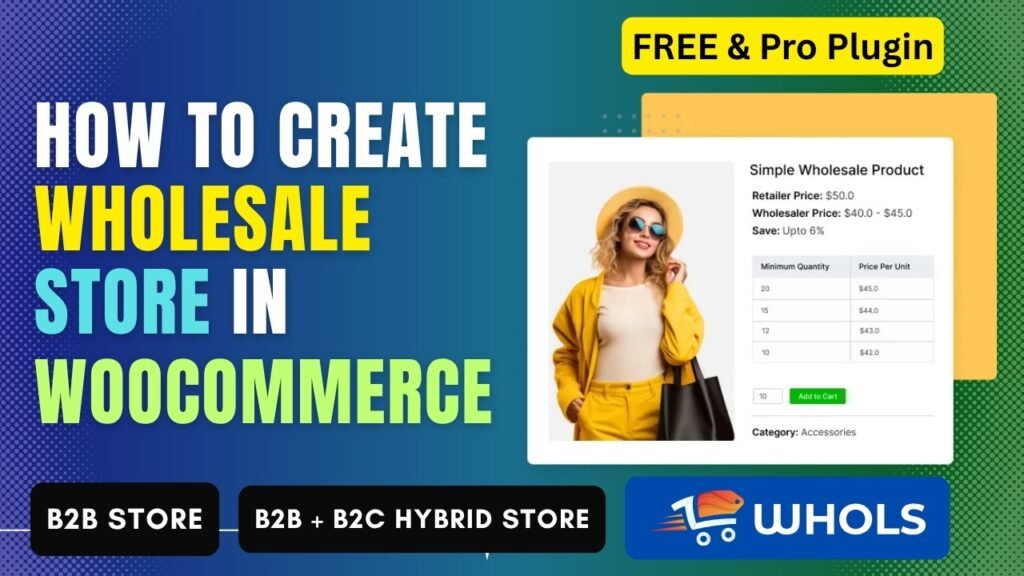
Creating a WooCommerce Wholesale Store is one of the best ways to grow your online business and increase revenue through bulk selling. Whether you want to target retailers, distributors, or business clients, a wholesale setup allows you to scale faster than a traditional store.
In this guide, you will learn how to build a WooCommerce Wholesale Store using the Whols plugin, along with understanding B2B, B2C, and hybrid store models.
Watch Stpe by step Video tutorial: https://youtu.be/ChK2vDOVFO4
📌 What is a WooCommerce Wholesale Store?
A WooCommerce Wholesale Store is an online store designed for selling products in bulk at discounted prices to business customers.
In a typical WooCommerce Wholesale Store:
- Wholesale users get special pricing
- Orders are placed in bulk
- Access may be restricted to approved users
- Pricing varies based on user roles
This type of store is ideal for businesses that want to sell to retailers or resellers instead of individual customers.
🧩 What is a B2B Store?
A B2B (Business-to-Business) store is a type of eCommerce store where businesses sell products or services to other businesses.
Key Features of a B2B Store:
- Bulk purchasing
- Custom pricing
- Minimum order requirements
- Account approval system
A WooCommerce Wholesale Store is typically a B2B store because it focuses on business customers.
🛍️ What is a B2C Store?
A B2C (Business-to-Consumer) store sells products directly to individual customers.
Key Features:
- Fixed pricing
- No bulk requirement
- Open to all users
- Simple checkout process
Most regular WooCommerce stores are B2C stores.
🔄 What is a B2B + B2C Hybrid Store?
A Hybrid Store (B2B + B2C) combines both business models into one platform.
In a Hybrid Store:
- Retail customers see normal prices
- Wholesale customers see discounted prices
- Different roles have different access
👉 A WooCommerce Wholesale Store can also be a hybrid store.
✅ Using the Whols plugin, you can easily create a B2B + B2C hybrid WooCommerce store.
🚀 Benefits of Creating a WooCommerce Wholesale Store
Creating a WooCommerce Wholesale Store offers multiple benefits:
1. Increase Revenue
Bulk orders result in higher order values.
2. Recurring Customers
Wholesale buyers tend to reorder frequently.
3. Expand Your Market
Reach retailers, distributors, and resellers.
4. Flexible Pricing
Offer role-based and bulk pricing options.
5. Run a Hybrid Store
Sell to both retail and wholesale customers.
6. Automate Business
Use plugins to manage pricing, users, and orders automatically.
⚙️ How To Create a WooCommerce Wholesale Store With Whols Plugin
Follow these steps to create your WooCommerce Wholesale Store.
Step 1: Install WooCommerce
Install and activate WooCommerce on your WordPress website.
Step 2: Install Whols Plugin
- Go to Dashboard → Plugins → Add New
- Search for “Whols”
- Install and activate
Step 3: Create Wholesale Registration Form
Use this shortcode:
This allows users to register as wholesalers.
Step 4: Approve Wholesale Users
You can:
- Approve or reject users
- Assign wholesale roles
- Manage access
Step 5: Set Wholesale Pricing
In your WooCommerce Wholesale Store, you can set:
- Global pricing
- Product-level pricing
- Category discounts
- Percentage or fixed discounts
Step 6: Restrict Content
You can:
- Hide prices from guests
- Show wholesale pricing only to approved users
- Restrict products or categories
Step 7: Set Minimum Order Rules
Ensure profitability by setting:
- Minimum quantity
- Minimum order value
Step 8: Create Hybrid Store (B2B + B2C)
A major advantage of a WooCommerce Wholesale Store is the ability to run a hybrid model.
With Whols plugin:
- Retail users see normal pricing
- Wholesale users see discounted pricing
- Both can shop on the same website
Step 9: Upgrade to Pro Version
Upgrade to unlock advanced features for your WooCommerce Wholesale Store.
🔥 Features of Whols Plugin
The Whols plugin provides everything needed to build a powerful WooCommerce Wholesale Store.
Core Features
- Wholesale registration system
- Role-based user management
- Pricing control
- Product visibility control
- Minimum order rules
Advanced Features (Pro)
- Dynamic pricing rules
- Bulk order forms
- Payment gateway control
- Shipping rules
- Quote requests
- Advanced reporting
🆓 Whols Free vs Pro Plugin
| Feature | Free | Pro |
|---|---|---|
| Registration Form | ✅ | ✅ |
| Basic Pricing | ✅ | ✅ |
| Role-Based Pricing | ❌ | ✅ |
| Category Pricing | ❌ | ✅ |
| Dynamic Pricing | ❌ | ✅ |
| Bulk Order Form | ❌ | ✅ |
| Payment Control | ❌ | ✅ |
| Reports | ❌ | ✅ |
💡 Why You Should Create a WooCommerce Wholesale Store
A WooCommerce Wholesale Store helps you:
- Scale your business
- Increase revenue
- Serve B2B and B2C customers
- Automate pricing and orders
Using Whols plugin, you can easily create a professional wholesale system without coding.
🧠 LSI Keywords (Used for SEO Optimization)
- WooCommerce B2B store
- WooCommerce B2C store
- WooCommerce hybrid store
- wholesale pricing WooCommerce
- WooCommerce bulk pricing plugin
- B2B ecommerce WooCommerce
❓ Frequently Asked Questions (FAQs)
1. What is a WooCommerce Wholesale Store?
A WooCommerce Wholesale Store allows businesses to sell products in bulk with special pricing for wholesale customers.
2. Can I create a WooCommerce Wholesale Store for free?
Yes, you can use the free version of the Whols plugin to build a basic store.
3. What is a hybrid WooCommerce store?
A hybrid store allows both retail (B2C) and wholesale (B2B) customers to shop from the same website.
4. Does Whols plugin require coding?
No, it is beginner-friendly and works without coding.
5. Is Whols plugin suitable for large businesses?
Yes, the Pro version includes advanced features suitable for scaling businesses.
🏁 Conclusion
A WooCommerce Wholesale Store is essential for businesses looking to expand into bulk selling and B2B markets.
With the Whols plugin, you can:
- Build a B2B store
- Create a B2C store
- Combine both into a hybrid store
This makes it one of the most powerful solutions for WooCommerce users who want to grow their business efficiently.