Have you ever wanted to build a Multi Vendor Marketplace like Amazon, Flipkart, or Etsy—but without spending thousands on custom development?
The good news is: you can do it with WordPress and WooCommerce.
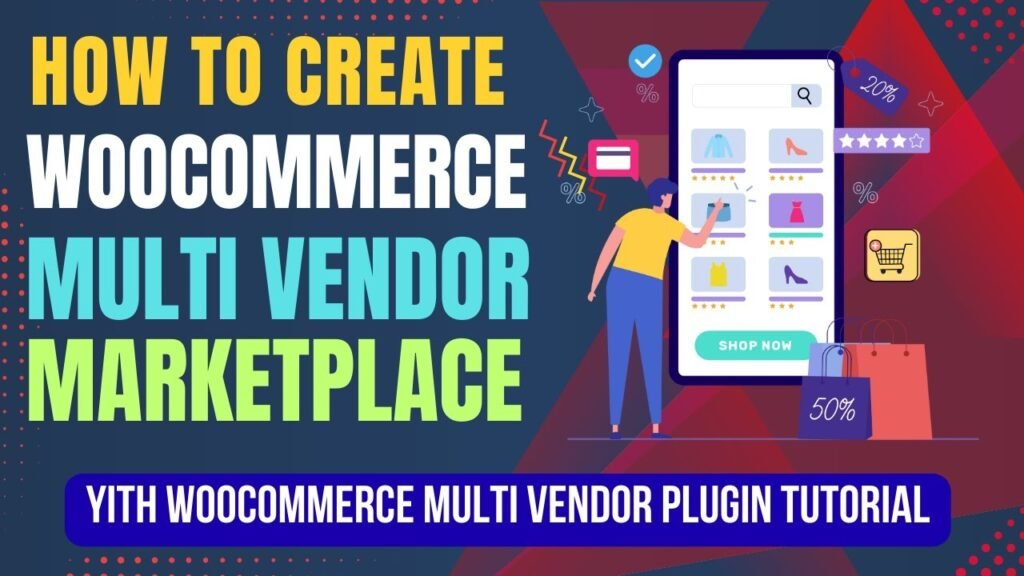
In this detailed guide, you’ll learn how to create a Multi Vendor Marketplace in WooCommerce using the powerful YITH WooCommerce Multi Vendor plugin.
By the end of this article, you’ll understand:
What a Multi Vendor Marketplace is
Why WooCommerce is the best platform
Features of YITH WooCommerce Multi Vendor
How to create a marketplace step by step
Benefits, use cases, and FAQs
Watch Step by step video tutorial: https://youtu.be/d0b2oF79-Lw
What Is a Multi Vendor Marketplace?
A Multi Vendor Marketplace is an eCommerce platform where multiple independent sellers (vendors) can register, list their products, manage orders, and earn revenue—while the marketplace owner earns commission on each sale.
Examples of Multi Vendor Marketplaces:
Amazon → Multiple sellers sell under one platform
Flipkart → Vendors manage their own inventory
Etsy → Creators sell handmade and digital products
With WooCommerce, you can create a similar marketplace on your own domain.
How a Multi Vendor Marketplace Works
Marketplace Owner (Admin)
Controls the platform
Manages commissions
Approves vendors and products
Vendors
Register on the website
Add and manage their products
Track sales and earnings
Customers
Browse products from multiple vendors
Add items to cart
Checkout using WooCommerce
The YITH WooCommerce Multi Vendor plugin handles all this seamlessly.
Benefits of Creating a Multi Vendor Marketplace
1. Unlimited Income Potential
You earn commissions from every vendor sale.
2. No Inventory Management
Vendors manage their own products and stock.
3. Faster Growth
More vendors = more products = more traffic.
4. Scalable Business Model
Add unlimited vendors without rebuilding your site.
5. Lower Operational Cost
No need to handle shipping, storage, or packaging.
Why WooCommerce Is the Best Option for a Multi Vendor Marketplace
1. Built on WordPress
WooCommerce runs on WordPress, the most flexible CMS in the world.
2. Open-Source & Customizable
You fully own your website—no platform lock-in.
3. Powerful eCommerce Features
Payments
Taxes
Coupons
Shipping
Orders
4. Plugin Ecosystem
Thousands of plugins for SEO, security, performance, and marketing.
5. Perfect Integration with Multi Vendor Plugins
WooCommerce works seamlessly with YITH Multi Vendor.
What Is YITH WooCommerce Multi Vendor Plugin?
YITH WooCommerce Multi Vendor is a professional plugin that transforms a standard WooCommerce store into a fully functional Multi Vendor Marketplace.
It allows:
Vendor registration
Vendor dashboards
Commission management
Product control
Order tracking
All without custom coding.
Key Features of YITH WooCommerce Multi Vendor Plugin
1. Vendor Registration System
Vendors can:
Apply to become sellers
Get approved by admin
Access vendor dashboard
2. Vendor Dashboard
Each vendor gets their own panel to:
Add/edit products
Manage orders
View earnings
Track commissions
3. Commission Management
Admin can set:
Global commission rate
Vendor-specific commission
Product-level commission
4. Product Management by Vendors
Vendors can:
Upload products
Set pricing
Manage inventory
Edit descriptions
(Admin can restrict permissions.)
5. Order Management
Vendors see:
Their own orders only
Order status
Customer details (as allowed)
6. Earnings & Reports
Vendors can track:
Sales
Earnings
Commission deductions
Admins get full marketplace reports.
7. Vendor Store Pages
Each vendor gets a dedicated store page with:
Store name
Products
Ratings (Pro version)
8. Compatibility with WooCommerce Extensions
Works with:
Shipping plugins
Payment gateways
Tax plugins
Free vs Premium Version (Quick Overview)
| Feature | Free | Premium |
|---|---|---|
| Vendor Registration | ❌ | ✅ |
| Vendor Dashboard | ❌ | ✅ |
| Commission Rules | Basic | Advanced |
| Vendor Store Pages | ❌ | ✅ |
| Reports & Analytics | ❌ | ✅ |
👉 Premium version is recommended for serious marketplaces
How to Create Multi Vendor Marketplace in WooCommerce (Step-by-Step)
Step 1: Install WordPress & WooCommerce
Install WordPress
Install and activate WooCommerce
Complete WooCommerce setup wizard
Step 2: Install YITH WooCommerce Multi Vendor Plugin
Purchase & download plugin
Upload and activate it
Activate license (Premium)
Step 3: Configure General Settings
Go to:
YITH → Multi Vendor → Settings
Configure:
Vendor registration
Admin approval
Default commission rate
Step 4: Enable Vendor Registration
Allow vendors to:
Apply from frontend
Get approved manually
Step 5: Set Commission Structure
You can set:
Fixed percentage (e.g., 10%)
Fixed amount per product
Vendor-specific commissions
Step 6: Customize Vendor Dashboard
Choose:
What vendors can edit
Product permissions
Order access
Step 7: Create Vendor Store Pages
Automatically generated pages for each vendor.
Step 8: Test the Marketplace
Register as vendor
Add products
Place test orders
Check commission calculation
Use Cases for Multi Vendor Marketplaces
Product marketplaces
Digital product platforms
Handmade goods marketplaces
Local vendor platforms
Service marketplaces
B2B marketplaces
Who Should Create a Multi Vendor Marketplace?
Entrepreneurs
Startups
Agency owners
Local business networks
Niche community builders
If you want scalable passive income, this model is ideal.
SEO Benefits of a Multi Vendor Marketplace
More product pages
User-generated content
Long-tail keyword coverage
Increased crawl frequency
Higher organic traffic potential
Multi Vendor Marketplace vs Single Vendor Store
| Feature | Single Vendor | Multi Vendor |
|---|---|---|
| Product Count | Limited | Unlimited |
| Revenue Source | One seller | Multiple sellers |
| Scalability | Medium | High |
| Content Growth | Slow | Fast |
Frequently Asked Questions (FAQs)
1. What is a Multi Vendor Marketplace?
A platform where multiple vendors sell products under one website.
2. Can I create Amazon-like website using WooCommerce?
Yes, using WooCommerce and YITH Multi Vendor plugin.
3. Do vendors get their own dashboard?
Yes, vendors get a dedicated dashboard to manage products and orders.
4. Can I earn commission from vendors?
Yes, you can set global or vendor-specific commission rates.
5. Is YITH WooCommerce Multi Vendor suitable for beginners?
Yes, it has a user-friendly interface and detailed settings.
Final Thoughts
Creating a Multi Vendor Marketplace is one of the most scalable and profitable online business models today.
With:
WooCommerce
YITH WooCommerce Multi Vendor
WordPress flexibility
You can build a powerful marketplace like Amazon or Etsy—without heavy investment.
If you’re serious about building a long-term eCommerce business, this is one of the best paths you can choose.