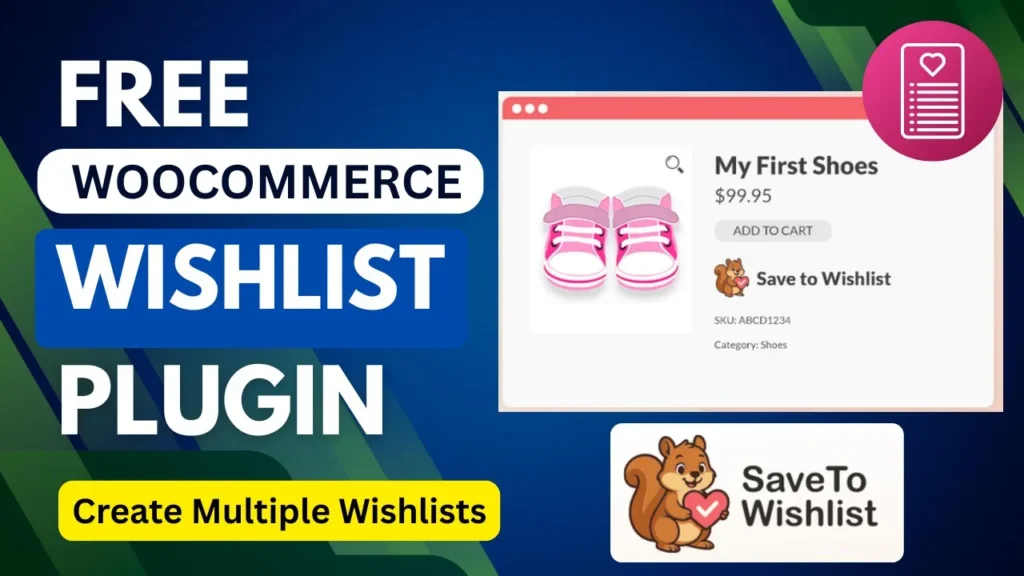
Adding a WooCommerce Wishlist Plugin to your online store is one of the smartest ways to improve user experience and increase conversions.
Most customers don’t buy products immediately. They browse, compare, and come back later. Without a wishlist feature, you risk losing those potential customers forever.
That’s where a WooCommerce Wishlist Plugin like SaveTo Wishlist comes in.
In this guide, you will learn:
- What a wishlist is in eCommerce
- Benefits of adding wishlist feature
- Step-by-step setup using SaveTo Wishlist
- Features of the plugin
- Pros and cons
- FAQs
Watch Step by step video tutorial: https://youtu.be/9d1s0UDgOKU
📌 What is Wishlist in eCommerce Website?
A wishlist is a feature that allows customers to save products they like for future purchase.
Instead of adding items to cart immediately, users can:
- Save favorite products
- Organize them into lists
- Return later to purchase
Wishlist acts as a “save for later” tool, improving shopping experience and decision-making.
👉 Studies show most users don’t purchase on their first visit, making wishlist a critical feature.
🚀 Benefits of Adding Wishlist Feature in WooCommerce
Adding a WooCommerce Wishlist Plugin provides multiple advantages:
1. Increase Conversions
Wishlist helps convert browsers into buyers by allowing them to return and purchase later.
2. Reduce Cart Abandonment
Around 70% of carts are abandoned, but wishlist helps recover those lost opportunities.
3. Improve User Experience
Customers can easily:
- Save products
- Compare items
- Plan purchases
4. Encourage Repeat Visits
Wishlist brings users back to your store, increasing engagement.
5. Boost Sales
Saved products act as reminders, increasing chances of future purchases.
6. Customer Insights
Store owners can analyze:
- Popular products
- Customer preferences
- Buying intent
⚙️ How To Create Wishlist in WooCommerce (Using SaveTo Wishlist Plugin)
Let’s walk through the step-by-step process from your video.
Step 1: Install SaveTo Wishlist Plugin
- Go to WordPress Dashboard → Plugins → Add New
- Search for SaveTo Wishlist Lite
- Install & Activate
This plugin allows customers to save products they love for later.
Step 2: Configure Wishlist Settings
Go to:
Wishlist → Settings
Here you can customize:
- Button position
- Colors and styles
- Wishlist behavior
Step 3: Add “Add to Wishlist” Button
You can display the button on:
- Product pages
- Shop pages
- Category pages
The plugin provides flexible placement options.
Step 4: Enable Multiple Wishlists
Customers can:
- Create multiple wishlists
- Name them (e.g., “Birthday”, “Favorites”)
- Organize products easily
Step 5: Wishlist Page Setup
The plugin automatically creates a wishlist page or allows you to use shortcode to display it.
Step 6: Enable Guest Wishlist (Optional)
You can allow:
- Guest users to create wishlist
- Or restrict to logged-in users
The plugin supports both options.
Step 7: Test Wishlist Functionality
- Add products to wishlist
- View wishlist page
- Move items to cart
Step 8: Optimize for Conversions
Use features like:
- Auto-remove item when added to cart
- Quick add-to-cart from wishlist
🔥 Features of SaveTo Wishlist Plugin
The WooCommerce Wishlist Plugin (SaveTo Wishlist) includes powerful features:
🧩 Core Features
1. Add to Wishlist Button
Display customizable “Save to Wishlist” buttons on products.
2. Multiple Wishlists
Customers can create unlimited wishlists and organize products.
3. Wishlist Page
Dedicated page to manage saved products.
4. Guest Wishlist Support
Supports both guest and registered users.
5. Customization Options
Control:
- Button style
- Placement
- Colors
6. Quick Add to Cart
Move products from wishlist to cart instantly.
7. WooCommerce Integration
Works seamlessly with WooCommerce products.
8. Admin Controls
Store owners can manage customer wishlists.
9. Unlimited Products
No limit on number of wishlist items.
10. Social Sharing (Advanced)
Customers can share wishlists (Pro feature).
👍 Pros and Cons of Wishlist Feature
✅ Pros
- Improves user experience
- Increases conversions
- Reduces cart abandonment
- Encourages repeat visits
- Helps customers plan purchases
- Provides valuable data
❌ Cons
- Adds extra step before purchase
- May delay buying decision
- Requires proper optimization
- Needs integration with marketing strategy
💡 Why Use SaveTo Wishlist Plugin?
This WooCommerce Wishlist Plugin stands out because:
- Completely free
- Easy to use
- Lightweight and fast
- Supports multiple wishlists
- Works with all WooCommerce stores
It’s perfect for beginners and growing eCommerce businesses.
❓ Frequently Asked Questions (FAQs)
1. What is a WooCommerce Wishlist Plugin?
A WooCommerce Wishlist Plugin allows users to save products they want to buy later.
2. Is SaveTo Wishlist plugin free?
Yes, SaveTo Wishlist Lite is a completely free plugin for WooCommerce.
3. Can customers create multiple wishlists?
Yes, users can create unlimited wishlists and organize products easily.
4. Does wishlist work for guest users?
Yes, the plugin supports guest wishlist functionality.
5. How does wishlist increase sales?
Wishlist reminds users about products they like, encouraging them to return and complete purchases.
🏁 Final Thoughts
Adding a WooCommerce Wishlist Plugin is no longer optional—it’s essential for modern eCommerce websites.
With the SaveTo Wishlist plugin, you can:
- Improve user experience
- Capture customer intent
- Increase conversions
- Boost sales
If you want to turn your WooCommerce store into a high-converting machine, implementing a wishlist feature is one of the easiest and most effective steps you can take.