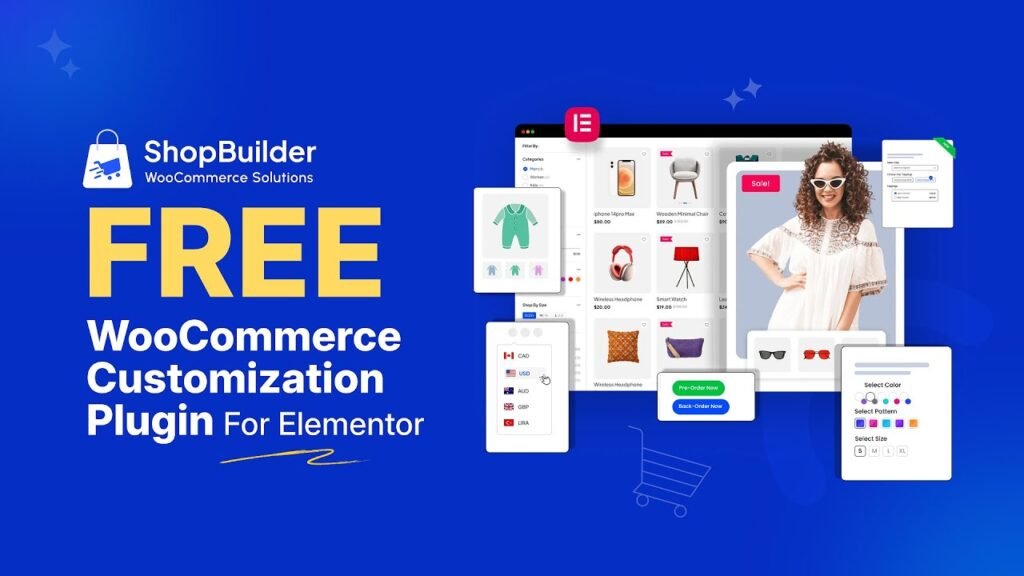
ShopBuilder Free WooCommerce Customization Plugin. WooCommerce is the most powerful eCommerce platform built on WordPress, powering millions of online stores worldwide. But out of the box, WooCommerce delivers a functional yet visually generic shopping experience. Every default WooCommerce store looks largely the same — the same product grid layout, the same single product page structure, the same cart table, the same multi-field checkout form. In a competitive eCommerce landscape where first impressions determine whether a visitor becomes a buyer, ‘generic’ is not a winning strategy.
Customizing your WooCommerce store has traditionally meant hiring a developer, spending time learning CSS and PHP, or cobbling together multiple separate plugins for different features — one for quick view, another for wishlist, another for variation swatches, another for the checkout fields, another for flash sale countdowns. The result is plugin bloat, compatibility conflicts, unpredictable performance, and ongoing maintenance headaches.
ShopBuilder changes all of this. Developed by RadiusTheme and built natively for Elementor and WooCommerce, ShopBuilder is a single, comprehensive WooCommerce customization plugin that lets you visually design every page of your WooCommerce store — the Shop page, Single Product page, Cart page, Checkout page, Archive pages, and Account pages — while also providing 24+ integrated modules that add powerful store features without requiring separate plugins for each.
In this comprehensive guide, we cover why WooCommerce customization matters, the full benefit set of customizing your store’s pages, every ShopBuilder feature, a free vs pro comparison, a step-by-step setup guide, and answers to the five most common questions about WooCommerce customization plugins.
Watch Step by step video tutorial: https://youtu.be/fWSxhScg6Kc
Why Customize Your WooCommerce Shop?
The default WooCommerce experience is designed to be universal — functional for everyone, optimized for no one. Here is why customization is not optional for serious eCommerce stores:
1. Your Brand Identity Deserves a Custom Store
Every brand has its own visual language — colors, typography, tone, and aesthetic. The default WooCommerce templates apply none of this. A generic store sends an implicit signal to shoppers that the brand did not invest in its customer experience, which undermines trust and credibility. A fully customized store that reflects your brand’s visual identity from the shop page to the checkout thank-you page creates a cohesive, professional impression that builds confidence in the buying decision.
2. Default WooCommerce Layouts Are Not Optimized for Conversion
The default WooCommerce product page, cart, and checkout were designed to be functional — not to maximize conversions. Product pages lack urgency elements like countdown timers and stock counters. The checkout form is a long, friction-heavy single page with multiple fields that many shoppers find overwhelming. The cart page lacks cross-sell opportunities and upsell nudges. Every one of these defaults is a conversion opportunity being left on the table.
3. Competitors Are Investing in Their Store Experience
In virtually every product niche, the stores that win are the ones that deliver the best customer experience. Your competitors are investing in custom layouts, faster checkouts, wishlist features, product comparison tools, and personalized recommendation widgets. If your store looks like a default WooCommerce install while competitors present polished, feature-rich shopping experiences, you are at a structural disadvantage that no amount of traffic or pricing can fully overcome.
4. Mobile Shoppers Need a Tailored Experience
The majority of eCommerce traffic now comes from mobile devices, but the default WooCommerce layouts are not optimized for small screens. Product images are too small, buttons are difficult to tap, the checkout form is awkward to fill out on a mobile keyboard, and the default cart experience is clunky on smartphones. Custom layouts built with mobile-first design principles dramatically improve the mobile shopping experience, reducing the astronomical abandonment rates that default mobile WooCommerce experiences typically produce.
5. Feature Gaps Need to Be Filled
Default WooCommerce lacks many features that modern shoppers expect: product wishlists, side-by-side product comparison, color/size variation swatches instead of dropdown menus, quick-view modals to preview products without navigating away, flash sale countdown timers, in-stock notifications, pre-order capabilities, and multi-currency switching. Adding each of these through separate plugins creates integration complexity. A comprehensive customization plugin like ShopBuilder adds all of them in one unified package.
Benefits of Customizing WooCommerce Pages
1. Higher Conversion Rates on Every Page
Every page in the WooCommerce flow — the shop, the product page, the cart, and the checkout — is an opportunity to either advance or lose the sale. Customized, conversion-optimized versions of each page — with strategic placement of trust signals, urgency elements, upsell recommendations, and friction-reducing design — systematically improve the conversion rate at every step. Even a 1% improvement at each stage compounds into significantly more completed orders.
2. Reduced Cart Abandonment
Cart abandonment is the single largest revenue leak in eCommerce, with industry-average rates hovering around 70%. The most effective interventions — a streamlined one-step or multi-step checkout, quick checkout buttons, prominently displayed trust badges, and a clean cart page with strategic cross-sell suggestions — all require a customized WooCommerce cart and checkout experience that default WooCommerce does not provide.
3. Increased Average Order Value (AOV)
Custom WooCommerce product pages and cart pages create space for strategically placed upsell widgets, cross-sell product grids, product add-ons, and bulk discount incentives that increase the value of each order. A customer who adds one product to their cart and is then presented with a relevant, attractively priced add-on or complementary product frequently adds it — directly increasing AOV without requiring additional traffic acquisition.
4. Better SEO Through Faster, Cleaner Pages
Custom-built WooCommerce pages with ShopBuilder and Elementor can be significantly lighter and faster than the default WooCommerce templates, which load JavaScript and CSS regardless of whether those elements appear on the page. Faster page load times directly improve Core Web Vitals scores and Google rankings, turning store customization into an indirect SEO investment.
5. Improved Customer Experience and Loyalty
A shopping experience that is intuitive, fast, visually appealing, and feature-rich creates a positive impression that keeps customers coming back. Features like wishlist saving, product comparison, size charts, and a personalized My Account page make customers feel the store was designed with their needs in mind — building the kind of loyalty and repeat purchase behavior that sustains long-term business growth.
6. Replace Multiple Plugins with One Solution
For store owners who have tried to piece together WooCommerce functionality from multiple separate plugins — a wishlist plugin, a variation swatches plugin, a quick view plugin, a checkout field editor, a sales notification plugin, and so on — ShopBuilder’s unified approach eliminates the plugin bloat, the compatibility risks, and the maintenance overhead of keeping many separate plugins updated and working together.
What is ShopBuilder Plugin?
ShopBuilder is a WooCommerce builder for Elementor developed by RadiusTheme, a reputable WordPress plugin development company with a strong portfolio of WooCommerce and Elementor plugins. ShopBuilder integrates natively with both Elementor and WooCommerce, providing a drag-and-drop visual page builder experience specifically optimized for eCommerce pages — the shop page, single product pages, cart, checkout, archive pages, and account pages.
ShopBuilder includes 128+ purpose-built WooCommerce widgets, 24+ integrated store modules, 40+ pre-built templates covering all WooCommerce page types, and support for category-specific archive pages and product-specific detail pages. The plugin is available as a free version on WordPress.org and a premium Pro version through RadiusTheme, with plans starting at $59 per year or $149 for a lifetime license.
Key Features of ShopBuilder Plugin
1. 128+ WooCommerce Widgets for Elementor
ShopBuilder provides 128+ purpose-built WooCommerce widgets that integrate directly with Elementor’s drag-and-drop builder. These widgets cover every element of every WooCommerce page — product grids, product lists, product sliders, category widgets, single product elements (title, price, images, description, tabs, reviews, upsells), cart elements (cart table, cross-sell, coupon form), checkout elements (billing form, shipping form, payment method, order review), and My Account page elements. Each widget is fully customizable through Elementor’s standard style panel.
2. Visual Page Builder for All WooCommerce Pages
ShopBuilder enables visual, drag-and-drop design of every WooCommerce page type:
- Shop Page — design your entire product listing page with custom grid/list/slider layouts, AJAX filters, category tabs, sorting controls, and a custom product card design
- Single Product Page — fully customize the product detail layout including image gallery, product information arrangement, upsell placement, and tab structure
- Cart Page — design a custom cart layout with your own cross-sell sections, coupon form placement, cart totals styling, and checkout button design
- Checkout Page — create a custom checkout experience with field arrangement, step-based flow, or Shopify-style one-page checkout
- Archive Pages — create category-specific archive page designs that apply automatically to specific product categories
- My Account Pages — fully customize the customer account portal with custom dashboard layouts and menu structures
3. 40+ Pre-Built Professional Templates
ShopBuilder includes over 40 professionally designed, ready-to-import templates across all WooCommerce page types. Choose a shop template, product page template, cart template, checkout template, or My Account template that fits your brand style, import it with one click, and customize with your own content and colors. This dramatically reduces the time required to build a professional-looking WooCommerce store from days to hours.
4. Quick View Module
The Quick View module adds a pop-up product preview feature to your shop and archive pages. When shoppers click the Quick View button on any product card, a modal overlay opens showing full product details — images, description, price, variations, add-to-cart — without navigating away from the shop page. This reduces browsing friction significantly, allowing customers to evaluate multiple products faster and add them to the cart without losing their place in the product catalog.
5. Product Compare Module
The Product Compare module enables customers to select multiple products and view them in a detailed side-by-side comparison table. This is invaluable for product categories where purchase decisions depend on comparing specifications, pricing, and features across options — electronics, furniture, apparel, health products, and more. Giving shoppers the information they need to make a confident decision directly reduces comparison-shopping abandonment.
6. Wishlist Module
The Wishlist module adds full wishlist functionality to your WooCommerce store. Customers can save products to a personal wishlist, share their wishlist via a unique URL, and return later to purchase saved items. Wishlists increase engagement, reduce decision pressure at the product page level, and provide valuable data about which products generate interest even when customers are not ready to buy immediately.
7. Variation Swatches Module
The Variation Swatches module replaces WooCommerce’s default dropdown menus for product variations with visually intuitive swatch buttons — color circles, image thumbnails, or text labels. This makes selecting product variations (size, color, style) faster and more visually satisfying, directly improving the product page user experience and reducing variation-selection friction that causes add-to-cart abandonment.
8. Mini Cart Module (Pro)
The Mini Cart module adds a slide-out or dropdown cart panel that appears when customers hover over or click the cart icon — allowing them to view and manage their cart contents without navigating away from the current page. A well-implemented mini cart reduces checkout friction by giving shoppers continuous awareness of their cart while keeping them on the product discovery experience.
9. Multi-Step Checkout Module (Pro)
The Multi-Step Checkout module breaks the WooCommerce checkout into sequential, focused steps — contact information, shipping address, payment details, and order review — each displayed on its own step with a visual progress indicator. This step-by-step approach reduces the perceived complexity of checkout, lowers abandonment rates, and creates a more organized, less overwhelming checkout experience particularly for mobile shoppers.
10. Flash Sale Countdown Module (Pro)
The Flash Sale Countdown module displays a live countdown timer on product pages, product cards, or dedicated sale pages — creating urgency that motivates shoppers to act before the promotion expires. Flash sale countdowns are one of the most effective conversion psychology tools in eCommerce, consistently driving higher add-to-cart rates and reducing browse-and-leave behavior during promotional events.
11. Sales Notification Module (Pro)
The Sales Notification module displays real-time pop-up notifications of recent purchases made by other customers — for example, ‘Jane from New York just purchased this product 5 minutes ago.’ These social proof notifications create a sense of activity, trust, and demand that reassures hesitant shoppers and nudges them toward purchase decisions.
12. Smart Coupons Module (Pro)
The Smart Coupons module enhances WooCommerce’s default coupon system with advanced auto-apply rules, cart-based conditional logic, and a clean in-cart coupon display that presents available offers to customers automatically. Smart Coupons reduces the friction of coupon code hunting while ensuring discounts are presented at the optimal moment in the customer’s cart journey.
13. Abandoned Cart Recovery Module (Pro)
The Abandoned Cart Recovery module automatically tracks unfinished orders and sends personalized follow-up email campaigns to customers who added products to their cart but did not complete the purchase. This automated recovery system converts a meaningful percentage of would-be abandoned carts into completed orders without any manual intervention from the store owner.
14. Checkout Fields Editor (Pro)
The Checkout Fields Editor allows you to add, remove, reorder, and relabel fields on the WooCommerce checkout form without writing any code. Remove unnecessary fields that create friction (company name, address line 2, phone number), add custom fields your business needs (order notes, special instructions, preferred delivery time), and reorder the remaining fields for the optimal checkout flow.
15. Pre-Order Module (Pro)
The Pre-Order module allows you to accept orders for products that have not yet been released or are currently out of stock. Set the pre-order status on specific products, configure a pre-order availability date, customize the pre-order button text, and collect payment immediately or upon product availability. Pre-order capability builds anticipation, generates early revenue, and provides valuable demand data before a product launches.
16. Currency Switcher Module (Pro)
The Currency Switcher module adds a frontend currency selector that allows international shoppers to view prices in their local currency. Configure multiple currencies with automatic exchange rates or custom fixed rates, display a clean currency dropdown in your header, footer, or anywhere on the page, and give international shoppers the pricing transparency that builds purchase confidence.
17. Additional Pro Modules
ShopBuilder Pro includes an extensive list of additional modules covering virtually every store enhancement need:
- Gift Card Module — sell purchasable gift cards in custom denominations with automatic code delivery
- Bulk Discounts Module — configure tiered quantity-based discounts displayed on product pages
- Product Add-Ons Module — add customizable add-on options and accessories to any product
- Catalog Mode Module — hide prices and the Add to Cart button for a catalog-only store experience
- PDF Invoice Module — auto-generate branded PDF invoices for every completed order
- Popup Builder Module — create targeted marketing popups for promotions, newsletters, and exit intent
- Back In Stock Notifier — let customers subscribe to email alerts when out-of-stock products become available
- Save Cart for Buy Later — allow customers to save their cart and return to complete the purchase later
- Partial Pay Module — accept partial payments or deposits for high-value products
- Buy X Get Y Module — configure BOGO and quantity-based free product deals
- Sticky Add to Cart — keep the Add to Cart button visible as customers scroll down long product pages
How to Customize WooCommerce Pages Using ShopBuilder Plugin
Here is a complete step-by-step guide to installing ShopBuilder and customizing your WooCommerce shop page, single product page, cart page, and checkout page.
Step 1: Install Required Plugins
- Install and activate Elementor (free version) from WordPress.org if not already installed
- Install and activate WooCommerce from WordPress.org if not already installed
- Go to WordPress Dashboard > Plugins > Add New and search for ‘ShopBuilder’
- Find the plugin by RadiusTheme and click Install Now, then Activate
- ShopBuilder will appear in your WordPress admin sidebar once activated
Step 2: Configure ShopBuilder General Settings
- Go to ShopBuilder > Settings in your WordPress admin sidebar
- Enable or disable specific widgets and modules based on your store’s needs — enabling only what you need keeps your site performance optimized
- Configure the template builder settings — ensure the template builder is set to use Elementor
- Save settings before proceeding to template creation
Step 3: Create a Custom Shop Page Template
- Go to ShopBuilder > Templates > Add New
- Select ‘Shop’ as the template type and click Create Template
- Choose to start from a pre-built template or build from scratch
- If using a pre-built template, browse the template library and click Import on your preferred design
- The template opens in Elementor — use drag-and-drop to arrange ShopBuilder widgets
- Add a Product Grid widget and configure columns, product count per page, and card layout
- Add an AJAX Product Filter widget if you want category and attribute filtering
- Configure the Product Ordering widget for customer sorting options
- Style each widget using Elementor’s style panel — colors, typography, spacing, borders
- Click Save and then set this template as the active Shop page template in ShopBuilder settings
Step 4: Customize the Single Product Page
- Go to ShopBuilder > Templates > Add New and select ‘Single Product’ as the template type
- Import a pre-built single product template or start from blank
- In Elementor, arrange Single Product widgets: Product Images, Product Title, Product Price, Short Description, Add to Cart, Product Rating
- Add a Flash Sale Countdown widget below the price to create urgency (Pro)
- Add a Product Size Chart widget for clothing or size-dependent products (Pro)
- Add Related Products and Upsell Products widgets below the main product section
- Configure the Product Tabs widget to organize description, additional information, and reviews
- Style the entire layout to match your brand and save the template
- In ShopBuilder settings, set this as the active Single Product template
Step 5: Build a Custom Cart Page
- Go to ShopBuilder > Templates > Add New and select ‘Cart’ as the template type
- Import a pre-built cart template or create from blank in Elementor
- Add the Cart Table widget as the main content area
- Add a Cross-Sell Products widget below the cart to suggest relevant add-ons
- Add the Cart Totals widget with customized button styling
- Optionally add trust badge elements (custom HTML or icon widgets) near the checkout button
- Save and set this template as the active Cart page template
Step 6: Design a Custom Checkout Page
- Go to ShopBuilder > Templates > Add New and select ‘Checkout’ as the template type
- Choose a checkout template — ShopBuilder offers standard, multi-step, and Shopify-style layouts (Pro)
- In Elementor, arrange checkout widgets: Billing Form, Shipping Form, Order Review, Payment Method, Coupon Form
- If using Multi-Step Checkout (Pro), configure the steps and progress indicator
- Add trust elements like security badges, customer review quotes, and money-back guarantee icons near the payment section
- Save and assign as the active Checkout template
Step 7: Enable Store Modules
- Go to ShopBuilder > Modules in the admin sidebar
- Enable the Quick View module and configure the trigger button text, style, and modal layout
- Enable the Wishlist module and configure the wishlist button placement and page assignment
- Enable the Variation Swatches module and configure swatch styles (color, image, label)
- For Pro users, enable additional modules: Mini Cart, Flash Sale Countdown, Sales Notification, Currency Switcher
- Each module can be configured independently with its own style and behavior settings
Step 8: Upgrade to ShopBuilder Pro (Optional)
- Visit shopbuilderwp.com/pricing to review plans — Personal ($59/year or $149 lifetime for 1 site)
- Purchase a plan appropriate for your number of sites
- Download the Pro plugin from RadiusTheme and install via WordPress > Plugins > Upload Plugin
- Enter your license key to activate Pro features
- All Pro modules — Multi-Step Checkout, Mini Cart, Abandoned Cart Recovery, Smart Coupons, Pre-Order, Gift Card, and all additional Pro modules — are immediately available
ShopBuilder Free vs Pro: Detailed Comparison
Here is a comprehensive feature-by-feature breakdown of what is available in the free version versus the Pro plans of ShopBuilder:
Feature / Module | Free Version | Pro Version |
Total Widgets | 70+ | 128+ |
Pre-Built Templates | Basic | 40+ Templates |
Page Templates (Shop, Single, Cart, Checkout) | Yes | Yes (+ Archive, Account, Order) |
Category-Specific Archive Pages | Yes | Yes (Advanced) |
Product-Specific Detail Pages | Yes | Yes (Advanced) |
Quick View Module | Yes | Yes (Advanced) |
Product Compare Module | Yes | Yes (Advanced) |
Wishlist Module | Yes | Yes (Advanced) |
Variation Swatches Module | Yes | Yes (Advanced) |
Variation Gallery Module | Yes | Yes (Advanced) |
Product Badges Module | Yes | Yes (Advanced) |
Social Share Module | Yes | Yes (Advanced) |
AJAX Product Filter | Basic | Full Pro AJAX Filter Widget |
AJAX Load More / Infinite Scroll | Yes | Yes |
Mini Cart Module | No | Yes |
Flash Sale Countdown Module | No | Yes |
Quick Checkout Module | No | Yes |
Multi-Step Checkout Module | No | Yes |
Shopify-Style Checkout Module | No | Yes |
Checkout Fields Editor | No | Yes |
Sales Notification Module | No | Yes |
Product Size Chart Module | No | Yes |
Customize My Account Module | No | Yes |
Pre-Order Module | No | Yes |
Back-Order Module | No | Yes |
Abandoned Cart Recovery Module | No | Yes |
Smart Coupons Module | No | Yes |
Currency Switcher Module | No | Yes |
Extended Cross-Sell (Pro) | No | Yes |
Product Add-Ons Module | No | Yes |
Bulk Discounts Module | No | Yes |
Gift Card Module | No | Yes |
Catalog Mode Module | No | Yes |
Save Cart For Buy Later Module | No | Yes |
Popup Builder Module | No | Yes |
PDF Invoice Module | No | Yes |
Partial Pay Module | No | Yes |
Buy X Get Y Module | No | Yes |
Back In Stock Notifier | No | Yes |
Sticky Add to Cart | No | Yes |
WooCommerce Sales Count Widget (Single) | No | Yes |
Flash Sale Countdown Widget (Single) | No | Yes |
Quick Checkout Widget (Single) | No | Yes |
Size Chart Widget (Single) | No | Yes |
Account Dashboard / Orders / Addresses Widgets | No | Yes |
Order Details Table Widgets | No | Yes |
Login/Register Form Widget | No | Yes |
Multi-Language Support | Yes | Yes |
Enable/Disable Widgets & Modules | Yes | Yes |
Compatible with Popular Themes | Yes | Yes |
Priority Support | Community Forum | Dedicated Priority Support |
ShopBuilder Pro Pricing
ShopBuilder Pro offers both annual subscription and one-time lifetime pricing options:
Plan | Annual Price | Lifetime Price | Sites |
Free | Free forever | Free forever | Unlimited |
Personal | $59/year | $149 one-time | 1 Site |
Developer | $99/year | $229 one-time | 5 Sites |
Agency | $149/year | $379 one-time | Unlimited Sites |
All Pro plans include 1 year of priority support and updates (annual plans) or lifetime support and updates (lifetime plans). The Agency plan covers unlimited sites, making it the most cost-effective option for freelancers and agencies managing multiple WooCommerce stores.
Frequently Asked Questions (FAQs)
1. Does ShopBuilder Require Elementor Pro or Only the Free Version?
ShopBuilder works with the free version of Elementor available on WordPress.org — you do not need an Elementor Pro subscription to use ShopBuilder. All of ShopBuilder’s 128+ WooCommerce-specific widgets, 24+ store modules, and page builder templates function fully with the free Elementor plugin. Elementor Pro is not a requirement. If you already have Elementor Pro, ShopBuilder integrates seamlessly alongside it and all your existing Elementor Pro widgets continue to work as normal. The only requirement is that both Elementor (free or Pro) and WooCommerce must be installed and active on your WordPress site.
2. Can I Use ShopBuilder with Any WordPress Theme?
Yes. ShopBuilder is designed to be compatible with popular WordPress themes and is built with the flexibility to work alongside virtually any well-coded theme. The plugin is tested for compatibility with widely used themes including Astra, OceanWP, Flatsome, Hello Elementor, GeneratePress, and others. For custom or less common themes, ShopBuilder provides easy compatibility mechanisms that allow developers to override templates and widget behavior. The plugin’s page builder approach also means that your ShopBuilder-designed WooCommerce pages override the default WooCommerce template outputs, so the underlying theme’s WooCommerce template styles become less relevant once ShopBuilder templates are active.
3. Will Enabling All ShopBuilder Modules Slow Down My WooCommerce Store?
ShopBuilder is specifically designed with performance in mind, providing a granular module and widget enable/disable system that allows you to activate only the features your store actually needs. Every disabled module contributes zero load to your site — it does not load any JavaScript, CSS, or PHP for that feature. This is fundamentally different from installing multiple separate plugins, where each plugin adds its own overhead regardless of which specific features you use. By selectively enabling only the modules and widgets relevant to your store, you can enjoy a rich set of features without a proportional performance penalty. For maximum performance, enable only what you actively use and test page speed before and after to monitor impact.
4. Can I Create Different Product Page Layouts for Different Products?
Yes. ShopBuilder Pro supports product-specific detail page templates, which allows you to create a different Elementor-designed product page layout for specific individual products. This is valuable when you have premium products that need a more detailed or feature-rich presentation than your standard products, or when certain products have unique information requirements (e.g., a downloadable product needs a different layout than a physical product with size options). In addition to product-specific templates, ShopBuilder also supports category-specific archive page templates — so you can design a unique shop listing page layout for specific product categories.
5. Is ShopBuilder Suitable for Beginners Who Are New to Elementor?
Yes. ShopBuilder is designed to be accessible to users of all skill levels, including beginners who are new to Elementor page building. The plugin’s 40+ pre-built templates are a key feature for beginners — rather than building from a blank canvas, you import a professionally designed template and simply replace the placeholder content with your own. The Elementor drag-and-drop interface is visual and intuitive, and ShopBuilder’s WooCommerce widgets follow the same configuration pattern as standard Elementor widgets, meaning the learning curve is minimal for anyone already comfortable with basic WordPress editing. RadiusTheme also provides comprehensive documentation and video tutorials covering all major ShopBuilder features, and the community forum provides additional support for users who encounter questions during setup.
Conclusion
WooCommerce is a powerful eCommerce foundation, but its default pages are generic, conversion-uninspiring, and feature-limited. Serious WooCommerce stores require customization — not just cosmetic changes, but structural redesign of every page in the customer journey, supported by advanced store modules that modern shoppers expect.
ShopBuilder delivers everything needed for this transformation in a single, cohesive plugin. With 128+ WooCommerce widgets for Elementor, 24+ integrated store modules, 40+ professional pre-built templates, and full coverage of the Shop, Single Product, Cart, Checkout, Archive, and Account pages — plus Pro modules like Multi-Step Checkout, Abandoned Cart Recovery, Flash Sale Countdown, Smart Coupons, Pre-Order, and Gift Cards — ShopBuilder replaces the fragmented multi-plugin approach with a unified, well-maintained solution.
The free version provides an impressive starting point for any WooCommerce store. The Pro version, starting at $59 per year or $149 for a lifetime license, unlocks a level of functionality that would require purchasing five to ten separate plugins to replicate — making ShopBuilder Pro one of the best value investments available for WooCommerce store owners.
Download the free ShopBuilder plugin from WordPress.org today, or visit shopbuilderwp.com to explore Pro plans and start building the WooCommerce store your brand deserves.